Table of Contents
Best Workstation for Local AI Agents: Hermes, OpenClaw Hardware Guide [Updated 2026 ]
This guide explains how to run local AI agents like Hermes and OpenClaw on a BIZON workstation without treating the machine as a normal chatbot desktop. These tools can connect to files, apps, messages, memory, and local model endpoints. That changes the hardware question. From our build-floor view, the right workstation is more than a box with enough VRAM. It also needs fast local context, isolated file access, reliable uptime, and a clear boundary between the agent and the user's real workspace, because that boundary matters.
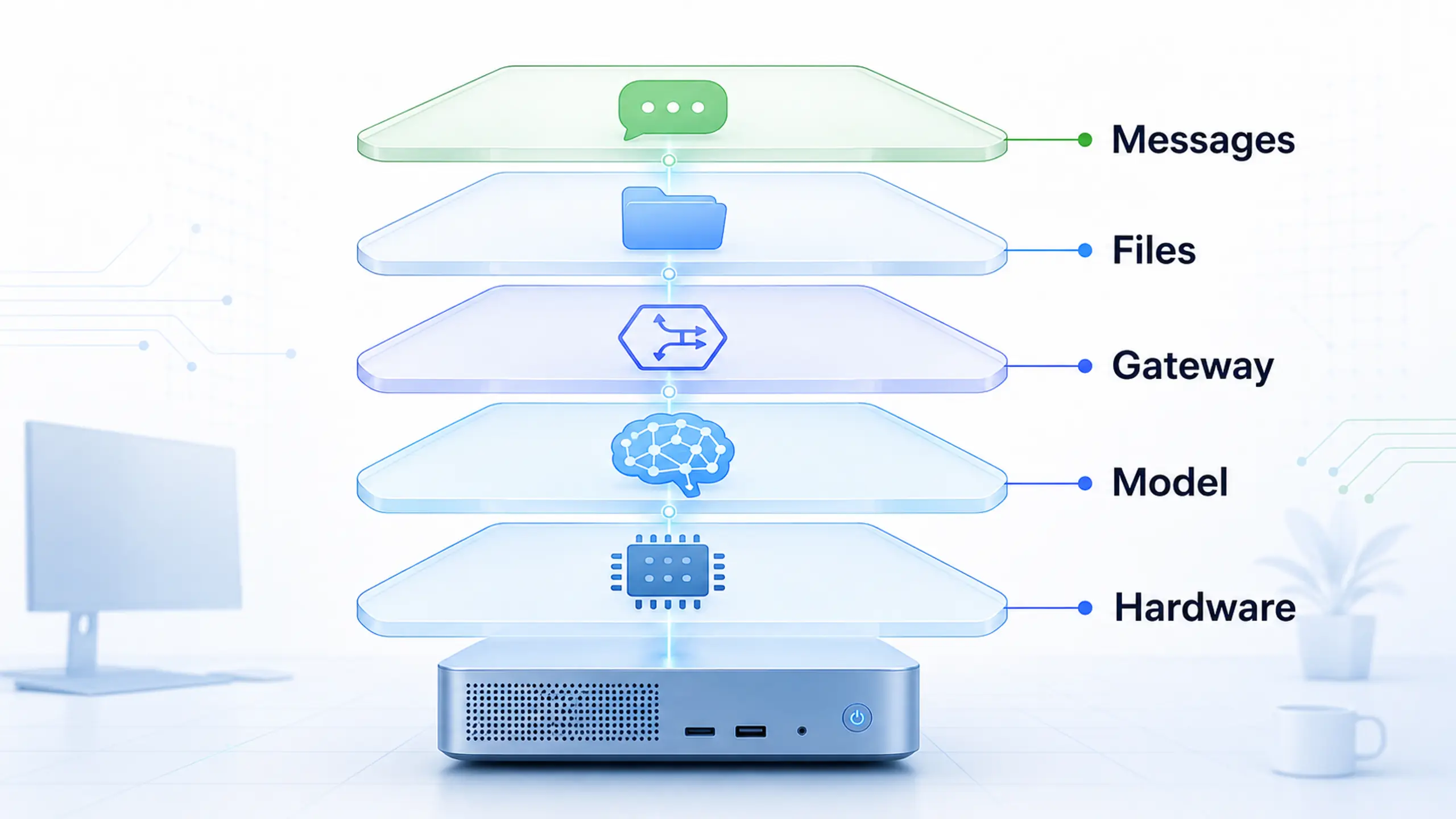
A local agent workstation has to run model serving, gateway control, local context, and the security boundary together.
NVIDIA's May 13, 2026 Hermes article describes Hermes for RTX PCs, RTX PRO workstations, and DGX Spark, with access to messaging apps, local files, applications, and continuous workflows. NVIDIA's OpenClaw playbook describes OpenClaw as local-first, conversation-aware, file-aware, app-aware, and connected to LM Studio and Ollama. Local agents are now a workstation design problem. That is the shift buyers need to plan around. The hardware has to follow that shape.
The Hermes GitHub repository describes memory, skill creation, multiple messaging gateways, scheduled automations, and isolated subagents. Those are not simple chat features. The runtime has to read, remember, call tools, and keep running without turning the user's whole desktop into the agent's workspace. For hardware planning, these projects show the larger pattern: the workstation becomes the control plane. The machine owns that job.
What Changes in the Hardware Plan?
Traditional local AI buying starts with the model. That still matters. The 32 GB RTX 5090 and 96 GB RTX PRO 6000 Blackwell live in different practical tiers, and BIZON's X3000 G2 and V3000 G4 both list those GPU options. But an agent also watches messaging, reads files, calls tools, stores memory, and writes logs.
The local model is one layer. A separate agent gateway connects the inference service to tools, files, apps, messages, and user requests. File access, user accounts, API credentials, network reachability, and rollback planning sit around them. BIZON workstations fit when the agent needs to run as a controlled local service, not just as a chatbot window on someone's daily desktop. That distinction matters once the agent keeps memory, watches files, or serves more than one user. The gateway changes the risk.
Key Takeaway
For Hermes, OpenClaw, and similar local agents, size the workstation around four jobs at once. Serve the model, hold context responsive, isolate the agent, and keep the system available.
From our experience sizing local AI workstations, planning beats app-level enthusiasm because the OS image, accounts, storage, and network path decide whether the agent is controllable. BIZON Z-Stack Ubuntu 24.04 with preinstalled deep learning frameworks gives buyers a known starting point, but the real mistake is treating those surrounding layers as software-only choices. Hardware should make the safe path easy: enough VRAM for the model, RAM and NVMe storage for the working set, a network plan without public exposure, and separate agent accounts away from personal files by default. If the first test goes wrong, the machine should be easy to reset without touching the user's main desktop. Reset speed matters here.
Four Hardware Jobs
Local agent stacks stress four places at once. GPU VRAM holds the model. CPU, RAM, and NVMe storage keep context, files, logs, and tools responsive. Network and operating-system setup decide how the agent is reached, while isolation decides how far a hostile prompt, bad tool call, or exposed web UI can spread. Scope the boundary early.
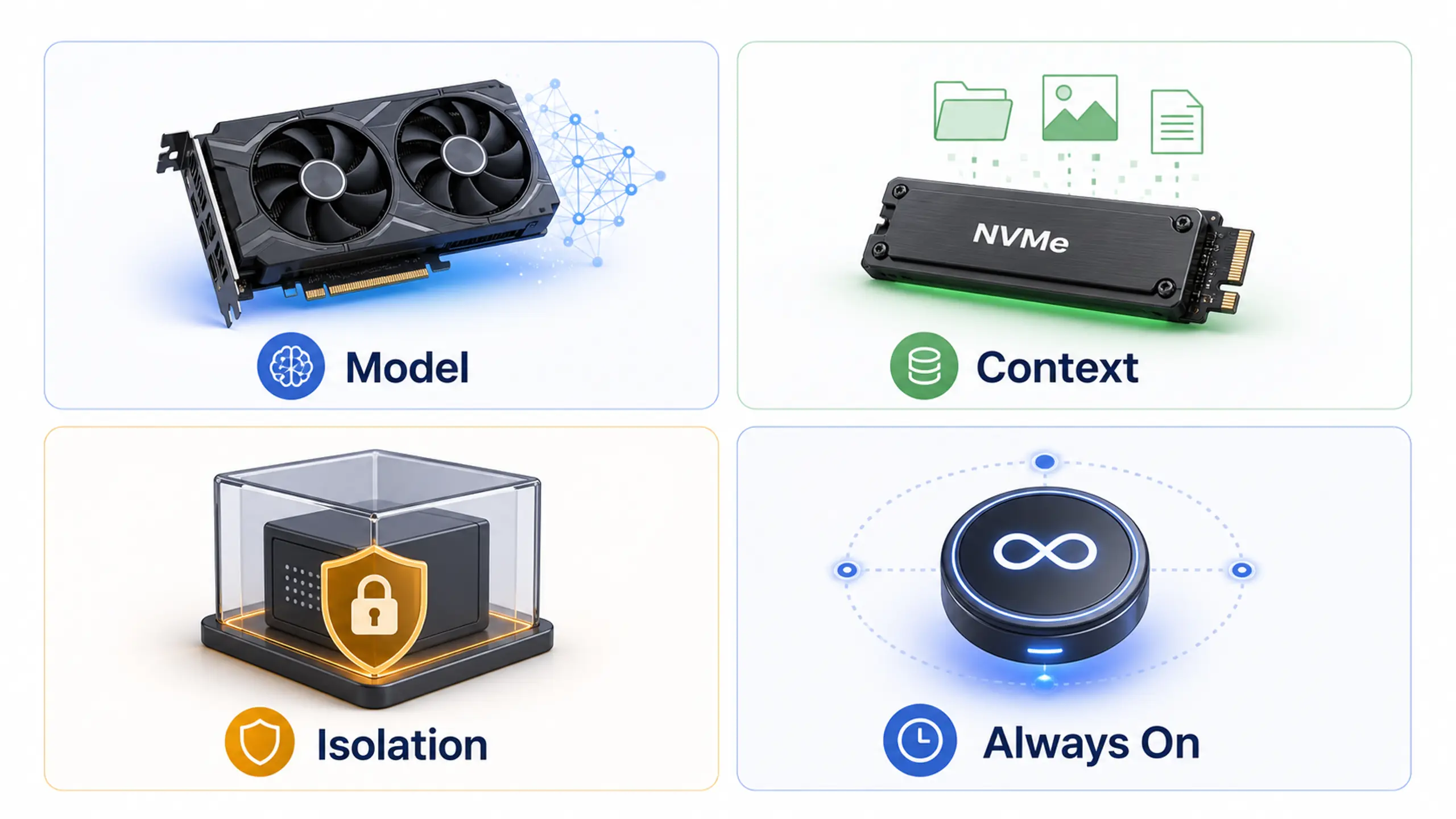
Local-agent workloads stress GPU memory, local storage, isolation, and uptime at the same time.
Start with workload shape, not a single benchmark. Coding assistance for one repository during office hours is a different build than a team agent tied to messaging, documents, and a persistent web UI. Both can be local, but they should not be configured the same way. The duty cycle matters.
Serve the Local Model
These agents do not make inference sizing disappear. VRAM is still the gate. NVIDIA's Hermes instructions document an Ollama endpoint, while RTX AI Garage also mentions llama.cpp and LM Studio. The 32 GB RTX 5090 fits smaller local models and quantized testing, while the 96 GB RTX PRO 6000 Blackwell option moves the workstation into larger model territory.
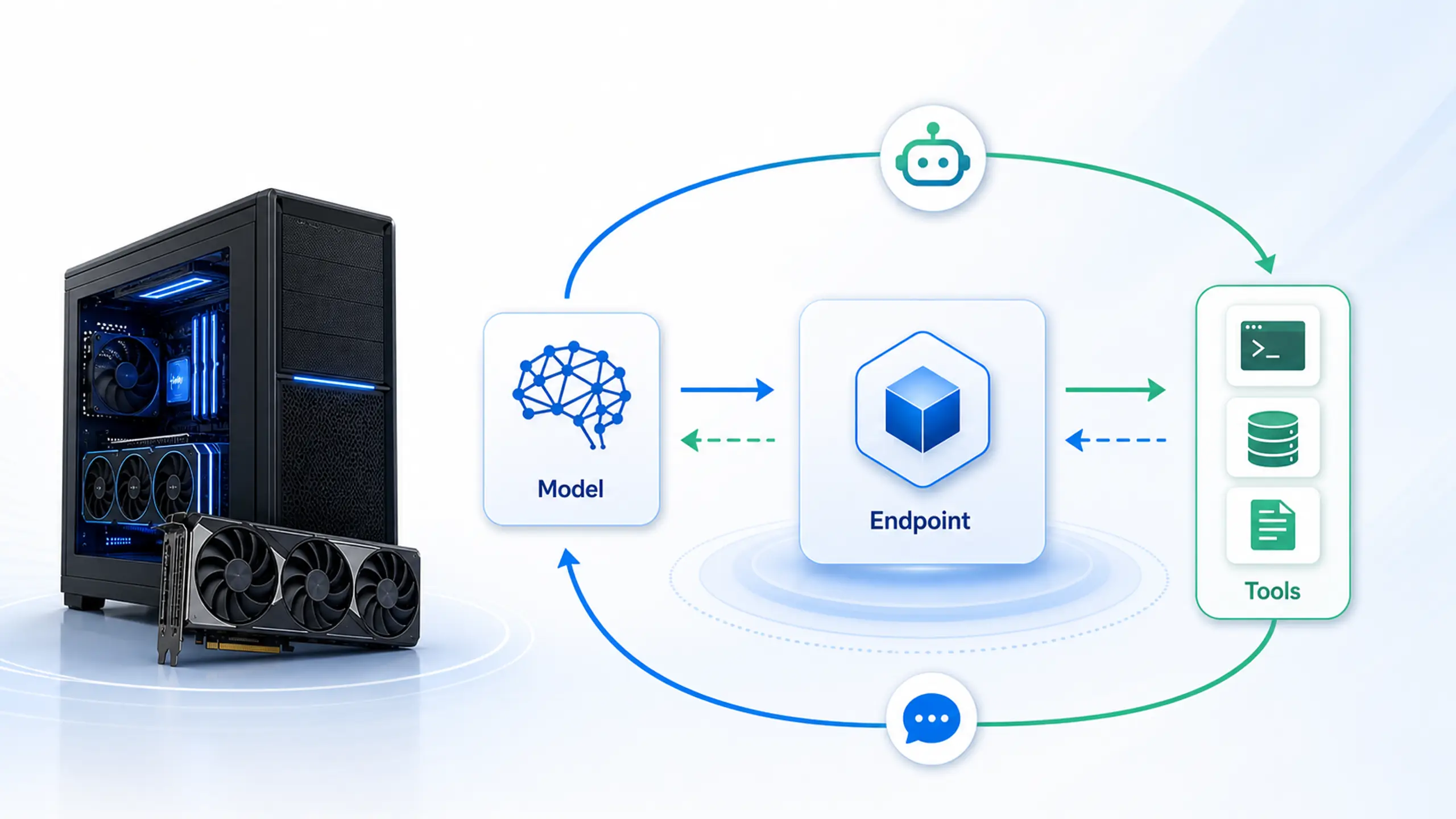
The local inference service sits at the center of the agent loop. Keep enough VRAM free for the model while tools, messages, and requests continue around it.
For agent work, the GPU discussion goes beyond first-token latency or a single tokens-per-second result. It is about keeping a local model resident while the rest of the workflow stays usable. Repeated model unloads add delay before tool calls, interrupt background work, and make interactive agent loops harder to trust during normal use. If the GPU is full and the runtime spills into system memory, the workstation loses the local-inference advantage. For smaller personal agents, a high-end RTX card can be the right start. For larger local models or longer context windows, RTX PRO-class VRAM changes the experience. Resident models feel different.
Sizing starts with concurrency. One user testing a coding helper can tolerate a smaller model, a manual restart, and a narrower tool list. Heavier agent use combines retrieval, browser automation, database services, logging, and interactive review on the same machine. Leave headroom for those services, because they are part of the agent rather than background noise.
Test the model endpoint with the actual tool loop before treating a GPU choice as final. Run the whole loop. Run the target model, the target context window, the retrieval service, and the gateway at the same time. Watch for unloads, CPU pegging, browser automation stalls, and log writes during a real workflow instead of a single prompt. Keep a smaller fallback model available for debugging so every failure does not turn into a full-stack restart.
Keep Context and Tools Responsive
Agents are context engines. They read files, write notes, scan repos, keep memory, and preserve logs for review. BIZON X3000 G2 pairs Ryzen 9000 with up to 256 GB DDR5, and BIZON V3000 G4 offers multiple M.2 sockets, including 1 PCIe Gen5x4 option and 3 PCIe Gen4x4-capable M.2 slots. Those details matter when the agent indexes documents and keeps state close to the model.
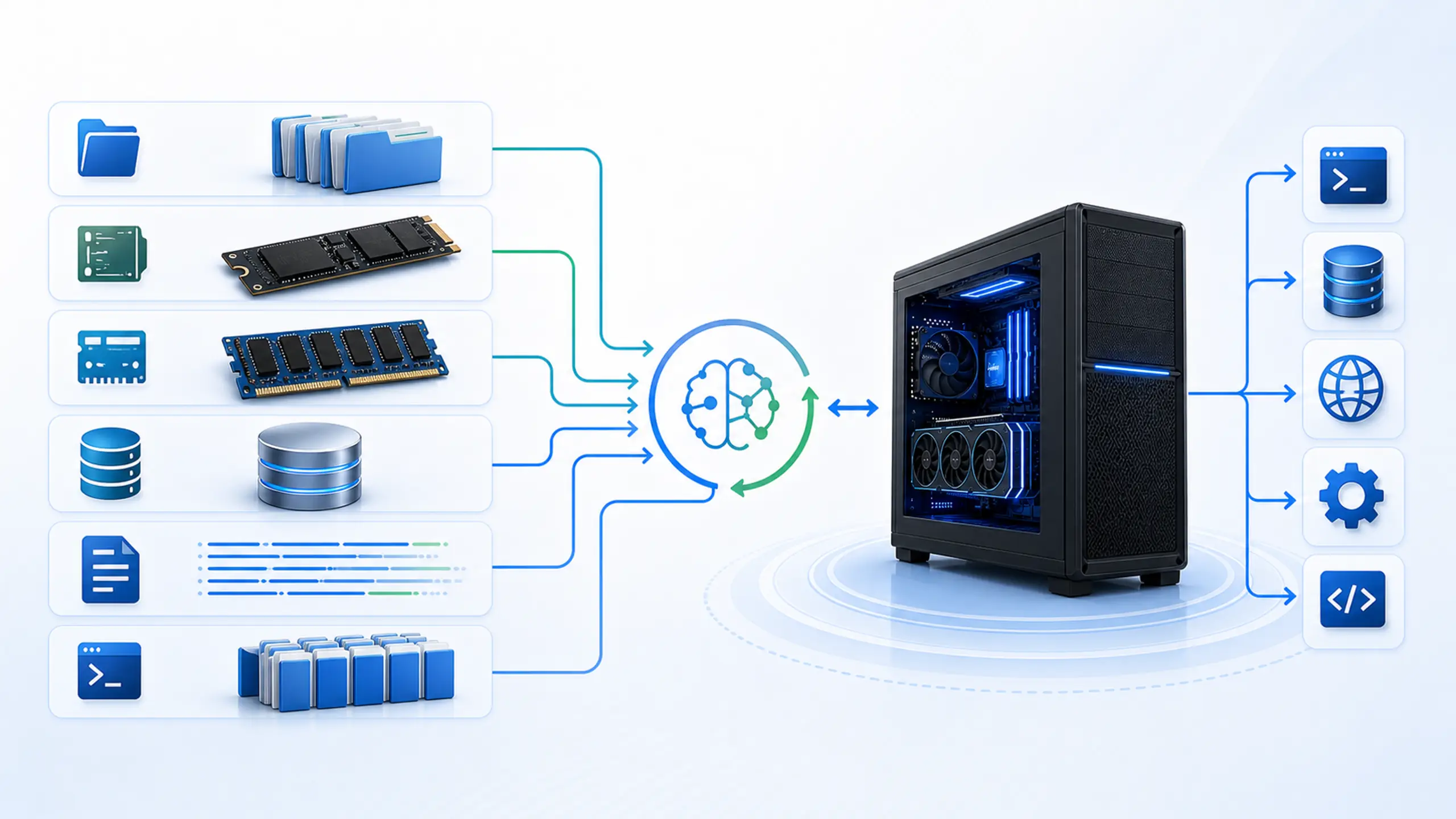
Context is an active working set. Files, indexes, logs, RAM, and tool services need headroom beside the local model.
Storage is where many local-agent builds get underspecified. The model files, vector indexes, repo copies, chat logs, tool outputs, and rollback snapshots should not fight for the same slow disk. Fast NVMe storage keeps retrieval and tool state close to the model, and separate volumes make cleanup less painful when a test agent generates junk. RAM matters for the same reason. Docker services, a browser, a database, and a local model all need headroom outside the GPU. Storage is part of safety.
Think of context as a working set, not an archive. The agent may answer one prompt at a time, but the supporting services can still be indexing files, embedding chunks, checking a repository, or writing trace logs. A clean storage layout gives the team separate places for models, project data, temporary tool output, and backups. It also makes it easier to delete a failed experiment without losing the material the agent was supposed to protect.
- Models: keep model files and runtime caches separate from project data so cleanup does not touch source files or documents.
- Indexes: put vector stores and retrieval databases on fast local NVMe, then snapshot before large re-indexing jobs.
- Logs: store prompts, tool calls, and errors where they can be reviewed without giving the agent write access to everything else.
- Scratch: give browser automation, generated files, and temporary tool output a disposable working folder.
Use that layout before the agent touches real files. It gives the team a clean rollback path, a place to inspect tool output, and a way to separate useful memory from generated clutter. It also keeps procurement focused on the working set instead of a vague storage total. Control is the goal, not just capacity.
Stay Online Without Becoming a Daily Desktop
Always-on operation turns local agents from a personal app into infrastructure. NVIDIA describes Hermes as able to run continuously, while OpenClaw is positioned as a local-first background agent. BIZON X3000 G2 can add optional 10 GbE RJ45 or 25 GbE SFP28 networking for dedicated local-agent access. If the agent sits between messaging, local files, and model inference for multiple users, treat uptime and maintenance like part of the design.
That does not mean every agent needs a server. It means the workstation should have a defined job. Daily-use desktops can run a proof of concept, but they are usually a poor place to leave file-aware agents running for weeks. Dedicated workstations let the team control updates, freeze runtime versions, segment files, and restart the stack without interrupting the user's normal machine. That separation also makes support easier because there are fewer hidden desktop variables to chase.
Keep the service path simple and private. Bind the endpoint to a private address, document the restart command, and keep the agent under its own OS account instead of the user's login. Schedule updates instead of letting the workstation drift during active use. Assign uptime ownership before a second user depends on the agent. Keep recovery simple. Write the runbook down.
Local Does Not Automatically Mean Safe
Local control helps privacy, but it does not make an agent safe by default. NVIDIA's OpenClaw playbook warns that agents can introduce data exposure and malicious-code risks when terminal or file-system access is involved. The same playbook recommends a dedicated or isolated system rather than a primary workstation with sensitive data. The safer build has deliberate accounts, limited folders, controlled credentials, backups, and a rollback path.
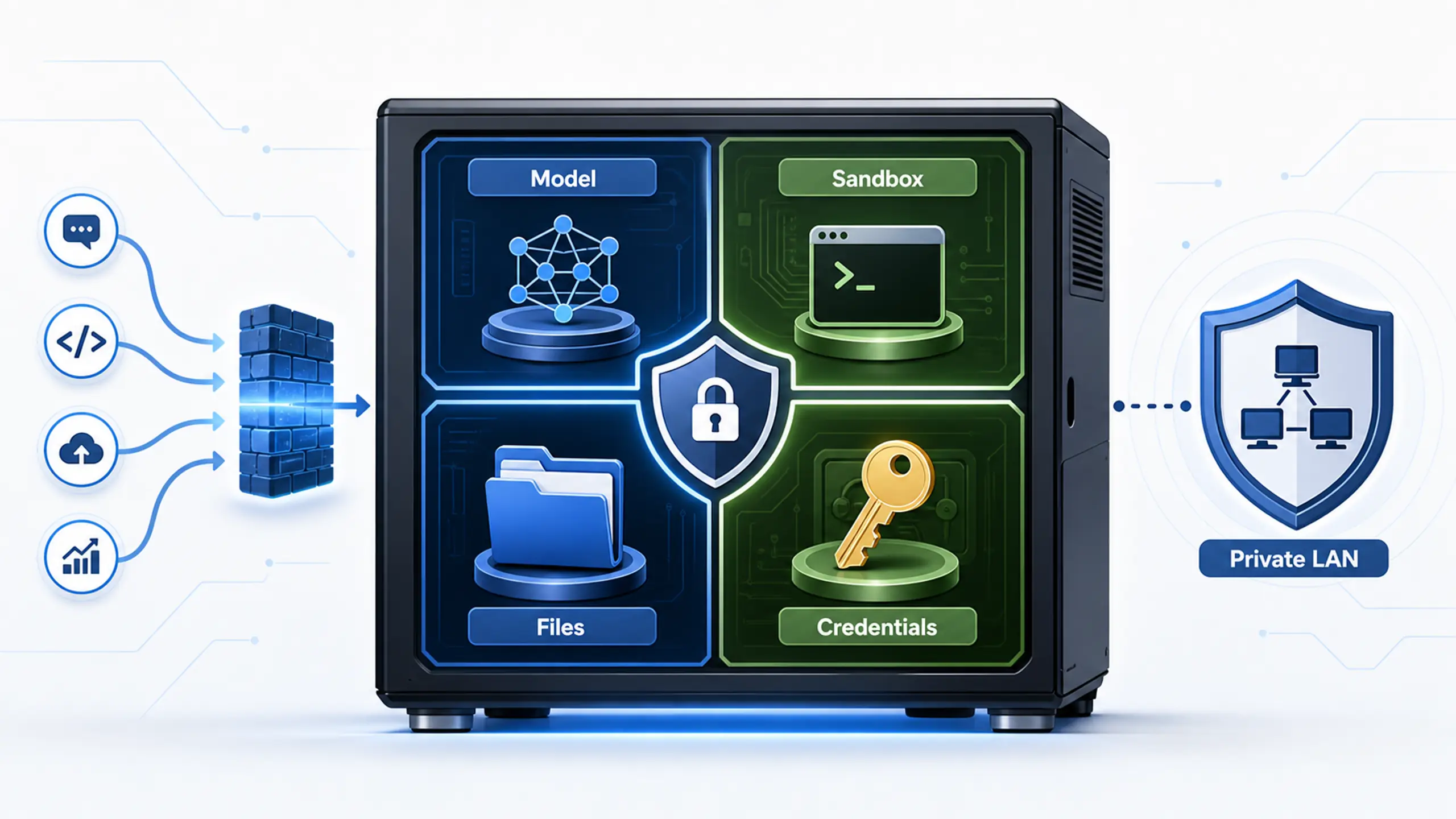
Isolation is a workstation design decision. The safest local-agent builds keep inference, sandboxing, credentials, approved files, and the private network boundary explicit.
Start with the smallest useful permission set. Treat permissions as configuration. Give the agent a test account, a test folder, and a short list of tools before connecting it to real email, shared drives, or production repositories. Use private-network access first. Keep credentials in a managed location instead of dropping secrets into scripts or shell history. Log the agent's actions so mistakes can be reconstructed. Local AI gives you control, but the advantage has to be designed into the workstation.
Watch Out
Do not run a new agent against your primary workstation, main email, and full file tree on day one. Start isolated, then widen access only after the workflow proves itself.
NVIDIA's NemoClaw material describes NVIDIA OpenShell as the layer for sandboxing, credential management, and network and API proxying in agent deployments. It also warns that no sandbox offers complete protection against advanced prompt injection. Isolation reduces the blast radius, but it does not make agent behavior harmless. Keep the first deployment on a private network, use strong authentication, and give the agent only the files and tools it needs. Isolation still has limits.
Prompt injection is the reason the workstation boundary matters, so keep the boundary explicit before the agent gets real tools. A file-aware agent may summarize hostile instructions inside documents. Tool-aware workflows can launch shell actions with whatever permissions the environment provides. The safest local deployment assumes the model will eventually see hostile text. The workstation's job is to make that event recoverable instead of catastrophic.
Teams should start the first build by separating the model service, approved files, and external access. Run the model service outside the user's normal login, keep approved agent files in a limited project tree, and leave external access separate from the private endpoint. That does not require a complicated enterprise rollout on day one. It does require a written boundary before the agent gets more tools. When the test succeeds, widen access one folder, one credential, or one workflow at a time. If the test fails, the rollback is obvious.
Which BIZON Tier Fits?
After model size, context volume, access scope, and uptime are scoped, the cards below become a chassis shortlist rather than a prestige ladder. X3000 G2 covers personal pilot builds, V3000 G4 handles heavier workstation endpoints, and G7000 G4 belongs to shared service deployments. Quote around the first bottleneck: VRAM for a resident model, RAM and NVMe for retrieval, logs, and browser automation, or ownership controls for a shared endpoint. The right card removes that bottleneck before adding GPU budget, storage spend, or network options that do not solve the first deployment risk. Start with the blocker.
Personal Agent Workstation
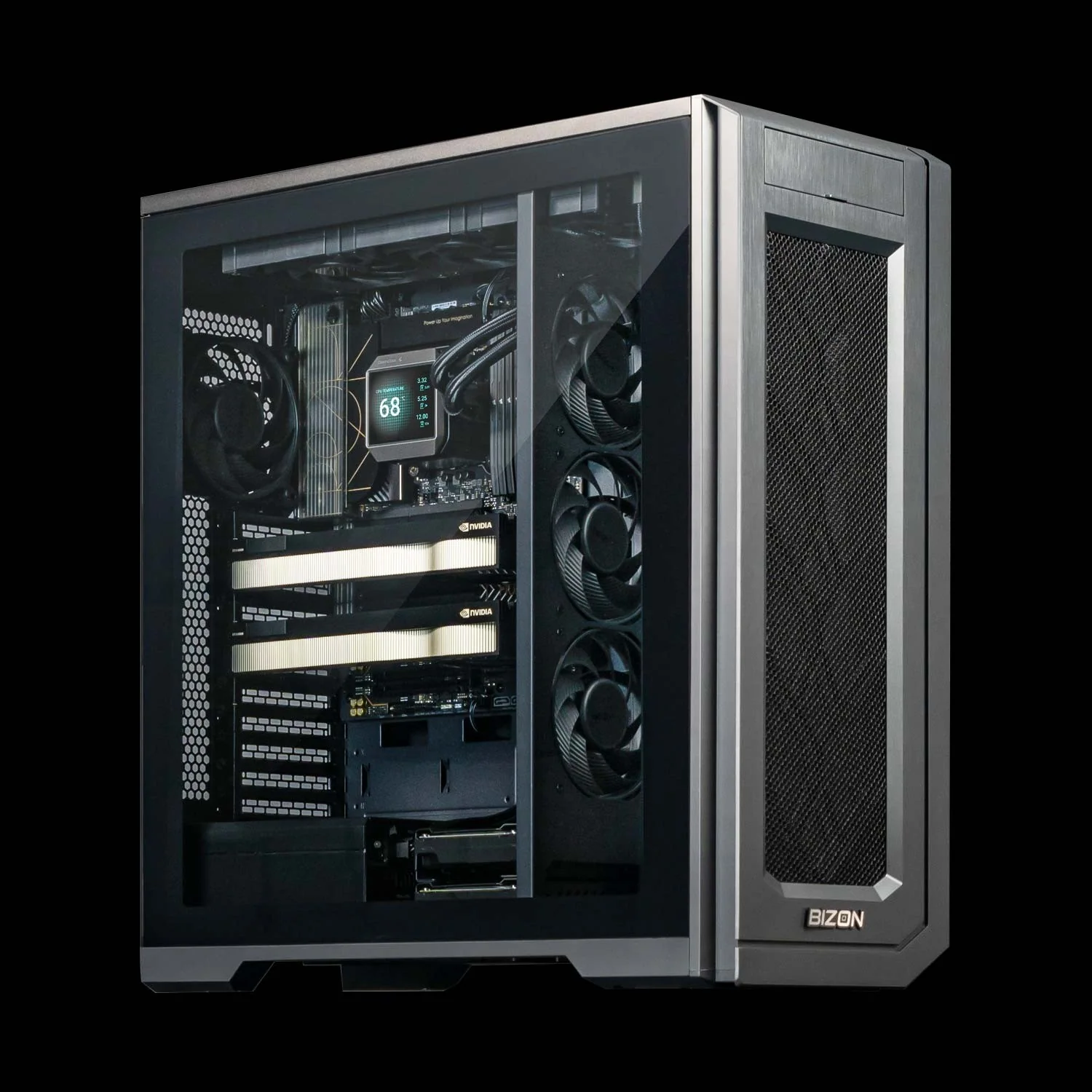
BIZON X3000 G2 Desktop Workstation
- Best for: Personal agent testing, coding assistants, and small local RAG workflows
- GPUs: Up to two NVIDIA RTX graphics cards, including RTX 5090 and RTX PRO 6000 Blackwell
- VRAM: Up to 192 GB with two RTX PRO 6000 Blackwell cards
- CPU: Ryzen 9000 series, up to 16 cores
- RAM: Up to 256 GB DDR5
- Connectivity: 1 GbE built-in plus Wi-Fi/Bluetooth, up to 25 GbE (Dual-Port SFP28)
Pro Local Agent Node
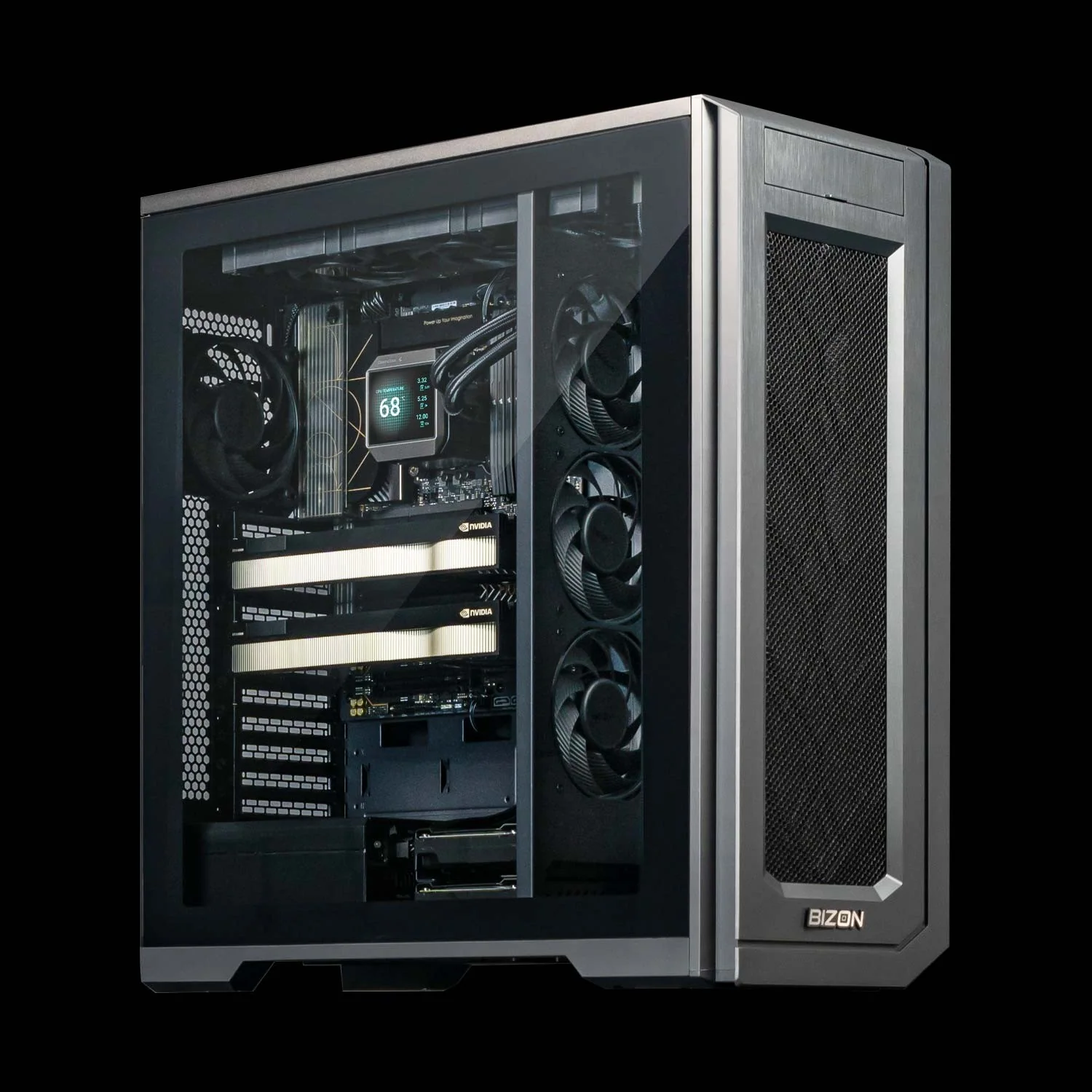
BIZON V3000 G4 Desktop Workstation
- Best for: Heavier model endpoints, larger document sets, databases, and tool services
- GPUs: One or two NVIDIA RTX graphics cards, including RTX 5090 and RTX PRO 6000 Blackwell
- VRAM: Up to 192 GB with two RTX PRO 6000 Blackwell cards
- CPU: Intel Core Ultra 9 class platform, up to 24 cores
- RAM: Up to 192 GB DDR5
- Connectivity: 1 GbE built-in plus Wi-Fi/Bluetooth, up to 25 GbE (Dual-Port SFP28)
Team or Always-On Server Node
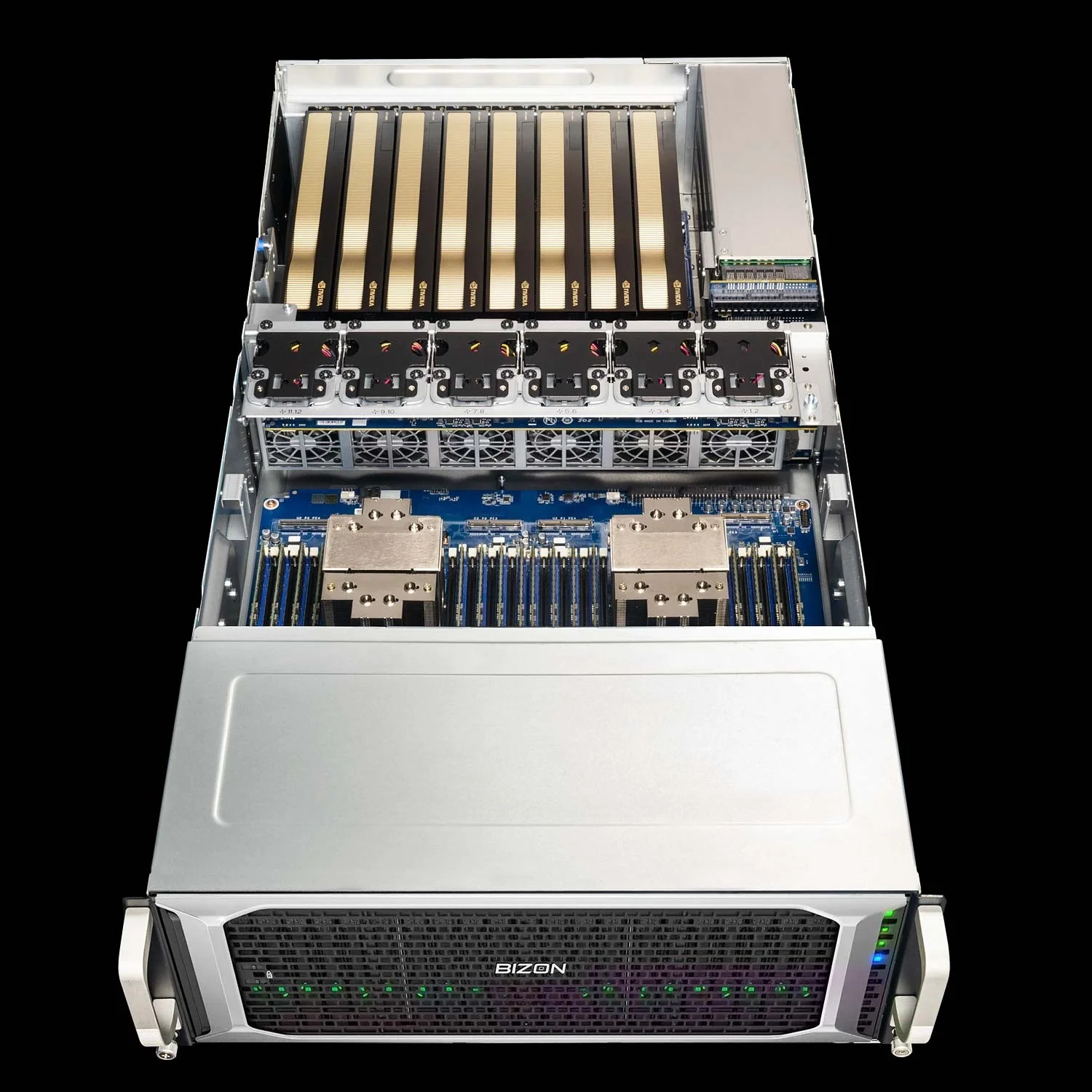
BIZON G7000 G4 Rackmount Server
- Best for: Shared agent nodes, larger local inference workloads, and team access
- GPUs: RTX PRO 6000 Blackwell, L40S, A100 80 GB, H100 94 GB NVL, and H200 141 GB NVL options
- VRAM: Up to 1,128 GB with eight H200 141 GB NVL cards
- CPU: Dual Intel Xeon Scalable 4th or 5th Gen platform
- RAM: Up to 4,096 GB DDR5 ECC Buffered
- Connectivity: 10 GbE dual port (two RJ45), up to 400 Gbps InfiniBand NDR (Mellanox ConnectX-7)
Bottom Line for Local Agents
Hermes and OpenClaw point toward a real shift in local AI hardware. The agent is no longer just a prompt window attached to a model because it can touch files, apps, messages, credentials, storage, and sometimes terminal tools. That access changes the build, so it needs a hardware plan. Buy the machine for agent isolation, model serving, and fast enough context to keep the loop local.
The simple buying path is to separate experimentation from service. For one user, start with a dedicated X3000 G2 or V3000 G4 and one high-end RTX card. Move to RTX PRO 6000 Blackwell when VRAM headroom matters more than keeping the build compact. Move to G7000 G4-class server hardware when the agent becomes shared infrastructure for a lab or team. From our experience at BIZON, the better conversations start with isolation, model size, storage layout, and duty cycle before the buyer chooses a final GPU.
BIZON can configure the system around model size, endpoint runtime, isolation, storage, network access, and duty cycle, then map those requirements to the right chassis class. The BIZON deep learning AI workstation page is the entry point for personal and pro agent nodes, while the BIZON deep learning NVIDIA GPU servers lineup is the shared-service path. Start isolated. Scale deliberately.