Table of Contents
- Introduction: 8-GPU AI Server for Local LLMs
- Which GPU Fits the LLM Workload?
- RTX PRO 6000 for Inference and Fine-Tuning
- H100 and H200 for Training
- RTX 5090 in Rackmount Workstations
- Which CPU Platform Fits?
- Choose 2U, 4U, or Rackmount Workstation
- Pick Air Cooling or Water Cooling
- Keep Topology in the Right Place
- Avoid These Configuration Mistakes
- BIZON Local LLM Server Lineup
- Rackmount Workstation Option
- 4U Air-Cooled 8-GPU Servers
- HGX Training Server
- Liquid-Cooled 8-GPU Servers
- Which Final Recommendation Fits?
Best 8-GPU AI Servers in 2026 [ Updated ]
Last verified: 2026
An 8-GPU AI server should start with the local LLM job, not with the most expensive GPU on a spec sheet. Inference, fine-tuning, retrieval-augmented generation, and full training pull the system in different directions. A strong configuration matches model size, concurrency, cooling, rack space, and software stack before the quote is locked. Start with use. That order prevents a buyer from paying for training hardware when the real job is inference density.
For most local LLM teams, the practical short list is simple. Choose RTX PRO 6000 Blackwell Server Edition when the machine is primarily an inference or fine-tuning box with large VRAM per card and PCIe scaling. Choose H100 or H200 when the system is primarily a training platform, a high-concurrency inference node, or a platform for models that need HBM capacity. Choose a rackmount workstation such as BIZON R5000 with dual RTX 5090 when the buyer wants a server-like rack form factor but the workload is still workstation-class. That distinction matters. It saves money.
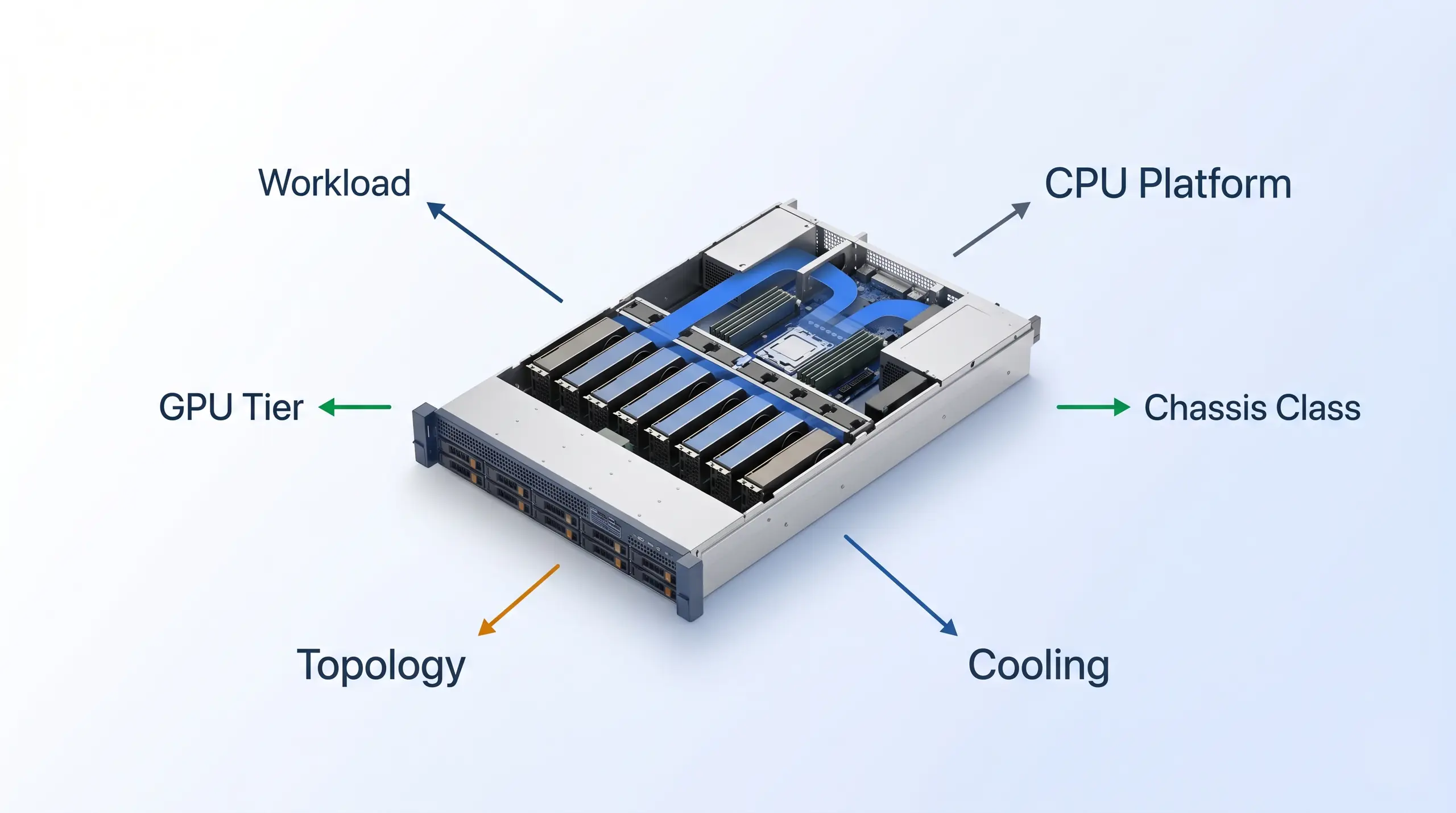
Start with the local LLM job: inference density, fine-tuning, full training, or rackmount workstation deployment. The GPU, CPU platform, cooling, and topology choices follow from that first decision.
Use this table as the build guide's first cut. It prevents the common mistake: treating every 8-GPU chassis as the same product. The rows are configuration lanes. BIZON can turn them into a quote after the workload, rack environment, and software plan are clear.
| Local LLM job | Recommended GPU path | Chassis direction |
|---|---|---|
| Multi-user inference, agents, RAG, smaller fine-tunes | RTX PRO 6000 Blackwell Server Edition | 4U PCIe server class. Some liquid-cooled builds add cooling-unit rack space |
| Training and fine-tuning where HBM capacity matters | H100 NVL or H200 NVL | 4U PCIe/NVL server class. Confirm cooling-unit rack space on liquid builds |
| Full 8-GPU tensor-parallel training | H200 SXM5 on HGX | 8U data-center rack server |
| Departmental rackmount workstation for local models | Dual RTX 5090 or workstation Blackwell GPUs | 5U rackmount workstation such as R5000 |
If the build really needs Blackwell Ultra, treat B300 as a separate top-end data-center quote, not the default local LLM shortlist. That is a different purchase. It belongs when the buyer is planning an 8U HGX B300-class deployment and can justify that tier around model size, utilization, rack power, and cooling. For most local LLM builds, the practical comparison stays RTX PRO 6000, H100/H200, 2U or 4U rack hardware, and rackmount workstations.
Which GPU Fits the LLM Workload?
The GPU decision is a workload decision. Start there. A local inference server wants VRAM per user, scheduler stability, and enough bandwidth to keep tokens moving. A training server wants HBM capacity, interconnect, and data-center cooling. A rackmount workstation wants user-accessible GPU performance in a server-like chassis without pretending to be an enterprise server.
RTX PRO 6000 for Inference and Fine-Tuning
RTX PRO 6000 Blackwell Server Edition is the practical path when the system will serve local LLMs, run agent workloads, host RAG pipelines, and handle fine-tuning that does not need full HGX-class all-to-all GPU communication. According to NVIDIA, the Server Edition carries 96 GB GDDR7 ECC, 1,597 GB/s memory bandwidth, PCIe Gen 5 x16, and up to 600W configurable power. Eight cards give 768 GB aggregate VRAM, which is a strong inference and fine-tuning pool when the model plan is built around PCIe scaling. The buyer gets server-class memory capacity without jumping straight to HBM hardware.
The trade-off is just as important as the benefit: RTX PRO 6000 does not give you NVLink. Per NVIDIA's RTX PRO 6000 family page, the Server Edition and workstation variants all use PCIe Gen 5 x16 as the graphics bus. That is acceptable for many inference and fine-tuning stacks, but it is not the same thing as an HGX training fabric. If your workload needs frequent all-reduce across all eight GPUs, move up to H200 SXM5 instead of trying to make PCIe act like NVSwitch.
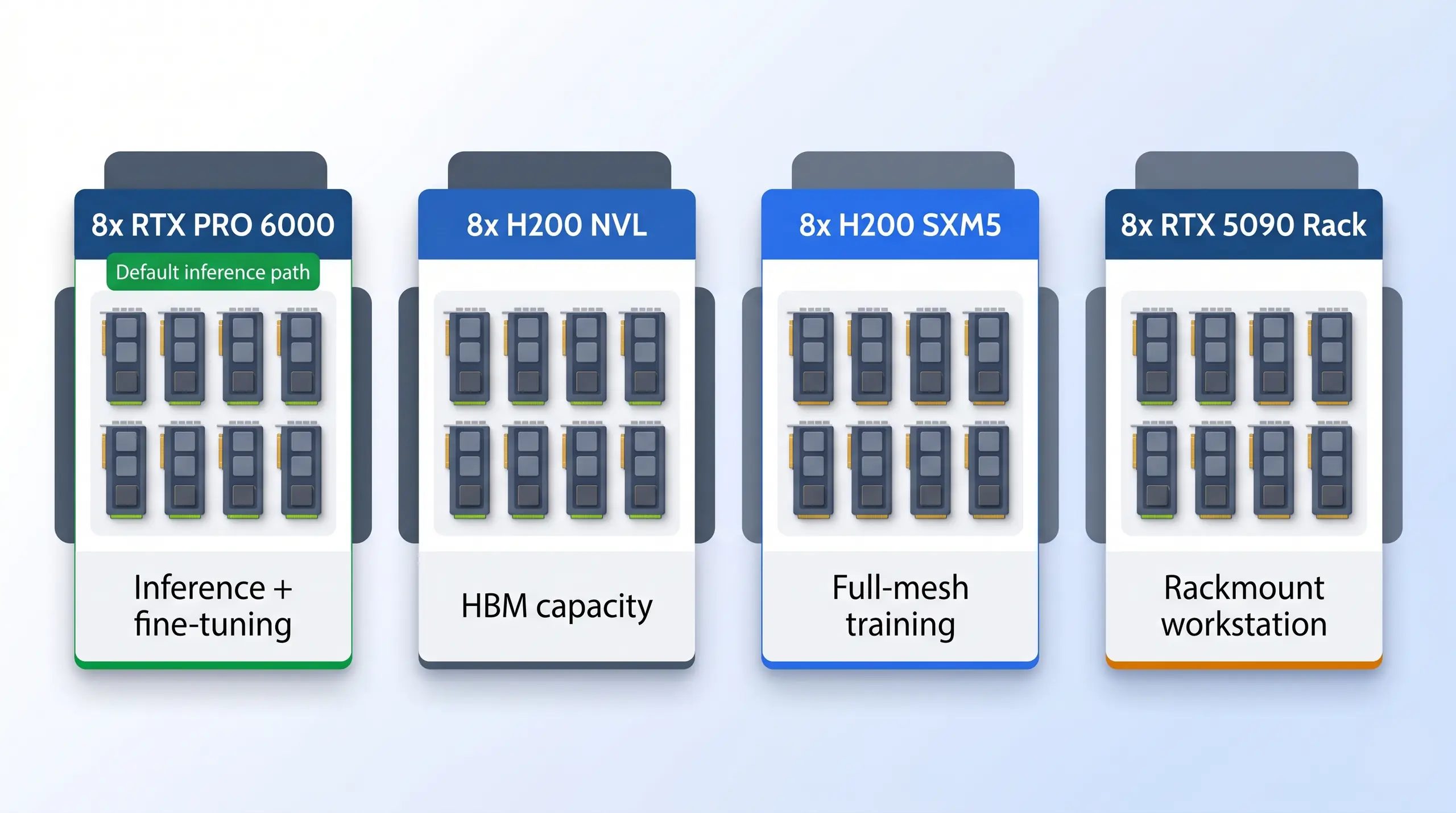
Aggregate VRAM changes the configuration conversation: 1,128 GB for eight H200 SXM5, 1,128 GB for eight H200 NVL, and 768 GB for eight RTX PRO 6000 Server Edition cards.
The memory pool is why RTX PRO 6000 belongs in the guide. It gives many inference teams enough VRAM to serve larger local models, split users across cards, or reserve GPUs for fine-tuning jobs. Capacity is not the main problem here. The limitation is interconnect, not capacity. Keep that trade-off visible before moving to H100 or H200.
For local LLMs, the right 8-GPU server starts with the workload: RTX PRO 6000 for inference, H200 for training, and R5000 with RTX 5090 for rackmount workstation deployments.
That is the split. Keep it visible while the quote is being built, because the GPU name alone will not tell you whether the final system should be a rackmount workstation, a PCIe server, or an HGX training node. The next step is the training tier. That is where H100 and H200 enter.
H100 and H200 for Training
H100 and H200 are the training path when the project needs HBM memory, high sustained throughput, and a system designed for heavy GPU duty cycle. That is the fork. H200 is the priority option in this guide because it gives 141 GB HBM3e per GPU. In an 8-GPU configuration, that is 1,128 GB aggregate HBM3e. H200 NVL is useful when the workload fits inside 2- or 4-GPU NVLink bridge domains or when the system runs multiple inference and fine-tuning jobs. H200 SXM5 on HGX is the answer when the model needs full 8-GPU tensor parallelism.
H100 remains a valid training GPU where availability, software qualification, or budget planning points there, but H200 is the stronger local LLM training default when the quote can support it. The extra memory headroom changes what can stay resident on GPU. For buyers comparing H100, H200, and RTX PRO 6000, the clean rule is simple. RTX PRO 6000 handles inference-first systems, H100/H200 covers training-first builds, and H200 SXM5 is the full-mesh training answer.
RTX 5090 in Rackmount Workstations
RTX 5090 belongs in the workstation branch, not the server GPU lane. The reason it still matters in this article is that a rackmount workstation can look server-like in deployment. BIZON R5000 is a 5U rackmount platform with AMD Ryzen Threadripper PRO, up to 1,024 GB DDR5 ECC, and support for workstation GPUs. A dual RTX 5090 R5000 can be a good local LLM system for a team that wants rack placement, strong single-user or small-team inference, and workstation economics.
Do not confuse that with an 8-GPU AI server. According to NVIDIA, the RTX 5090 carries 32 GB GDDR7, 1,792 GB/s bandwidth, and a 575W board power class. It is fast, but it is not an ECC server GPU, not an HBM GPU, and not an NVLink training card. Use it when the local models fit the 32 GB tier or are quantized appropriately. Use RTX PRO 6000 or H200 when the buyer needs ECC VRAM, server validation, larger model residency, or multi-user sustained load.
Build Rule - RTX PRO 6000 is the default 8-GPU inference recommendation. H100/H200 is the training recommendation. RTX 5090 is a rackmount workstation option for smaller local LLM deployments, not a substitute for an 8-GPU server.
From our experience at BIZON, that split keeps the quote grounded. It stops the buyer from comparing a rackmount workstation, a PCIe inference node, and an HGX training server as if they were just three sizes of the same box. Once the GPU lane is clear, the CPU platform and chassis choice get much easier. That is where processor, 2U, and 4U decisions enter.
Which CPU Platform Fits?
After the GPU tier, choose the CPU platform. Do not bury it. The CPU does not replace GPU throughput, but it does decide how much preprocessing, data loading, orchestration, and CPU-side memory bandwidth the system can sustain while the GPUs are busy. That matters for RAG pipelines, dataset preparation, multi-user scheduling, and CPU-heavy glue code around the model server. Waiting GPUs waste budget. The wrong CPU platform will not make the GPUs slow, but it can leave them waiting.
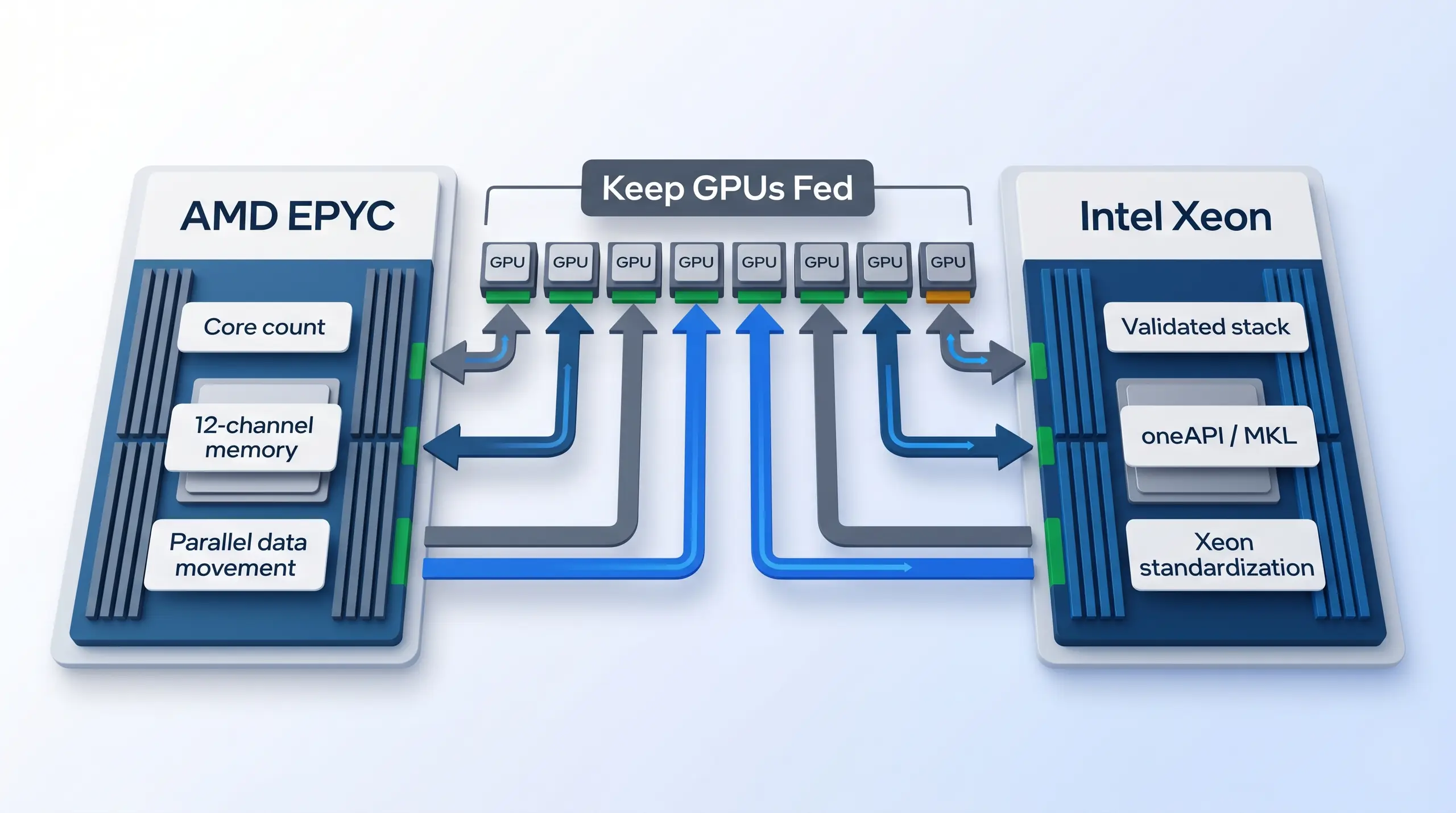
Processor choice keeps preprocessing, scheduling, data loading, and memory movement from starving the accelerator pool.
Choose AMD EPYC when the workload benefits from high core counts, 12-channel memory bandwidth, and a platform built around parallel data movement. BIZON X7000 G3 uses dual AMD EPYC 9004/9005 with up to 192 cores per CPU and 3,072 GB DDR5 ECC Buffered memory. BIZON ZX9000 uses dual AMD EPYC 9004/9005 with 48 DIMM slots, 12-channel memory per CPU, and BIZON Enterprise custom liquid cooling. These are the AMD paths for teams that want memory bandwidth and parallel CPU headroom around the GPU server.
Choose Xeon when the buyer is standardized on Intel-optimized libraries, oneAPI, MKL, or Xeon Max. According to Intel's Xeon product materials, the platform is aimed at data-center and workstation workloads that need validated CPU infrastructure. BIZON G7000 G4 uses dual Intel Xeon Scalable 4th/5th Gen and supports Xeon Max Series. BIZON Z9000 G2 is the liquid-cooled Intel option, also on dual Xeon plus Xeon Max support. If the software stack is already tuned around Intel, that can matter more than chasing a few extra CPU cores.
For many local LLM servers, either platform can be correct. The question is where the bottleneck lives. If CPU-side preprocessing, ETL, tokenization, and data staging are heavy, EPYC often deserves the first quote. If the business already standardizes around Intel validation and Intel-tuned libraries, Xeon is the cleaner deployment. The GPUs still do the LLM work. The CPU platform keeps the rest of the machine from starving them.
Choose 2U, 4U, or Rackmount Workstation
The chassis height is not cosmetic. It tells you how many GPUs fit cleanly, how much airflow is available, how much service access you get, and how much power density the rack has to handle. Fit comes first. It also tells the buyer what class of deployment they are really choosing. A compact production inference node is not the same thing as a full 8-GPU training server.
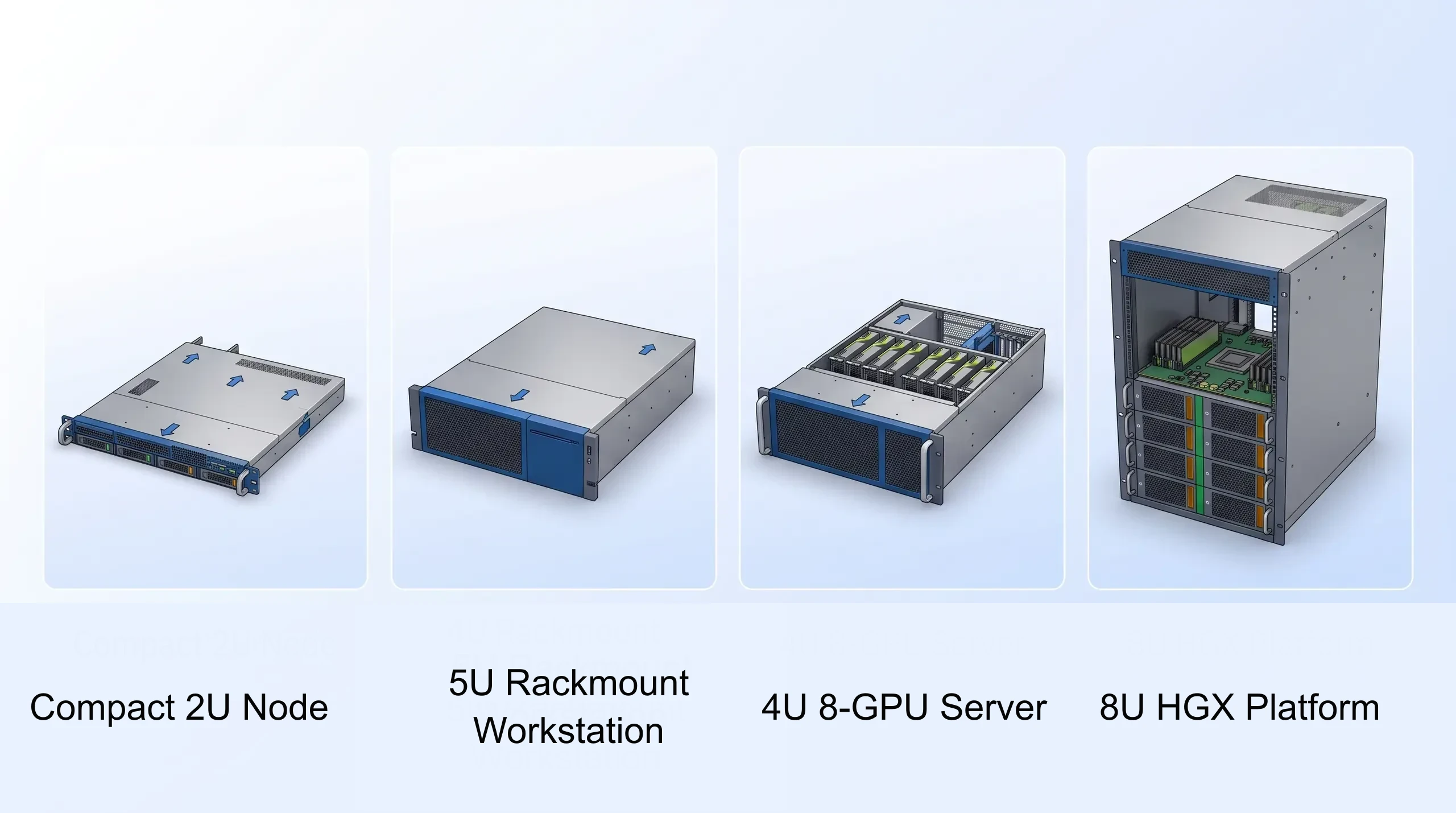
Form factor is deployment fit: compact 2U node, 4U 8-GPU server, 5U rackmount workstation, or 8U HGX platform.
A 2U GPU server is a compact production box when you need up to four GPUs, not a true 8-GPU build. In the BIZON lineup, G8000 G2 and X8000 G3 are 2U air-cooled systems for 4-GPU class deployments. Use that class when the local LLM service requires production rack placement, but the workload does not need eight GPUs. Four can be enough. Four high-VRAM cards can be the right answer for departmental inference, smaller fine-tuning, and a cleaner rack footprint.
A 4U server is the practical 8-GPU PCIe format. G7000 G4, X7000 G3, and G9000 Gen 2 are the standard 4U air-cooled PCIe paths in the BIZON lineup.
Liquid-cooled 8-GPU systems such as ZX9000 and Z9000 G2 require planning for the 4U server chassis plus a 3U external cooling unit. Eight needs room. The extra height gives the chassis room for eight GPUs, more airflow, more power delivery, and serviceable thermal design. If the buyer actually needs eight GPUs, 4U is the normal rackmount answer unless the system is an 8U HGX platform.
A rackmount workstation is the middle path. R5000 is 5U, supports up to four workstation GPUs, and uses Threadripper PRO with ECC memory. That makes it useful for teams that want the machine in a rack but still need workstation-class GPUs such as RTX 5090. It is not a replacement for G7000, X7000, or X9000 when the requirement is a true 8-GPU server. R5000 fits when the requirement is local AI in a rackmountable workstation body.
Pick Air Cooling or Water Cooling
At 8 GPUs, boot is not the test. Sustained duty cycle is the test. A system that passes a short benchmark can still be wrong if the office is not prepared to remove the heat or if the inner cards throttle during multi-day jobs. From our build floor at BIZON, cooling is part of the workload spec, not an accessory. That is especially true when a local LLM server runs every day for a team instead of a single user.
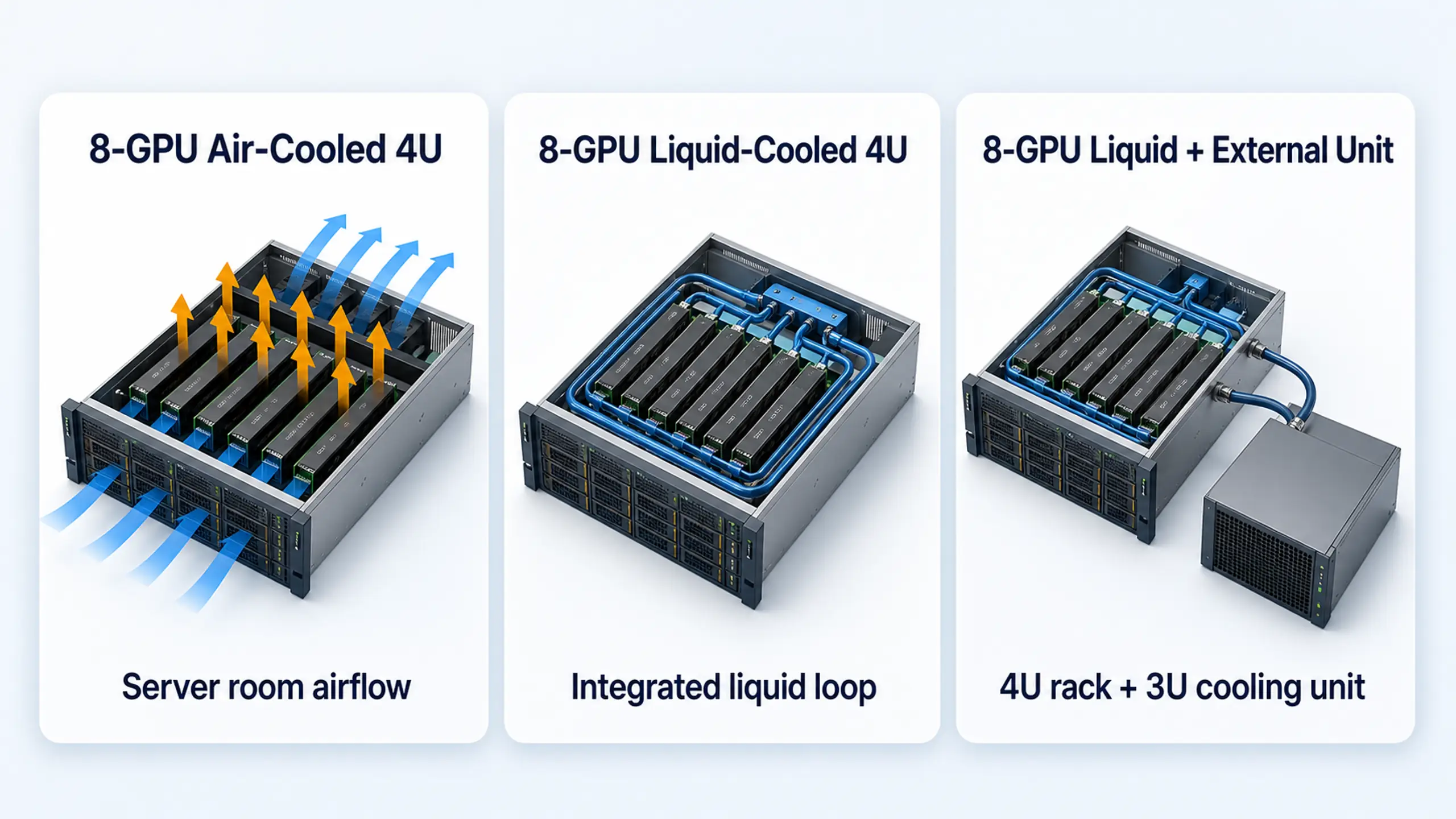
Air-cooled systems belong in racks that can remove the heat. Liquid-cooled systems may keep the loop inside the chassis or use an external cooling unit that needs rack planning.
Choose air cooling when the system is going into a data center, colo rack, or properly conditioned server room. Air-cooled 4U systems such as G7000 G4, X7000 G3, and G9000 Gen 2 are simpler to operate when the room is built for high airflow.
Air-cooled HGX systems such as X9000 G3 belong in data-center conditioning. The benefit is standard rack serviceability and no external cooling loop.
Choose liquid cooling when the system needs to hold clocks outside a traditional data-center environment or when sustained load is the norm. BIZON ZX9000 and Z9000 G2 are liquid-cooled 8-GPU paths. For both, confirm the 4U server chassis plus 3U external cooling-unit rack space before quoting. Heat decides. If the system will run training or high-concurrency inference for days or weeks, liquid cooling can be the deployment feature that keeps the quote honest.
Deployment Note - BIZON's 8-GPU liquid-cooled systems are built for sustained AI workloads outside a data center, with custom cooling, pre-installed CUDA, drivers, PyTorch, and SLURM, plus a three-year warranty and lifetime technical support.
That cooling choice should be settled before topology. A quiet office deployment, a conditioned rack room, and a data-center row do not have the same thermal budget. Once the deployment envelope is clear, topology becomes a narrow compatibility check instead of the whole article. That is the right place for it.
Keep Topology in the Right Place
Topology is important, but it should not take over the build guide. Keep it small. Use it as a final sanity check after the workload, GPU tier, CPU platform, chassis, and cooling decision are clear. The buyer only needs enough topology detail to avoid buying PCIe scaling for an HGX-style training job. Everything beyond that belongs in a specialist architecture call.
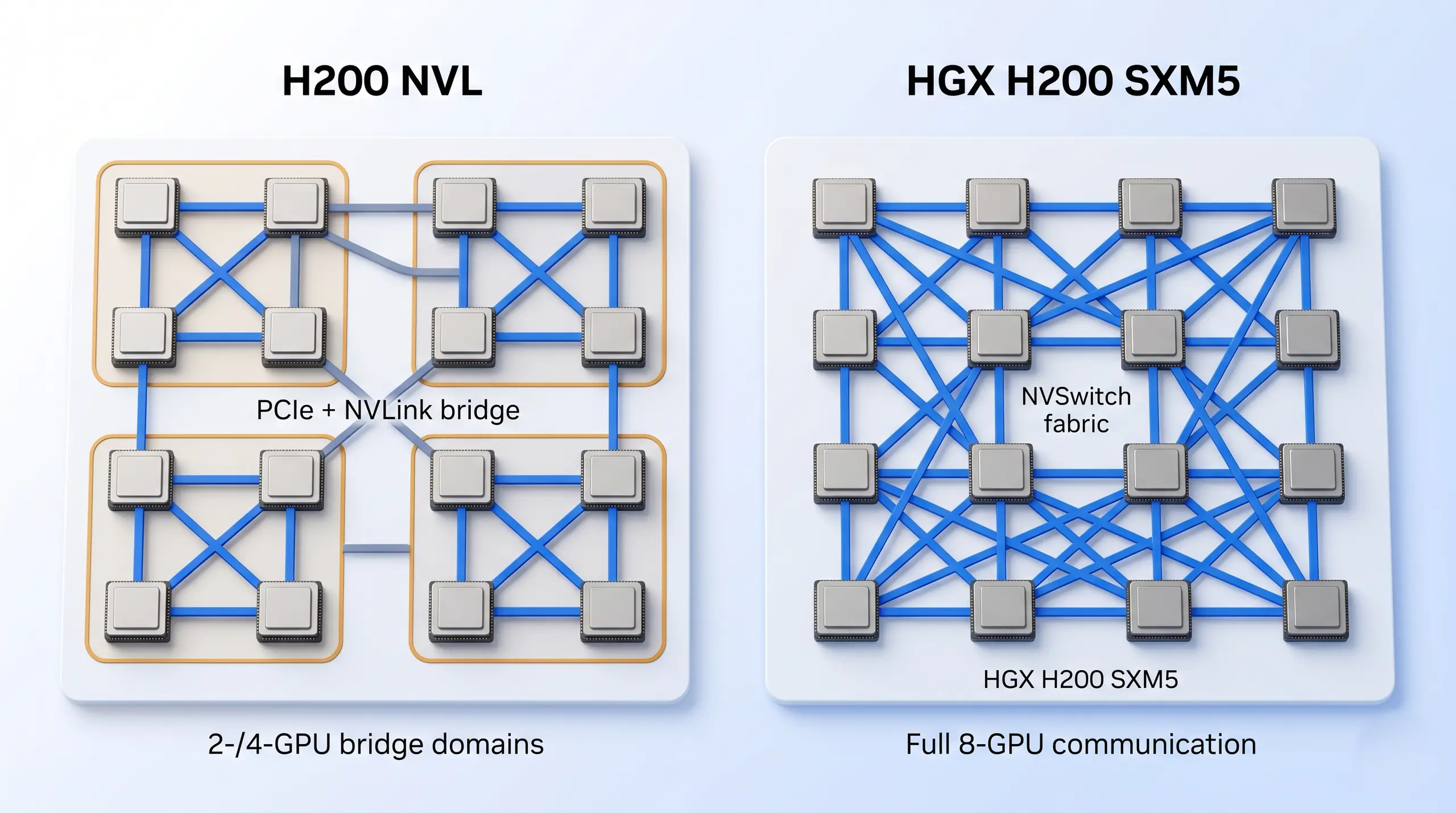
H200 NVL uses 2- or 4-GPU NVLink bridge domains over PCIe. HGX H200 SXM5 uses NVSwitch so every GPU can communicate with every other GPU at full NVLink bandwidth.
H200 NVL is a PCIe dual-slot air-cooled card. NVIDIA reports support for 2- or 4-way NVLink configurations with up to 900 GB/s per GPU over NVLink. Traffic outside that domain falls back to PCIe Gen 5. Keep it small. That is fine for inference, fine-tuning, and jobs that fit inside a small GPU group.
HGX H200 SXM5 is different. Per NVIDIA's HGX platform page, an 8-GPU HGX node uses four NVSwitch chips for fully-connected any-to-any GPU communication. This is the correct topology for full-mesh tensor parallelism, all-reduce-heavy training, and schedulers that need any GPU to talk to any other GPU uniformly. If that sentence does not describe your workload, do not let topology dominate the purchase.
Avoid These Configuration Mistakes
Most bad 8-GPU purchases are not caused by one wrong spec, because they come from choosing the right part for the wrong job. The buyer sees "8 GPUs" and assumes the systems are interchangeable. They are not, and the six mistakes below catch the mismatch before the chassis is ordered. Start here.
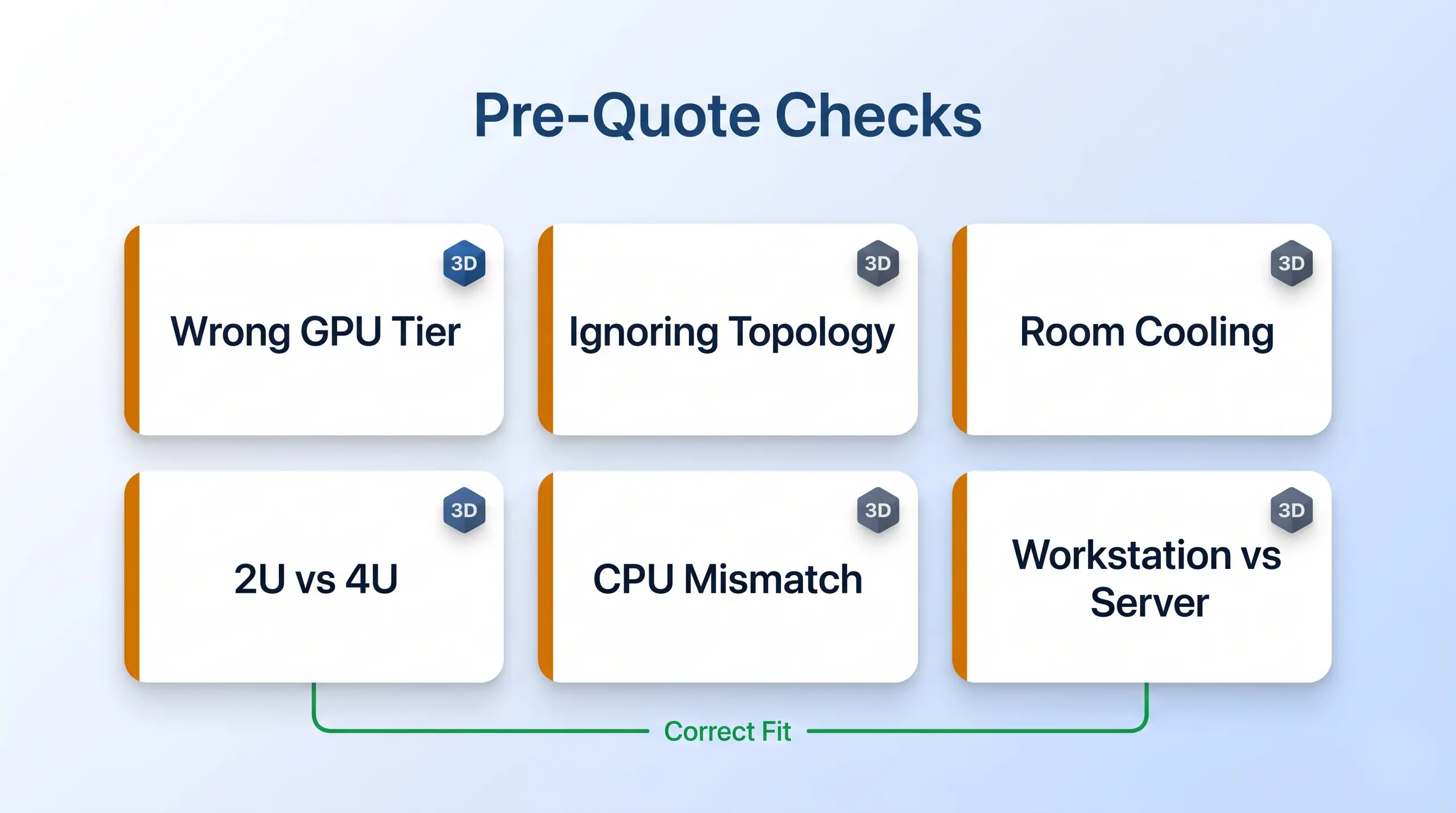
The common mistakes are workload mismatches: workstation GPUs treated like server GPUs, air-cooled racks placed in offices, and PCIe systems bought for full-mesh training.
- Buying H200 for inference when RTX PRO 6000 fits better - H200 is excellent, but many local inference servers need VRAM density, concurrency planning, and cost control more than HBM training hardware.
- Buying RTX PRO 6000 for full-mesh training - RTX PRO 6000 scales over PCIe Gen 5. It is not an NVSwitch training fabric.
- Ignoring 2U versus 4U - A 2U 4-GPU server can be a great production inference node. It is not the same purchase as a 4U 8-GPU server.
- Putting an air-cooled 8-GPU server in the wrong room - Air-cooled dense GPU systems assume a rack environment that can remove heat and handle fan noise.
- Treating a rackmount workstation like an enterprise server - R5000 with dual RTX 5090 can be the right local AI workstation. It should not be sold as a substitute for an 8-GPU server.
- Choosing CPU platform by brand alone - EPYC and Xeon both make sense. The right answer depends on memory channels, software standardization, CPU-side preprocessing, and validation needs.
Use the mistake list as a pre-quote check. If the workload is inference, do not force it into a training chassis. If the room is not ready for the heat, do not pretend air cooling is a detail. If the buyer needs a rackmount workstation, quote that honestly instead of stretching the 8-GPU server story.
BIZON Local LLM Server Lineup
The BIZON lineup maps to the decisions above. Start with the workload, then choose the GPU, CPU platform, chassis class, and cooling envelope. The product cards below are not a price list. They are the shortlist for a configuration call, and each card belongs to a different deployment lane before storage, networking, and memory details get added.
Use the product cards for routing. Each lane answers a different problem, so the product name should come after the deployment fit. Start with fit. Then use the card to confirm how the processor family, cooling envelope, and GPU class support that lane.
Rackmount Workstation Option
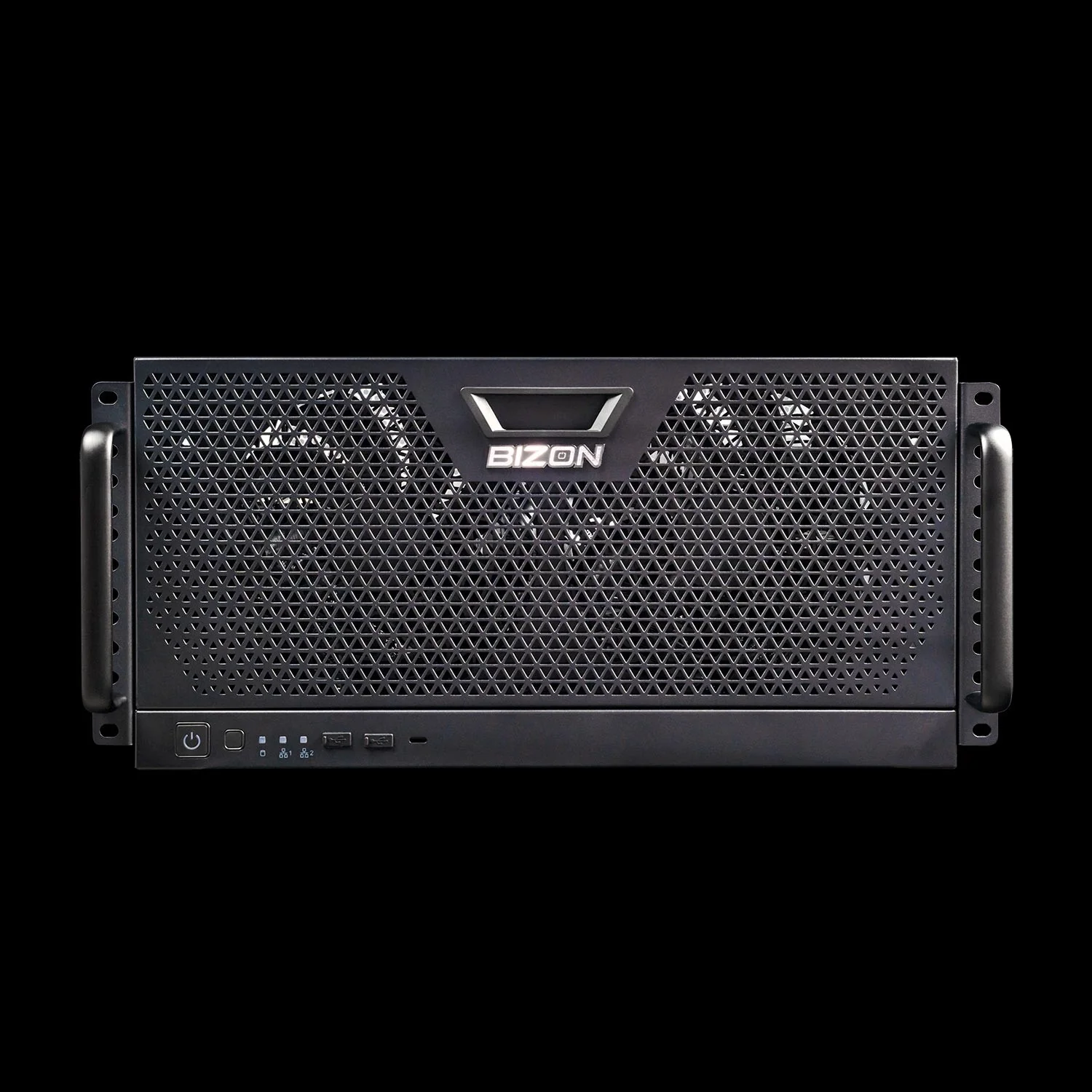
BIZON R5000 Rackmount Workstation
- Best for: Rackmount workstation deployment for local LLMs, agents, and smaller fine-tunes. Good fit for dual RTX 5090 or workstation Blackwell builds when a true server GPU stack is not required
- GPUs: Up to four workstation GPUs from the RTX Blackwell and Ada workstation lineup
- VRAM: Up to 384 GB total with four RTX PRO 6000-class cards, or 64 GB total with dual RTX 5090
- CPU: AMD Ryzen Threadripper PRO, 16 to 96 cores
- RAM: Up to 1,024 GB DDR5 ECC, 8-channel
- Connectivity: 1 GbE built-in plus Wi-Fi/Bluetooth, up to 100 Gbps InfiniBand EDR (Mellanox ConnectX)
4U Air-Cooled 8-GPU Servers
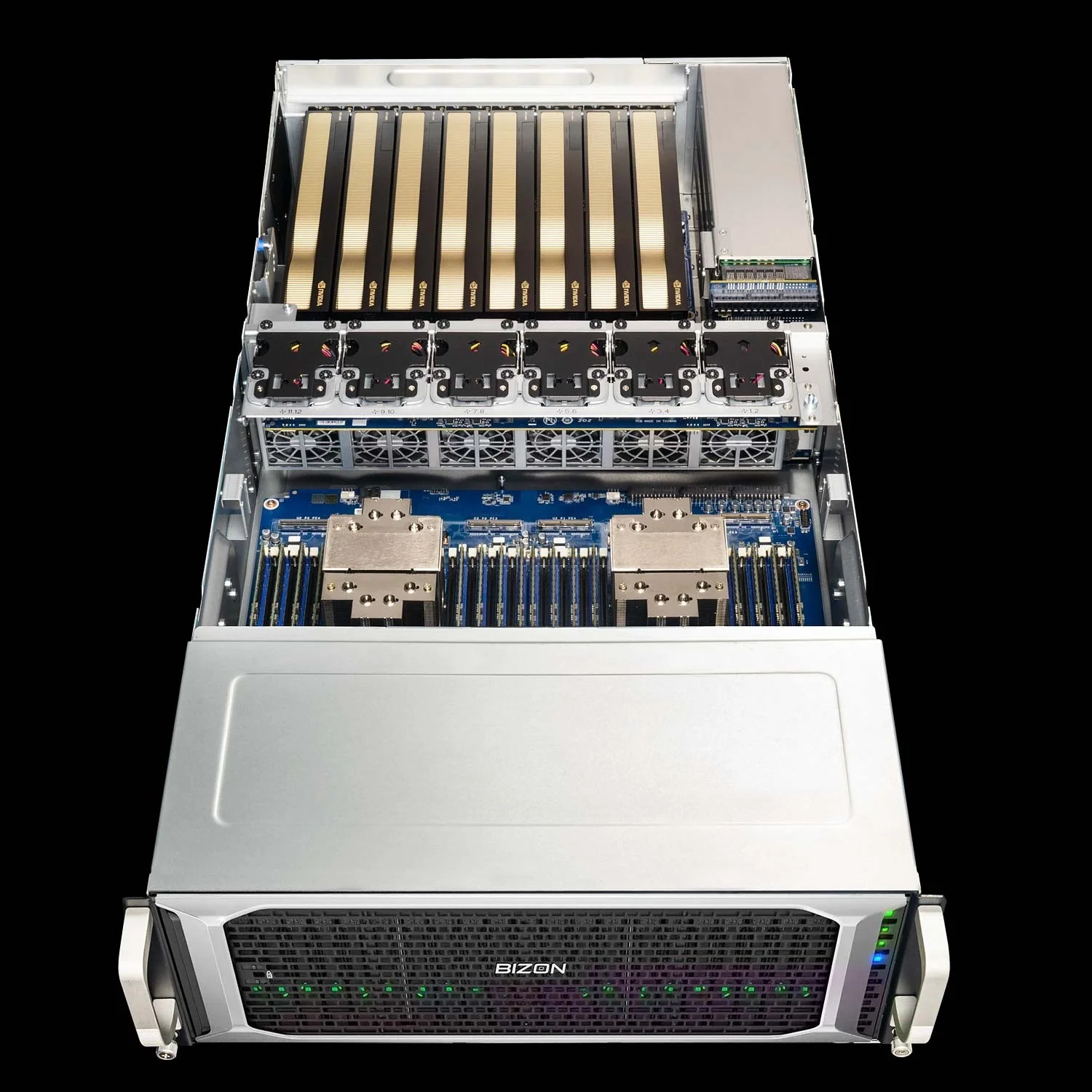
BIZON G7000 G4 Rackmount Server
- Best for: Broad 8-GPU support on Intel Xeon. Good default for RTX PRO 6000 inference servers or H200 NVL builds when the buyer wants Intel standardization
- GPUs: RTX PRO 6000 Blackwell Server Edition 96GB, H100 94GB NVL, H200 141GB NVL, and other supported professional GPUs
- VRAM: Up to 1,128 GB total with eight H200 NVL GPUs, or 768 GB total with eight RTX PRO 6000 Server Edition GPUs
- CPU: Dual Intel Xeon Scalable 4th/5th Gen, Xeon Max Series supported
- RAM: Up to 4,096 GB DDR5 ECC Buffered
- Connectivity: 10 GbE dual port (two RJ45), up to 400 Gbps NDR InfiniBand
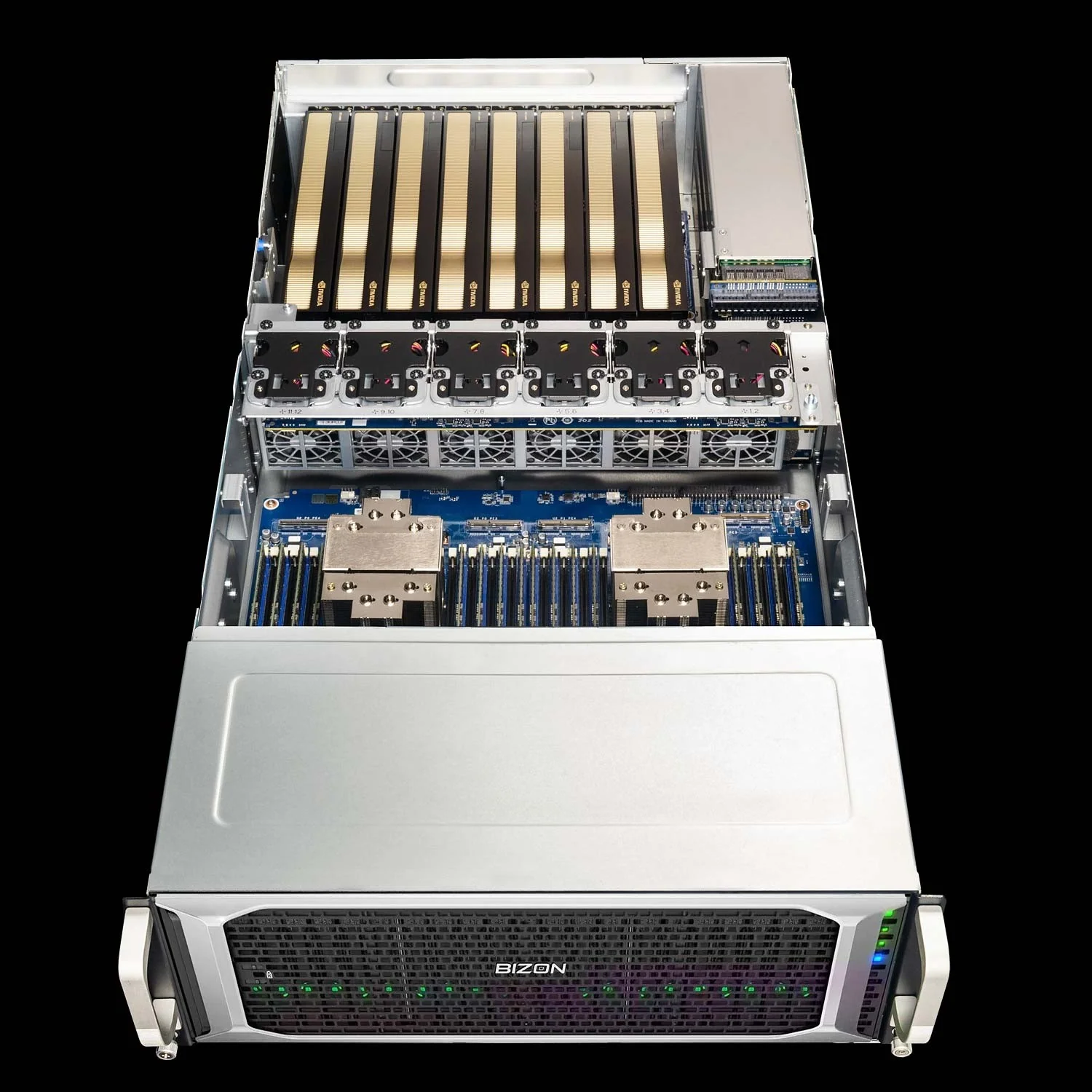
BIZON X7000 G3 Rackmount Server
- Best for: AMD EPYC 8-GPU server builds where CPU-side memory bandwidth, high core count, and PCIe headroom matter
- GPUs: RTX PRO 6000 Blackwell Server Edition 96GB, H100 94GB NVL, H200 141GB NVL, and other supported professional GPUs
- VRAM: Up to 1,128 GB total with eight H200 NVL GPUs, or 768 GB total with eight RTX PRO 6000 Server Edition GPUs
- CPU: Dual AMD EPYC 9004/9005, up to 192 cores per CPU
- RAM: Up to 3,072 GB DDR5 ECC Buffered
- Connectivity: 10 GbE dual port (two RJ45), up to 400 Gbps NDR InfiniBand
BIZON G9000 Gen 2 Rackmount Server
- Best for: Pure Hopper-family NVL builds with the highest RAM ceiling in the air-cooled 4U tier
- GPUs: A100 40GB, A100 80GB, H100 94GB NVL, H200 141GB NVL
- VRAM: Up to 1,128 GB total with eight H200 NVL GPUs
- CPU: Dual AMD EPYC 9004/9005 or dual Intel Xeon 4th/5th Gen
- RAM: Up to 6,144 GB DDR5 ECC on AMD or 8,192 GB DDR5 ECC on Intel
- Connectivity: 10 GbE dual port (two RJ45), up to 400 Gbps NDR InfiniBand
HGX Training Server
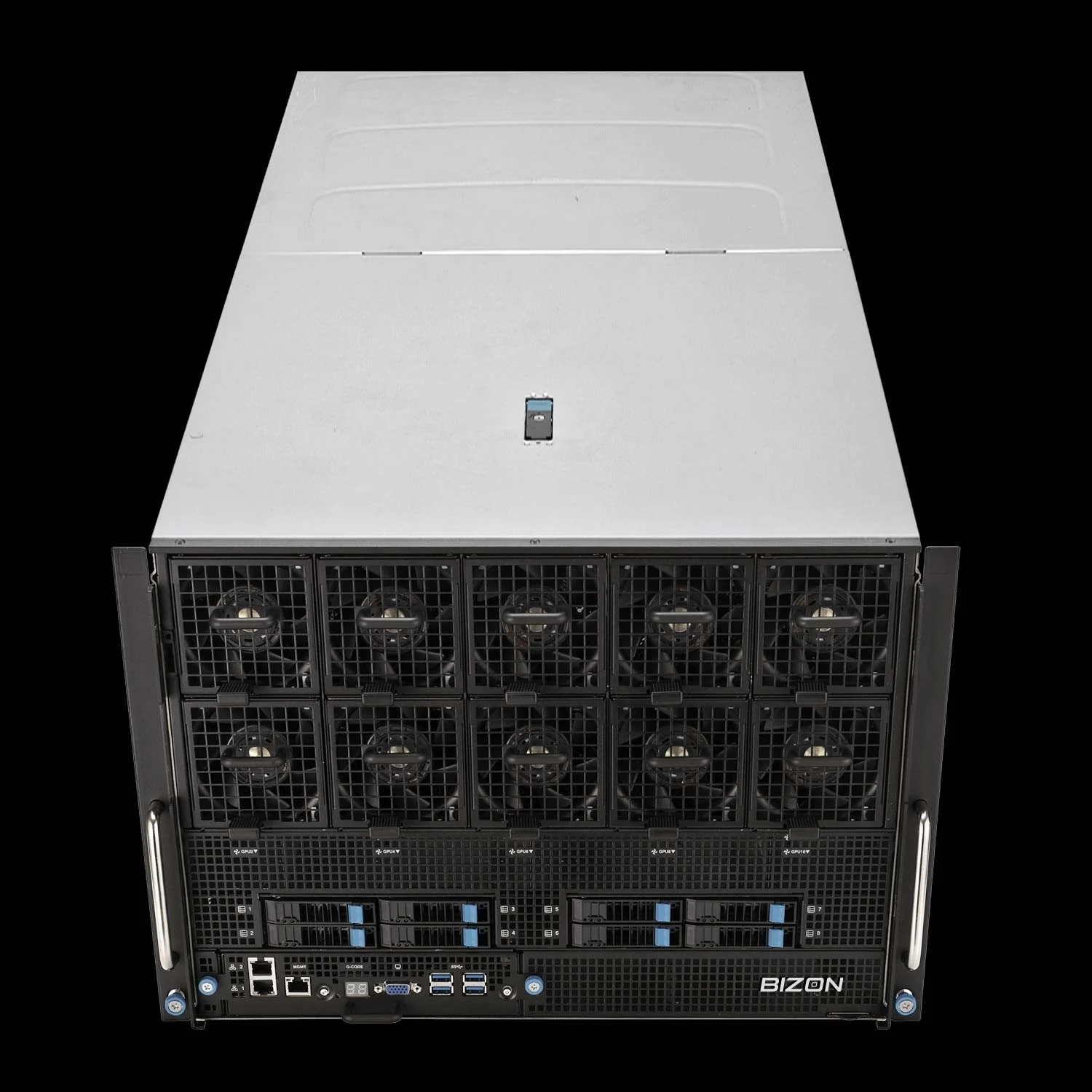
BIZON X9000 G3 HGX Server
- Best for: Full 8-GPU tensor-parallel training, all-reduce-heavy workloads, and data-center deployments that need HGX SXM5
- GPUs: Four or eight NVIDIA H100 80GB SXM5, or four or eight NVIDIA H200 141GB SXM5
- VRAM: Up to 1,128 GB HBM3e with eight H200 SXM5 GPUs
- CPU: Dual AMD EPYC 9004/9005 or dual Intel Xeon 4th/5th Gen
- RAM: Up to 3,072 GB DDR5 ECC on AMD or 4,096 GB DDR5 ECC on Intel
- Connectivity: 10 GbE dual port (two RJ45), up to 400 Gbps NDR InfiniBand
Liquid-Cooled 8-GPU Servers
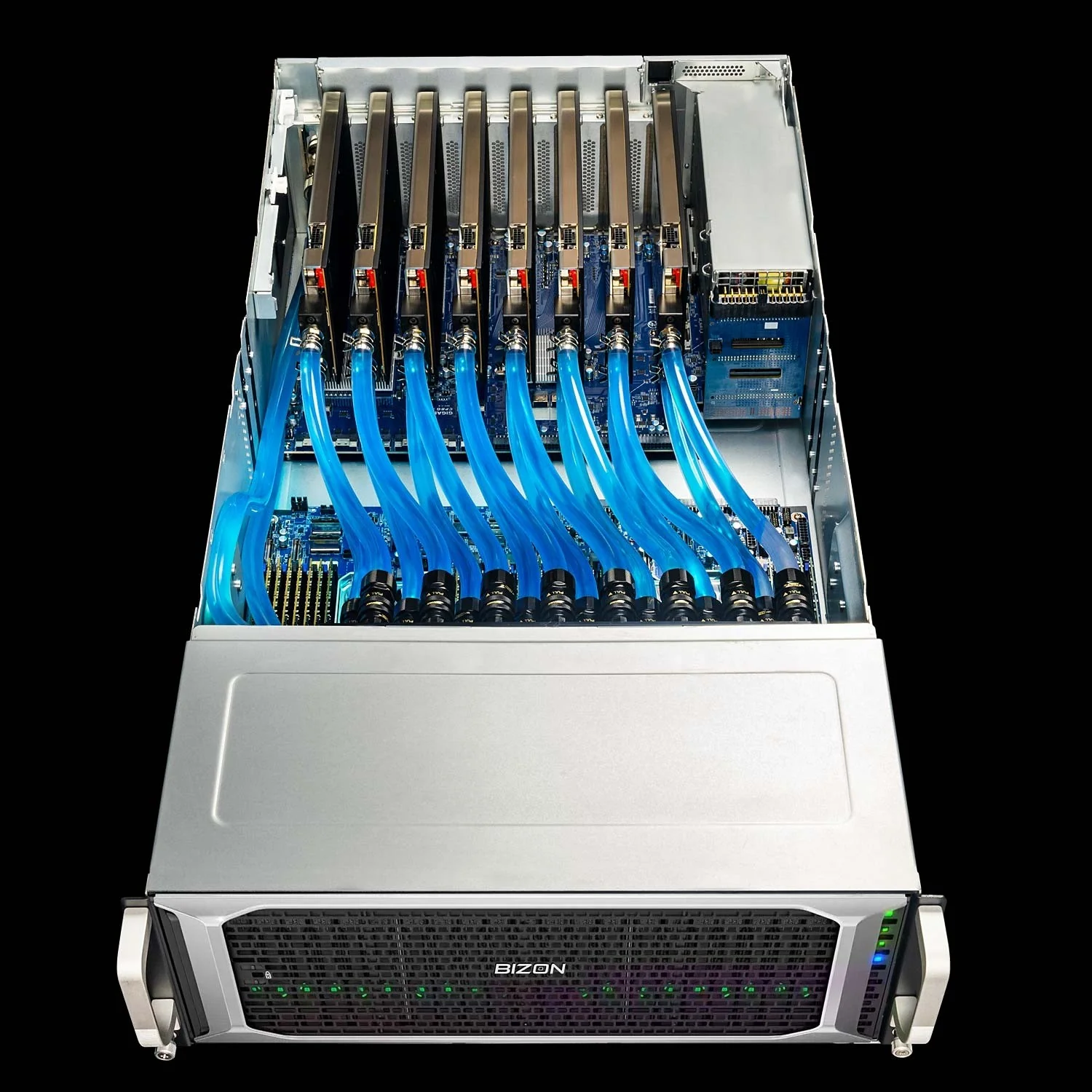
BIZON ZX9000 Water-Cooled Server
- Best for: Sustained 8-GPU local LLM workloads outside a data center on AMD EPYC
- GPUs: RTX PRO 6000 Blackwell Server Edition 96GB, A100 80GB, H100 94GB NVL, H200 141GB NVL, and other supported professional GPUs
- VRAM: Up to 1,128 GB total with eight H200 NVL GPUs, or 768 GB total with eight RTX PRO 6000 Server Edition GPUs
- CPU: Dual AMD EPYC 9004/9005
- RAM: Up to 3,072 GB DDR5 ECC Buffered
- Connectivity: 10 GbE dual port (two RJ45), up to 400 Gbps NDR InfiniBand
BIZON Z9000 G2 Water-Cooled Server
- Best for: Sustained 8-GPU local LLM workloads outside a data center on Intel Xeon and Xeon Max
- GPUs: RTX PRO 6000 Blackwell Server Edition 96GB, A100 80GB, H100 94GB NVL, H200 141GB NVL, and other supported professional GPUs
- VRAM: Up to 1,128 GB total with eight H200 NVL GPUs, or 768 GB total with eight RTX PRO 6000 Server Edition GPUs
- CPU: Dual Intel Xeon Scalable 4th/5th Gen, Xeon Max Series supported
- RAM: Up to 4,096 GB DDR5 ECC Buffered
- Connectivity: 10 GbE dual port (two RJ45), up to 400 Gbps NDR InfiniBand
Which Final Recommendation Fits?
For a general-purpose local LLM server, start with an 8-GPU 4U platform. Pick RTX PRO 6000 Blackwell Server Edition if inference and fine-tuning dominate. Pick H200 NVL if the workload needs more HBM capacity or training headroom. Then choose G7000 G4 for Intel Xeon standardization, X7000 G3 for AMD EPYC bandwidth and core count, or G9000 Gen 2 when the build is pure Hopper NVL and needs the highest RAM ceiling.
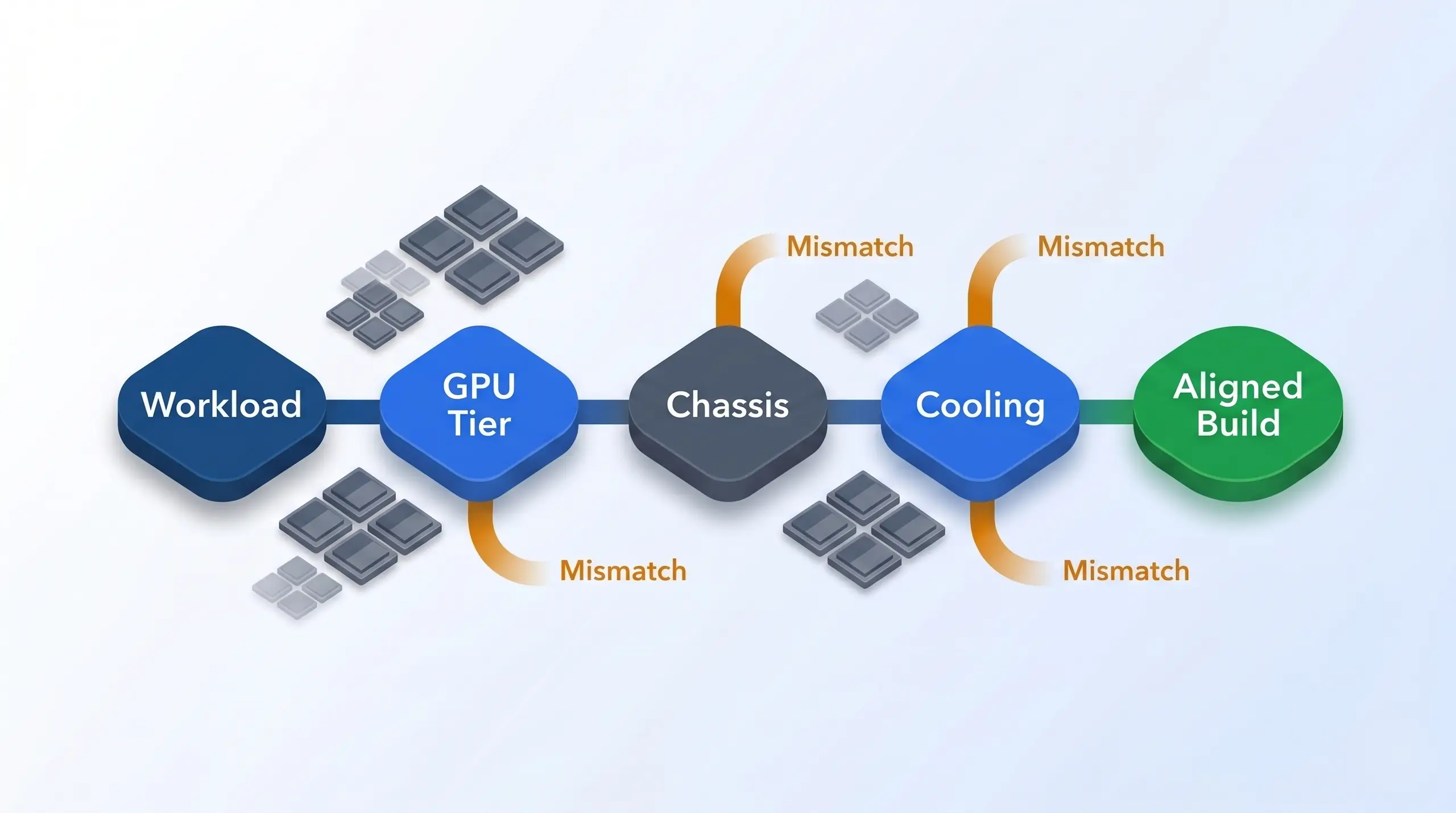
The final recommendation is a route, not a tier list: workload, GPU tier, chassis, and cooling must align.
For full-mesh training, choose X9000 G3 with H200 SXM5. For office-deployable sustained workloads, choose ZX9000 on AMD or Z9000 G2 on Intel. For a smaller rackmount local AI deployment, quote R5000 with dual RTX 5090 or a workstation Blackwell configuration instead of forcing the buyer into an 8-GPU server they do not need. Match the room. The right recommendation is the one that keeps the local model, user count, rack environment, and cooling reality in the same conversation.
Configure your local LLM server or get a build recommendation from BIZON's team at BIZON GPU Servers or BIZON AI Workstations. We configure these systems around GPU tier, cooling, CPU platform, memory, networking, and software stack instead of forcing every buyer into the same chassis. BIZON's team can configure CUDA, PyTorch, and SLURM so day one is training, inference, or fine-tuning rather than setup. Bring the model size, concurrency target, room constraints, and preferred GPU tier to the configuration call.