Table of Contents
- The MD Engine Picks the GPU First
- Quick GPU Picks by MD Software
- Which GPU Specs Matter for MD?
- RTX 5090 vs H100 vs H200 for AMBER MD
- The VRAM Cliff: 32, 80, 141 GB
- Which GPU Fits Your MD Engine?
- Consumer or Datacenter GPU for MD?
- Common GPU Mistakes for MD Workloads
- BIZON MD Workstations by GPU Tier
- Single-GPU Starting Points
- Drug Discovery and Mid-Size Labs
- Department Scale and NAMD HPC (4 to 8 GPU)
- Final MD GPU Recommendations
The Best GPU for Molecular Dynamics: A Comprehensive Guide 2026 [ Updated ]
Last verified: May 2026. Specs and benchmark figures confirmed against official sources.
The RTX 5090 is the 2026 default for lab-scale molecular dynamics (MD), especially AMBER, OpenMM, and ensemble GROMACS. Engine choice drives every other GPU call. AMBER's clock-first kernel means a single Blackwell consumer card commonly out-simulates a datacenter card on STMV. Atom count and engine together pick the tier.
Atom count is the second axis. Below 1M atoms, any 32 GB card runs AMBER, OpenMM, and GROMACS cleanly. Workloads from 5M to 10M atoms step up to the RTX PRO 5000 (48 or 72 GB ECC), and 10M to 30M call for the RTX PRO 6000 at 96 GB. Above 30M atoms, H200 or B200 VRAM becomes the requirement, not a preference.
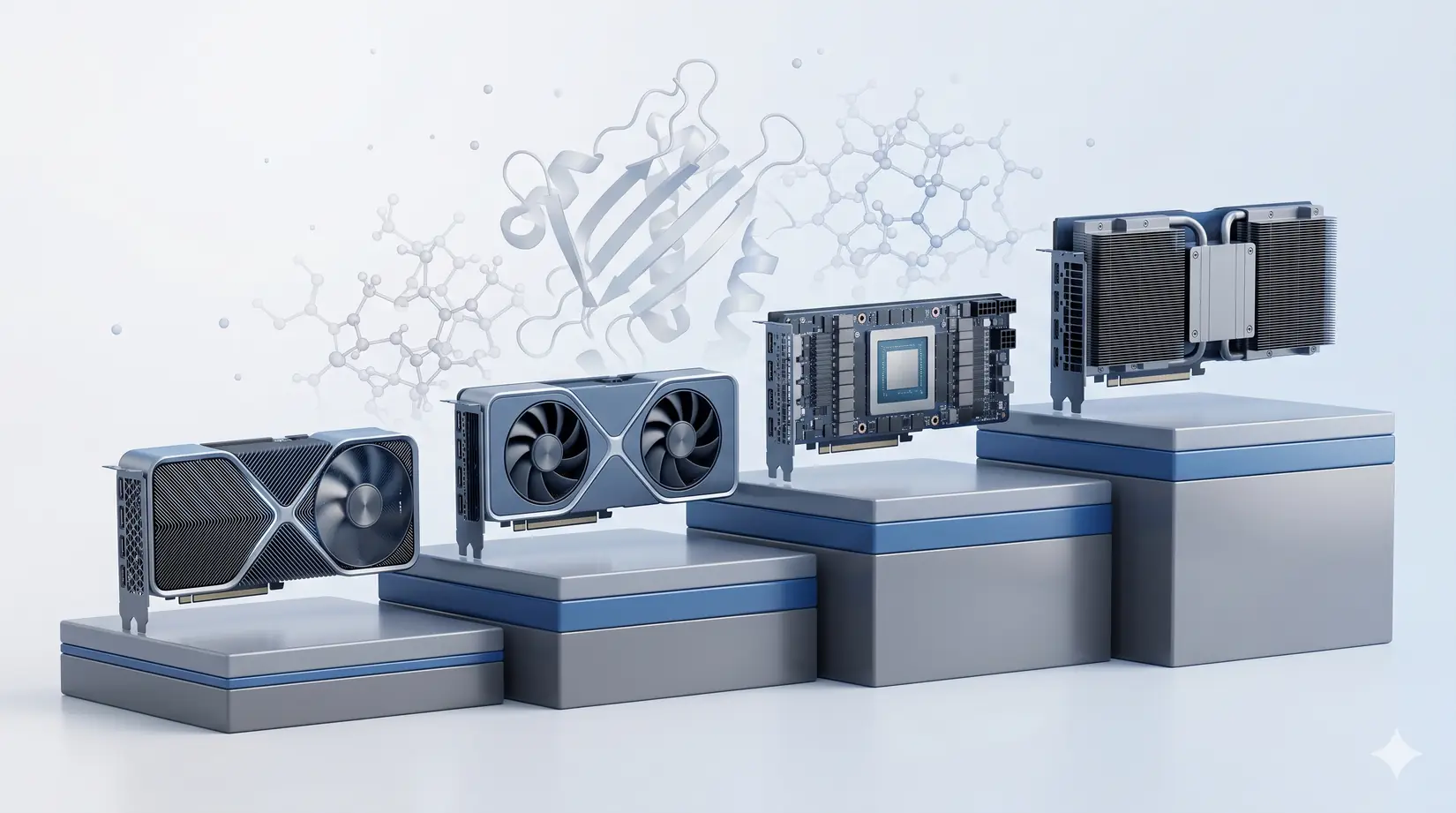
The four GPUs in the 2026 MD conversation: RTX 5090, RTX PRO 6000, H100, and H200. Each answers a different engine-and-system-size question.
The picks below assume the system is sized correctly, because a mis-specced CPU or starved PCIe caps ns/day before the GPU matters. For full system specs, see Best Hardware for MD Simulations. These picks isolate the GPU decision. Get the CPU and PCIe right first.
Quick GPU Picks by MD Software
Most academic MD labs run a 32 GB Blackwell consumer card, reserving Hopper-class GPUs for 10M+ atoms or large-scale NAMD. The 32 GB card handles everyday pmemd.cuda (AMBER), ensemble GROMACS, and Python-scripted OpenMM. Engine drives tier, not TFLOPS rank. Get that order right before comparing SKUs.
| Engine | Sweet-spot GPU | VRAM tier | Why |
|---|---|---|---|
| AMBER 24 | RTX 5090 (single, or four for trajectories) | 32 GB | Clock-king kernel, no multi-GPU scaling per trajectory |
| NAMD 3.0 | RTX 5090 to four GPUs, H200 NVLink above 10M atoms | 32 to 141 GB | True multi-GPU scaling, GPU-Resident Mode |
| GROMACS 2026.1 | RTX 5090 (one per ensemble member) | 32 GB | Ensemble engine, CPU heavy, no cross-GPU scaling |
| OpenMM | RTX 5090 | 24 to 32 GB | Single-GPU Python pipelines, ML-potential ready |
| LAMMPS | RTX 5090 plus Threadripper PRO or EPYC | 24 to 32 GB | Hybrid CPU and GPU, CPU quality is the lever |
Pin down which engine your group runs most of the week, not which engine the grant was written around. A lab that inherited AMBER but now runs GROMACS for drug screening is a GROMACS lab. For mixed-engine labs, identify the dominant engine by GPU hours and spec to it. The grant label rarely matches the active workload.
Engine-first, SKU-second is the only ordering that survives this decision.
Harder calls turn on which spec the workload pins: clock for AMBER, bandwidth for NAMD at scale, VRAM ceiling for whole-cell. Standard AMBER protein-ligand work under 1M atoms needs nothing beyond a clock-fast 32 GB card. Buying the wrong axis costs ns/day from day one. Engine drives the shortlist. The Quick Picks table maps each engine to its best-fit GPU.
Which GPU Specs Matter for MD?
Four GPU specs decide ns/day in MD. Clock speed, VRAM ceiling, memory bandwidth, and multi-GPU interconnect each gate a different bottleneck. Tensor cores and FP8 sit idle on conventional force-field MD because the integration kernels are FP32-bound. Each governs a different failure mode.
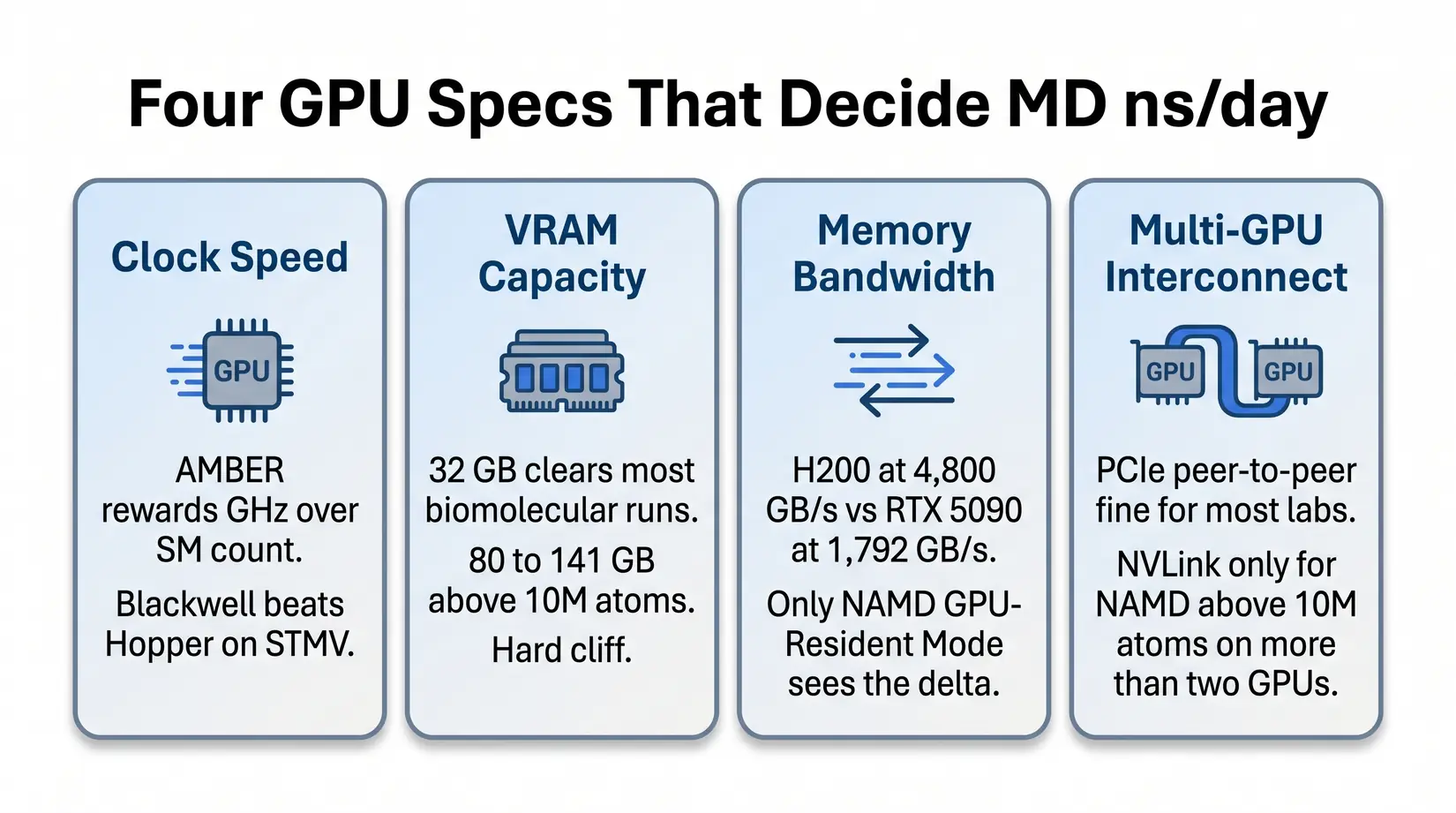
Four specs decide ns/day for conventional force-field MD. Tensor cores and FP8 throughput typically sit idle.
Clock speed and VRAM determine fit for most workloads. Bandwidth and interconnect matter at NAMD scale. Each governs a different bottleneck, so the AMBER leader can fall short on a NAMD trajectory that saturates the PCIe bus. Optimizing for the wrong axis leaves ns/day on the table. Pick the axis before the SKU.
- Clock speed - AMBER's pmemd.cuda cares about clocks more than SM count. A Blackwell consumer card outpaces an H100 on STMV because the kernel cannot use a wider GPU to compensate for lower clocks.
- VRAM capacity - 32 GB covers most biomolecular simulations under 1M atoms. Viral capsids and whole-cell models above 10M atoms need 80 to 141 GB. The cliff is binary.
- Memory bandwidth - Per NVIDIA datasheets, H200's 4,800 GB/s HBM3e against the RTX 5090's 1,792 GB/s GDDR7 matters once systems stress data movement in NAMD's multi-GPU scaling mode.
- Multi-GPU interconnect - PCIe peer-to-peer is fine at most lab scales. NVLink earns its premium for NAMD above 10M atoms on more than two GPUs.
Coming from deep learning makes the FP8 reflex easy, but suppress it for MD. Force-field evaluation runs on CUDA cores in FP32 or FP64, so the FP8 machinery sits idle on conventional MD. ML-potential workloads (NNP and ANI-class) engage tensor cores but run a distinct compute path requiring a separate GPU selection. FP8 is a dead lever here. Stick with FP32-tuned engines unless NNP pipelines are in the workflow.
RTX 5090 vs H100 vs H200 for AMBER MD
Per ProxPC's STMV benchmark, the RTX 5090 hits 110 ns/day on AMBER against the H100's ~90. The H200 leads at 135, RTX PRO 6000 at 121. The RTX 5090 is the strongest option for ns/day per VRAM GB at 3.44. Clock speed, not SM count, drives that lead.
| GPU | ns/day | vs Legacy Quadro RTX 5000 | ns/day per VRAM GB | Best For |
|---|---|---|---|---|
| H200 141 GB | 135.03 | 6.75x | 0.96 | Massive systems above 10M atoms |
| RTX PRO 6000 96 GB | 121.56 | 6.1x | 1.27 | Large systems plus ECC reliability |
| RTX 5090 32 GB | 110.03 | 5.5x | 3.44 | Standard MD simulations, throughput-per-VRAM leader |
| H100 80 GB | ~90 | 4.5x | 1.13 | Multi-GPU NVLink scaling |
| RTX 6000 Ada 48 GB | 71.50 | 3.5x | 1.49 | Capable but being replaced |
Methodology note. STMV simulation-speed figures come from ProxPC's standard STMV production run in AMBER 24. The ns/day per VRAM GB column divides STMV ns/day by rated VRAM.
Key Takeaway
Per ProxPC's STMV data, a four-GPU RTX 5090 workstation pushes roughly 440 ns/day of aggregate AMBER throughput across four independent trajectories, about 3.3x a single H200. The throughput-per-node sweet spot for drug discovery screening and replica exchange.
AMBER's pmemd.cuda is single-GPU-optimized, so Blackwell's clock uplift converts directly to ns/day. Clocks win here. H100 trades peak boost clocks for the 24/7 thermal envelope, earning its slot at NAMD above 10M atoms where interconnect dominates. Past the 32 GB ceiling, VRAM determines whether any card runs at all. VRAM tier sets the shortlist before any SKU comparison starts.
The VRAM Cliff: 32, 80, 141 GB
The 32 GB tier covers most everyday AMBER work cleanly. Viral capsids and large assemblies routinely cross into the 80 and 141 GB tiers, where OOM is the failure mode, not a slowdown. The simulation refuses to load the topology above the tier boundary. Topology either fits or doesn't. Size against the biggest production system and leave a tier of room above.
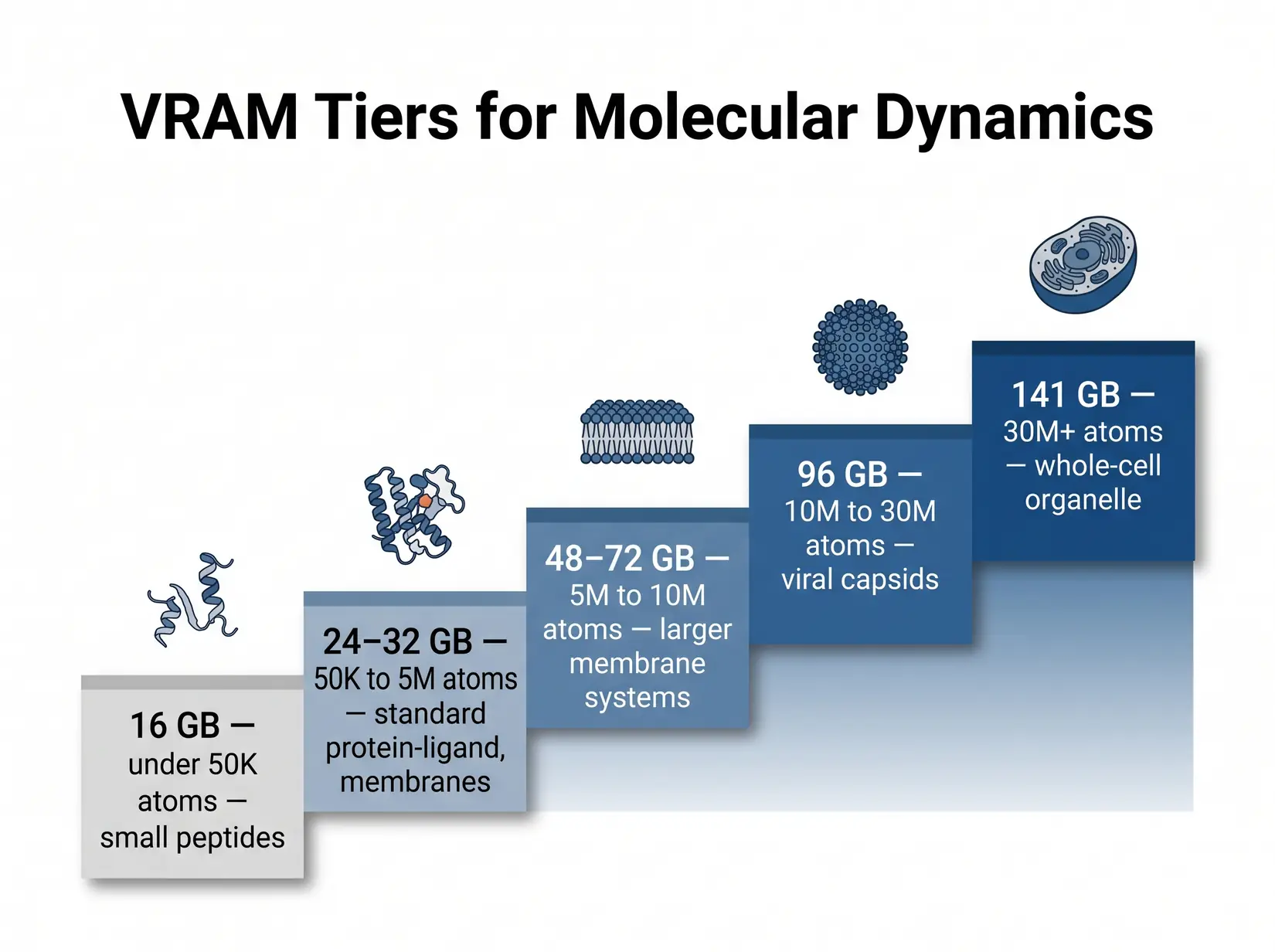
Each tier boundary maps to a real class of biomolecular system. Out-of-memory is the failure mode at every step.
Non-ECC GDDR7 at 32 GB is fine for re-runnable trajectories. ECC HBM matters for 48-hour-plus runs because bit flips corrupt force-field state silently, surfacing only at analysis. One corrupted run costs days. ECC pays for itself in one save. RTX PRO 6000 at 96 GB ECC is the bridge tier for labs that need both production reliability and VRAM headroom.
| VRAM Tier | System size (atoms) | Examples | GPU options | ECC? |
|---|---|---|---|---|
| 16 GB | Small only (sub-megaatom) | Small peptides, ligand-only sims | RTX 5070 Ti, RTX 4080 (legacy) | No |
| 24 to 32 GB | Up to ~1M atoms | Most protein-ligand, membrane proteins, standard MD simulations | RTX 5090 | No |
| 48 to 72 GB | 5M to 10M | Larger membrane systems, multi-protein assemblies | RTX PRO 5000 (48 or 72 GB ECC) | Yes |
| 96 GB | 10M to 30M | Viral capsids, large complexes, ECC for unattended runs | RTX PRO 6000 (96 GB ECC) | Yes |
| 141 GB | 30M+ | Whole-cell organelle, massive NAMD systems | H200 | Yes |
Methodology note. Tier ranges trace ProxPC's published AMBER guidance. NAMD GPU-Resident runs heavier per atom, so round NAMD systems up before mapping. Replica exchange, metadynamics, and accelerated MD multiply VRAM demand by parallel state depth.
Costly Mistake
Buying 24 GB of VRAM for a 50 million atom system is a hard OOM, not a slowdown. The wrong VRAM tier turns the workstation into an expensive paperweight for that workload.
A 32 GB card that OOMs on the production system is not a budget win. Once the tier is set, survivors differ by clock speed for AMBER and interconnect for NAMD. Budget the VRAM tier for the biggest system in the queue and the choice is locked before comparing SKUs. Atom count screens first. TFLOPS rank second.
Which GPU Fits Your MD Engine?
Each MD engine rewards different GPU specs. AMBER, GROMACS, and OpenMM run fastest on a single clock-fast consumer card. NAMD at scale rewards bandwidth and interconnect, while LAMMPS leans on CPU more than any other MD engine. GROMACS runs PME CPU-side, making Threadripper PRO the natural pairing for four-GPU ensemble work.
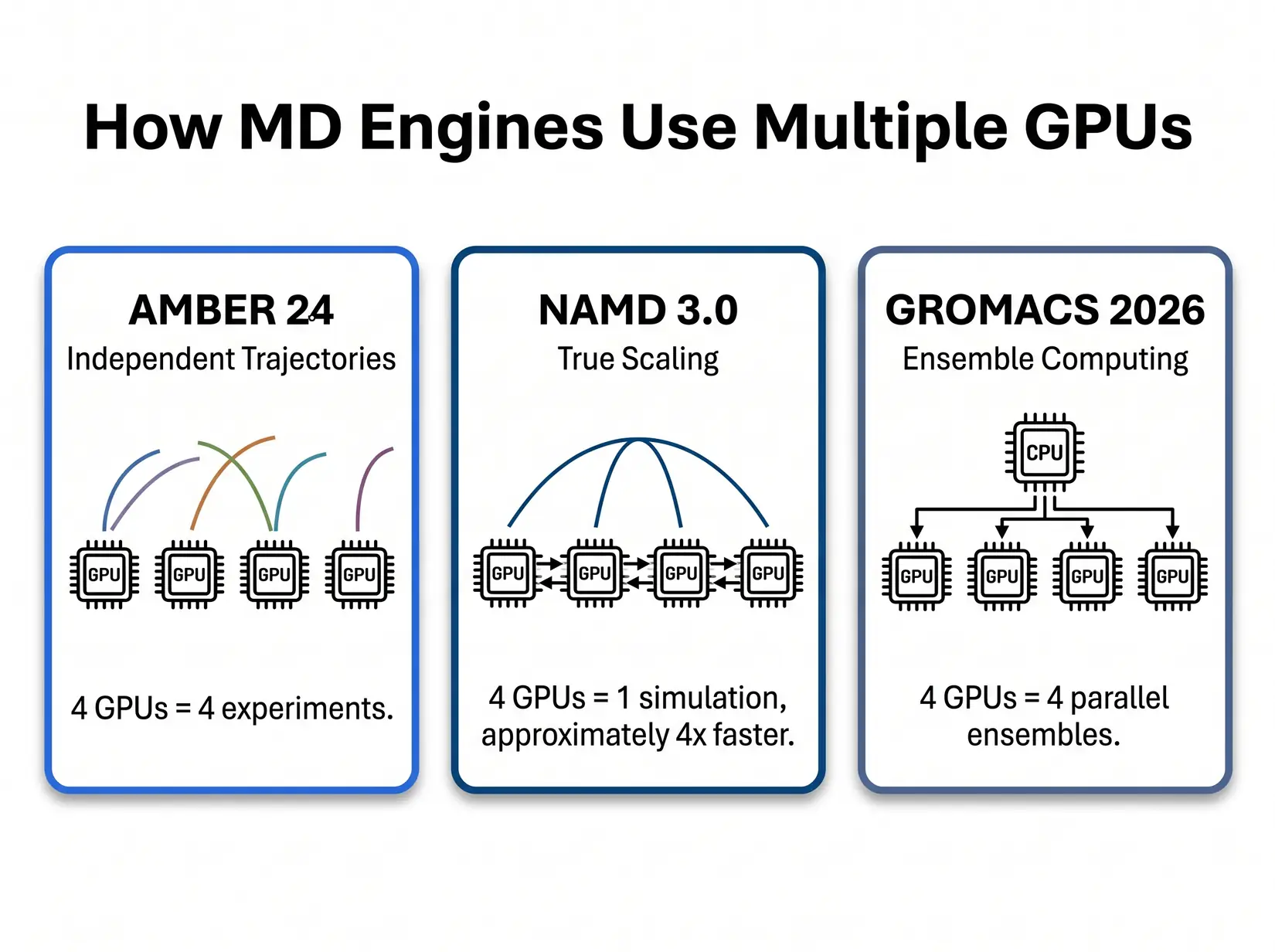
Three patterns decide GPU count by engine. AMBER runs independent trajectories. NAMD splits one simulation across GPUs. GROMACS scales by ensemble member count.
AMBER and GROMACS run independent jobs per card, so more GPUs mean more simultaneous simulations, not a faster single run. NAMD distributes one simulation across cards when the workload and atom count warrant it. Scale out or scale up. That distinction sets the budget: more cards or faster ones. Match GPU count to the engine first.
AMBER 24
AMBER 24's pmemd.cuda is purpose-built around a single-GPU design. Per Salomon-Ferrer et al. (JCTC 2013), the kernel keeps the force-field pipeline on one device and avoids the CPU round-trip every timestep. Extra GPUs on one AMBER trajectory contribute nothing to ns/day. More GPUs means more parallel trajectories, not a faster single run.
David Cerutti and Taisung Lee (Rutgers, AMBER developers) on how pmemd.cuda's CUDA-specific optimizations opened a new era of drug discovery with AMBER. NVIDIA Developer.
Independent trajectories pair with replica exchange and drug-discovery screening cleanly. Four GPUs, four simultaneous runs. A four-GPU RTX 5090 workstation delivers peak throughput on every AMBER trajectory in parallel. Per ProxPC's STMV data, that stack aggregates roughly 440 ns/day. Above 5M atoms per trajectory, the cliff steps to RTX PRO 5000 or 6000 ECC.
NAMD 3.0
NAMD 3.0's GPU-Resident Mode is the only major MD engine that makes a single simulation faster as GPU count increases. Per the NAMD 3.0 release notes, the engine scales near-linearly across eight-A100 nodes, and NVLink extends that curve onto Hopper. The scaling only pays off above roughly 10M atoms, where cross-GPU overhead no longer eats the gain. Below that threshold, stick with PCIe. Above it, the calculus changes entirely.
David Hardy (UIUC, NAMD core developer) explains NAMD 3's GPU-Resident Mode, why it changes the interconnect calculus, and what that means for multi-GPU scaling. CCPBioSim YouTube channel.
Two to four RTX 5090s on PCIe covers most NAMD labs. NVLink Hopper enters at 10M atoms and above per the NAMD 3.0 scaling data, where near-linear multi-GPU gains begin to justify the premium. PCIe peer-to-peer handles cross-GPU force exchange adequately at lab scale. Most labs never reach the NVLink threshold.
NVLink Break-Even Decision Tree
NVLink earns its premium on exactly one MD workload: NAMD 3.0 GPU-Resident Mode, above 10M atoms, on more than two GPUs. Per the H100 datasheet, NVLink hits ~900 GB/s per GPU versus PCIe's 128 GB/s, a gap that only matters at the bandwidth scaling cap. Every other engine runs well on PCIe at any lab-scale count. Most academic labs never hit the atom count where NVLink changes the outcome.
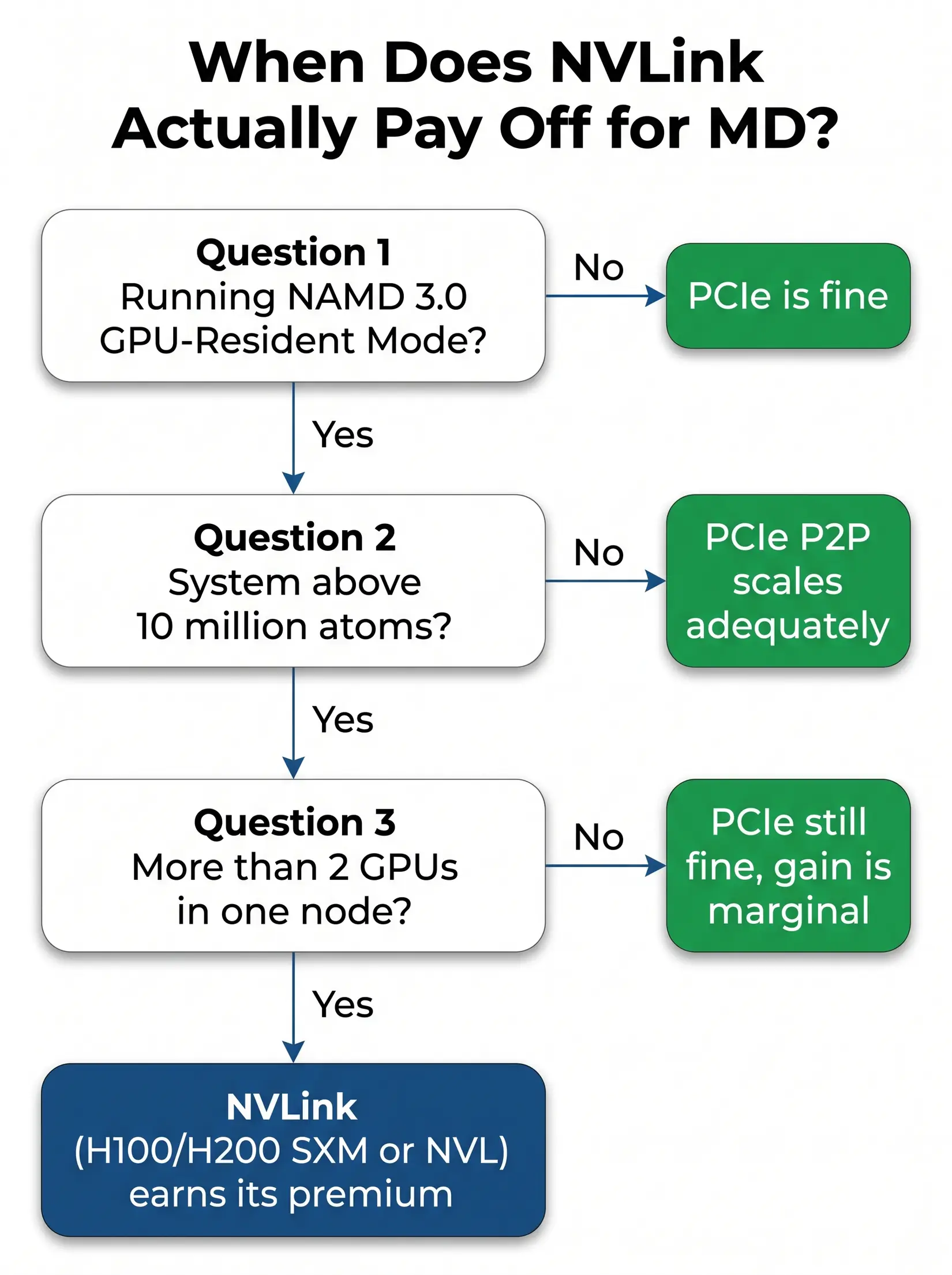
NVLink pays off on exactly one MD workload pattern. Anything that exits the tree early runs just as well on PCIe.
Three conditions resolve the NVLink call: NAMD GPU-Resident Mode, above 10M atoms, and more than two GPUs in one node. All three must hold. NAMD is the only engine where they can. Most labs exit at the first condition. PCIe peer-to-peer is adequate for every other engine and atom-count tier.
Consumer or Datacenter GPU for MD?
Several consumer cards beat one flagship SKU for most MD labs on cost per experiment. Four consumer cards run four experiments at roughly the silicon cost of one datacenter card, which is why drug discovery labs running replica exchange consistently choose the consumer stack when VRAM fits. NAMD is the exception, where GPU-Resident Mode makes interconnect the deciding factor. Count experiments, not TFLOPS.
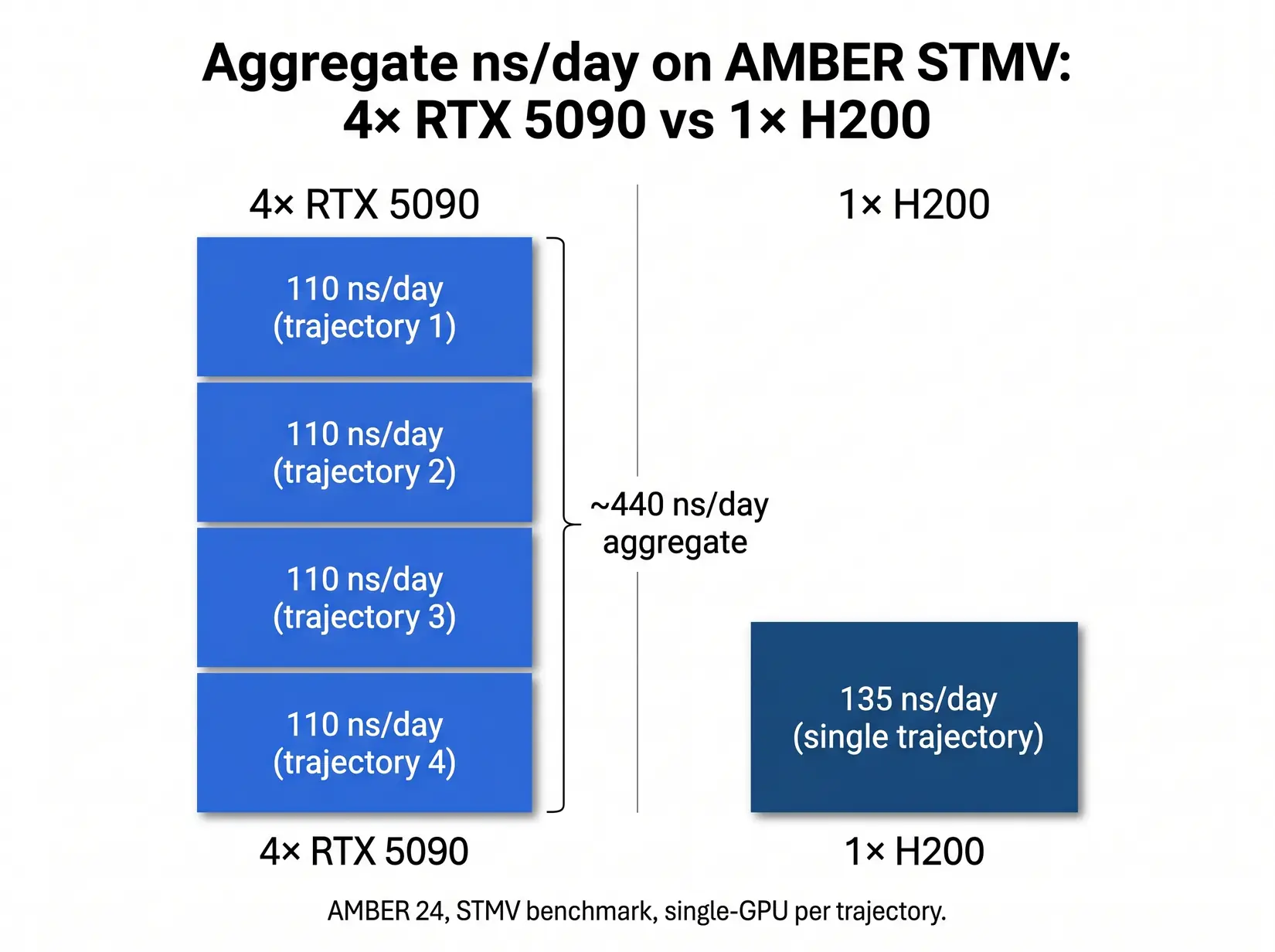
Four RTX 5090s running four independent AMBER trajectories deliver roughly 3.3x the aggregate throughput of a single H200, per ProxPC's STMV benchmark.
| Configuration | STMV ns/day (engine pattern) | Aggregate throughput pattern | Best fit |
|---|---|---|---|
| Single H200 (one trajectory) | 135 (AMBER), scales linearly (NAMD) | One fast simulation | NAMD above 10M atoms, single-priority workflow |
| Four RTX 5090 (four trajectories) | 4 x 110 = 440 aggregate (AMBER) | Four independent simulations | Drug discovery screening, replica exchange, GROMACS ensembles |
| Four H200 (independent trajectories, AMBER does not use NVLink) | ~540 (AMBER, 4 independent runs), scales near-linearly (NAMD) | Four independent simulations OR one NAMD trajectory at scale | Whole-cell NAMD, mixed-workload core facilities |
Methodology note. Aggregate figures multiply per-GPU STMV ns/day by GPU count. See the MD system configuration article for PCIe lane effects.
Per-VRAM-GB differentiates them decisively: RTX 5090 at 3.44 versus H200 at 0.96, per ProxPC's AMBER benchmark. Consumer Blackwell wins below 32 GB. H200 earns its slot once atom count crosses that ceiling. Lock the VRAM tier first.
From the BIZON Build Floor
Water-cooled BIZON chassis hold sustained GPU clocks through multi-day MD production. Air-cooled four-GPU builds may throttle once the chassis heats up under sustained load, showing up as reduced aggregate ns/day across the run. Cooling loop, not GPU SKU, separates benchmark from production ns/day on any four-plus GPU MD rig.
Engine choice governs whether interconnect matters at all, and the VRAM tier then narrows options to two or three viable SKUs. Getting both right is the whole architecture conversation. Most labs skip it. Engine drives the shortlist.
Common GPU Mistakes for MD Workloads
Six GPU mistakes burn through MD hardware budget, with SKU-and-engine mismatches costing ns/day from day one and the bill compounding across every production run. None surface at spec review. Each traces to skipping the engine-first conversation. The failure shows up a week into production as OOM or throughput loss.
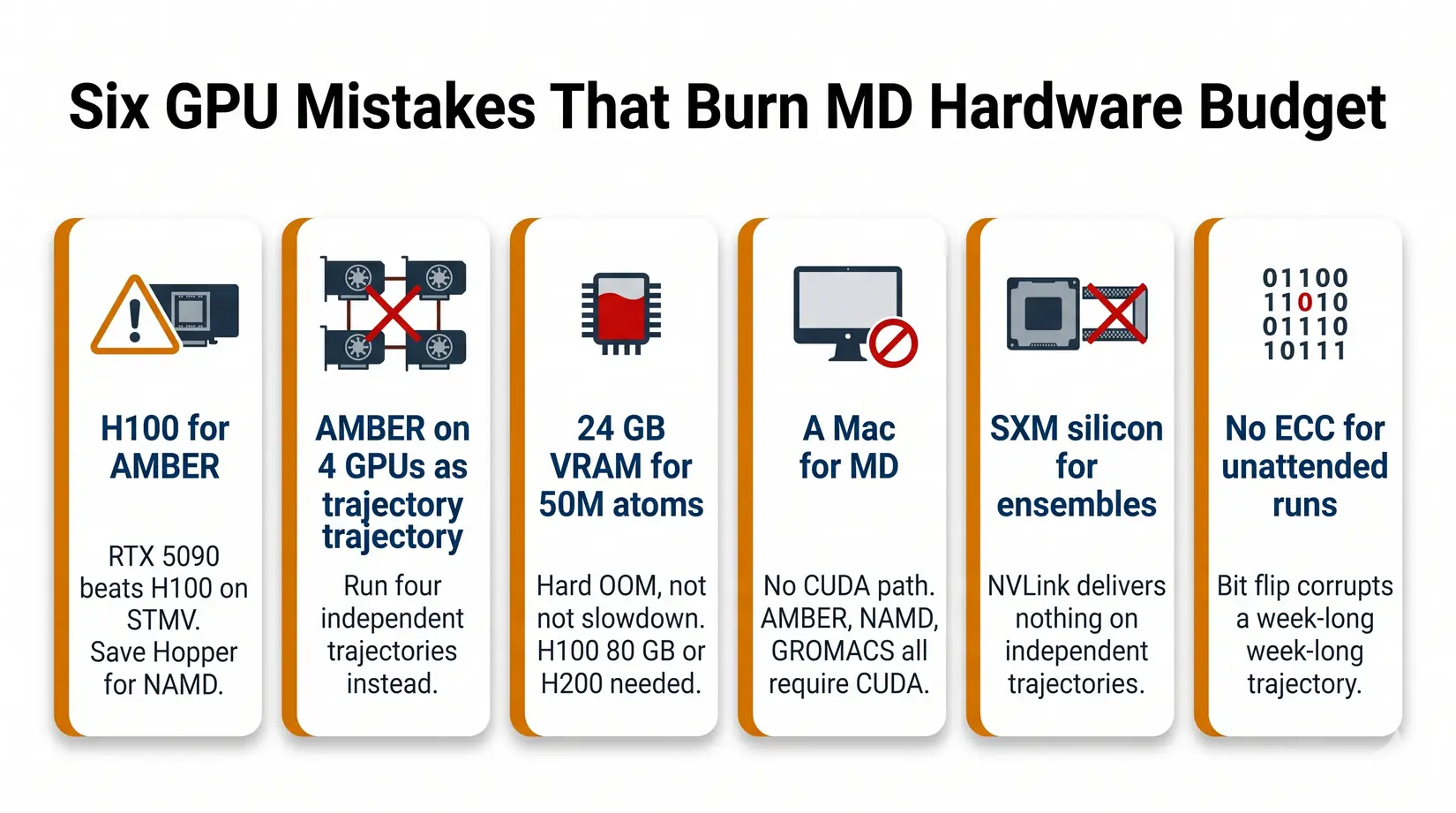
Six GPU mistakes that surface as lost ns/day or a mid-week shutdown, not as an obvious red flag at purchase.
- Buying an H100 for AMBER - RTX 5090 outpaces H100 on STMV ns/day per ProxPC's benchmark. Save the Hopper budget for NAMD at scale.
- Expecting AMBER to scale across four GPUs on one trajectory - It will not. Run four independent trajectories.
- Buying 24 GB VRAM for a 50M atom system - It will not fit. You need H200 141 GB or B200 192 GB. Failure mode is hard OOM, not slowdown.
- Buying a Mac for MD - CUDA-accelerated AMBER and NAMD are NVIDIA-first. Apple Silicon is not a safe MD default. See Mac vs NVIDIA for LLM.
- Buying SXM silicon for ensemble work - NVLink delivers nothing on independent trajectories. PCIe gives the same science at lower cost.
- Skipping ECC for multi-day runs - RTX 5090 fits short campaigns. For 72-hour-plus unattended runs, ECC VRAM (RTX PRO 6000, H100, H200) protects against bit-flip corruption.
Each mistake surfaces a week into production, not at spec review. The root cause is the same for all six: the engine-first conversation was omitted at the quote stage. Starting with the right engine eliminates most bad GPU purchases before comparing any SKU. The tiers below pair the right GPU class with engine and atom count.
BIZON MD Workstations by GPU Tier
BIZON ships MD tiers matched to engine and atom count. RTX 5090 covers single-researcher AMBER under 1M atoms. RTX PRO 6000 covers NAMD and GROMACS at 1M to 10M, while H100 or H200 takes production above 10M. Each configuration ships with BizonOS preinstalled and validated MD containers ready on first boot.
Single-GPU Starting Points
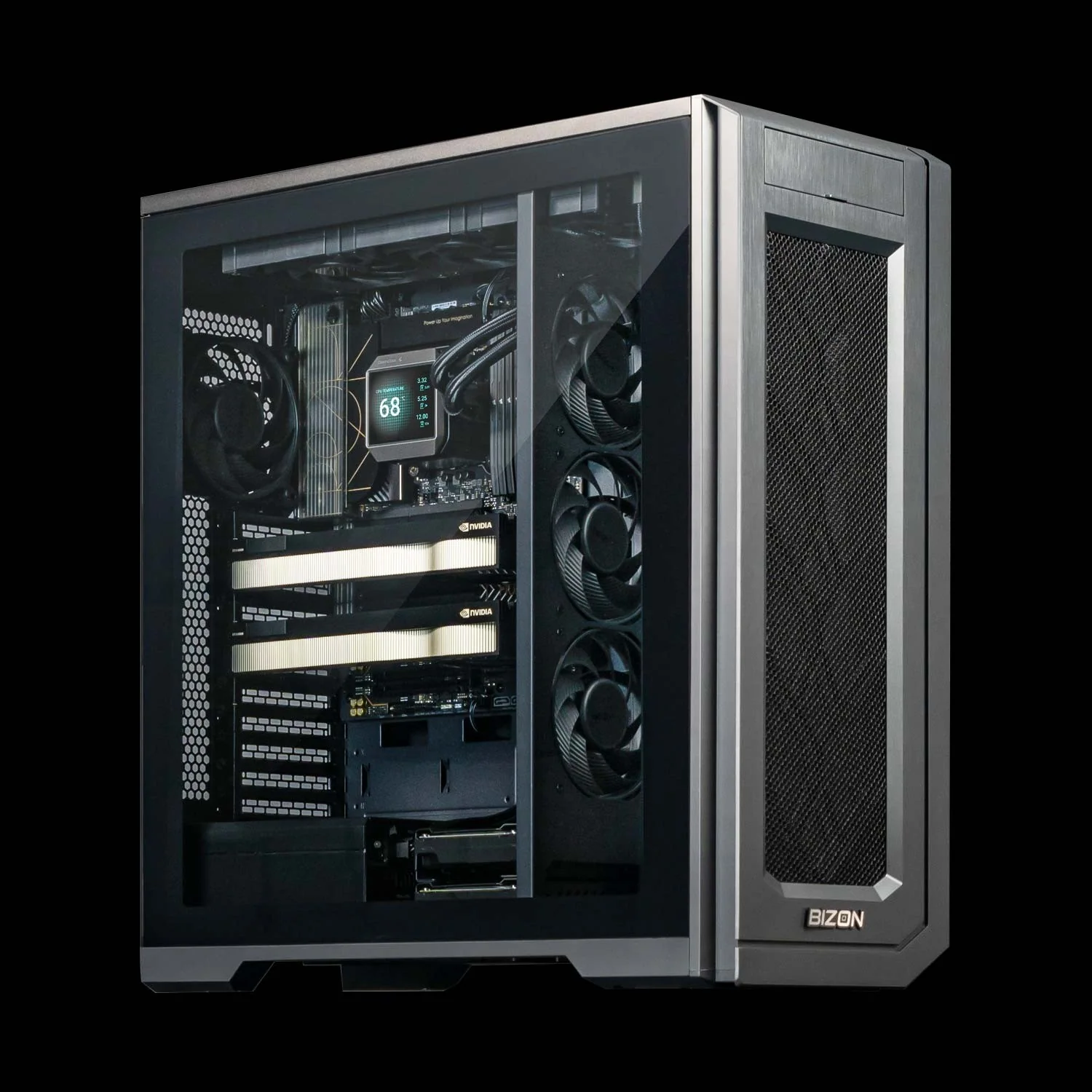
BIZON X3000 G2 Desktop Workstation
- Best for: Single-trajectory AMBER, GROMACS, or OpenMM up to about 1M atoms on AMD silicon
- GPUs: Up to two GPUs (RTX Blackwell and Ada workstation lineup, no datacenter SXM or HBM)
- VRAM: Up to 192 GB total (two RTX PRO 6000 at 96 GB ECC each)
- CPU: AMD Ryzen 9000 (9900X or 9950X, up to 16 cores)
- RAM: Up to 256 GB DDR5, dual-channel
- Connectivity: 1 GbE built-in plus Wi-Fi/Bluetooth, up to 25 GbE (Dual-Port SFP28)
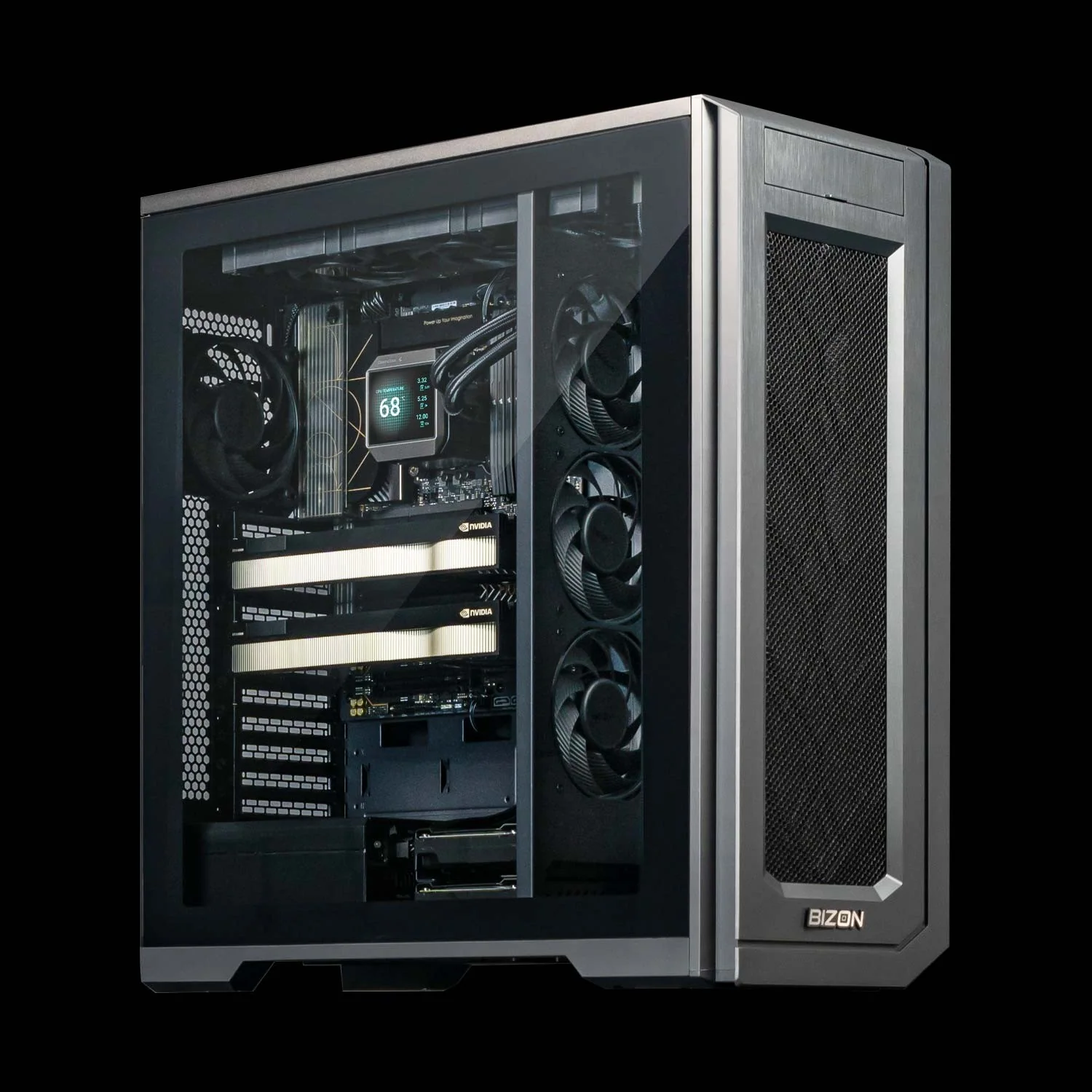
BIZON V3000 G4 Desktop Workstation
- Best for: Same single-trajectory MD profile as the X3000, when the lab is standardized on Intel
- GPUs: Up to two GPUs (RTX Blackwell and Ada workstation lineup, no datacenter SXM or HBM)
- VRAM: Up to 192 GB total (two RTX PRO 6000 at 96 GB ECC each)
- CPU: Intel Core Ultra 9 (14, 20, or 24 cores)
- RAM: Up to 192 GB DDR5, dual-channel
- Connectivity: 1 GbE built-in plus Wi-Fi/Bluetooth, up to 25 GbE (Dual-Port SFP28)
Drug Discovery and Mid-Size Labs
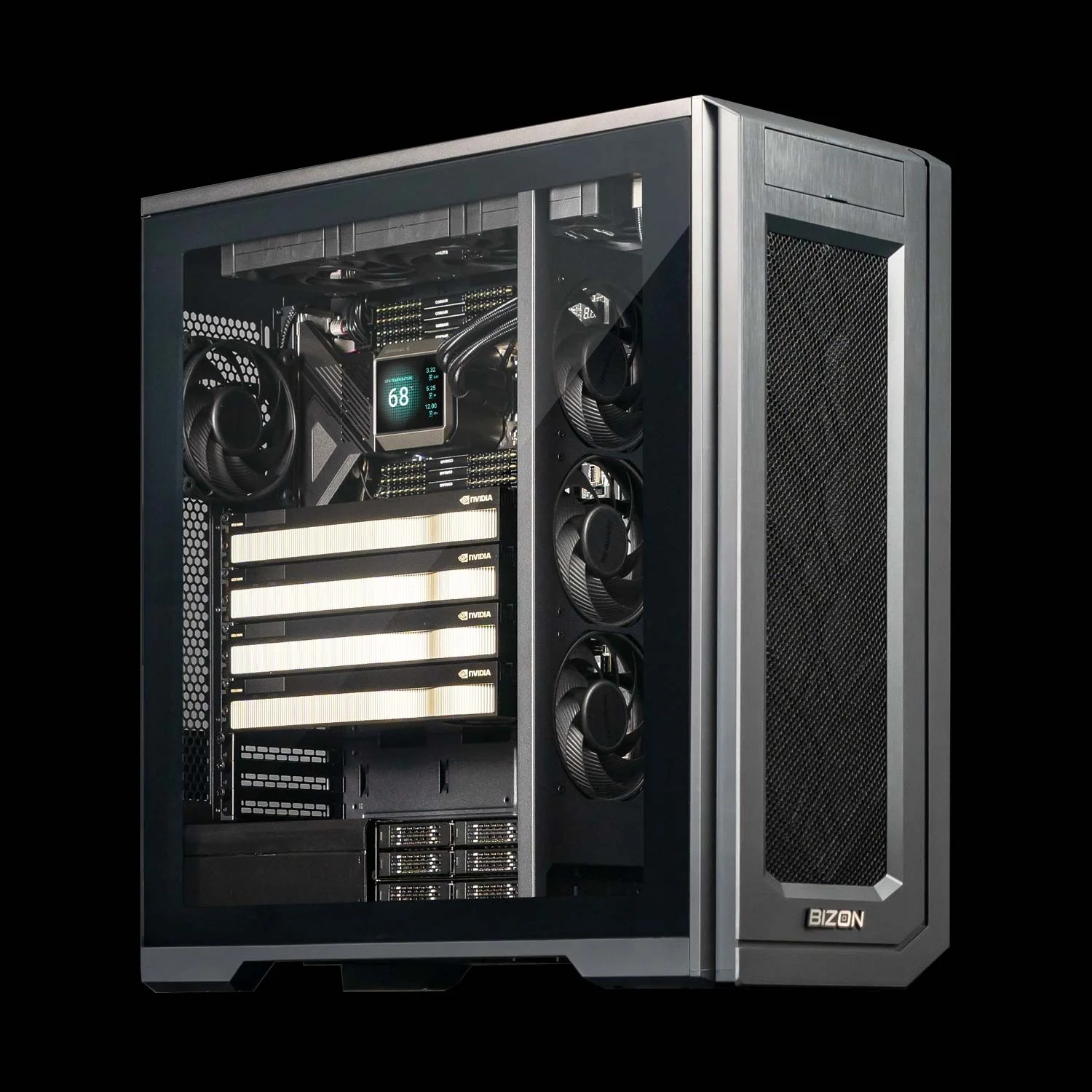
BIZON X5500 G2 Rackmount Workstation
- Best for: Flexible mid-tier for labs that mix AMBER, NAMD, and GROMACS across consumer or pro Blackwell silicon
- GPUs: Up to four RTX Blackwell or Ada workstation cards
- VRAM: Up to 384 GB total (four RTX PRO 6000 at 96 GB ECC each)
- CPU: AMD Threadripper PRO (up to 96 cores)
- RAM: Up to 1,024 GB DDR5 ECC, 8-channel
- Connectivity: 1 GbE built-in plus Wi-Fi/Bluetooth, up to 200 Gbps InfiniBand HDR (Mellanox ConnectX-6)
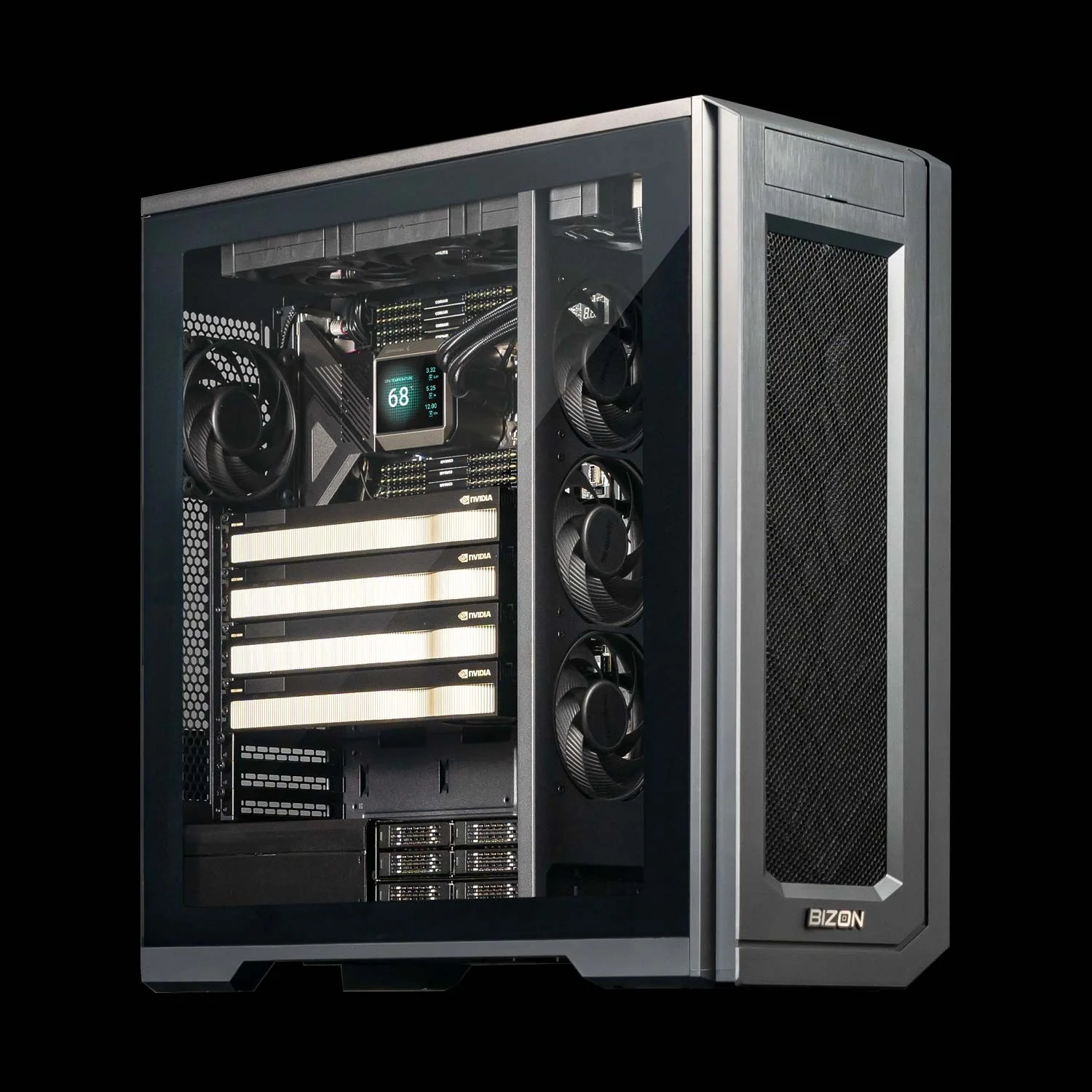
BIZON G3000 Gen2 Workstation
- Best for: Reliability-first ECC desktop on Intel for unattended multi-day production runs
- GPUs: Up to four RTX Blackwell or Ada workstation cards
- VRAM: Up to 384 GB total (four RTX PRO 6000 at 96 GB ECC each)
- CPU: Intel Xeon W-3500 (up to 60 cores) or Xeon W-2500 (up to 22 cores)
- RAM: Up to 1,024 GB DDR5 ECC Buffered, quad-channel
- Connectivity: 1 GbE built-in plus Wi-Fi/Bluetooth, up to 100 Gbps InfiniBand EDR (Mellanox ConnectX)
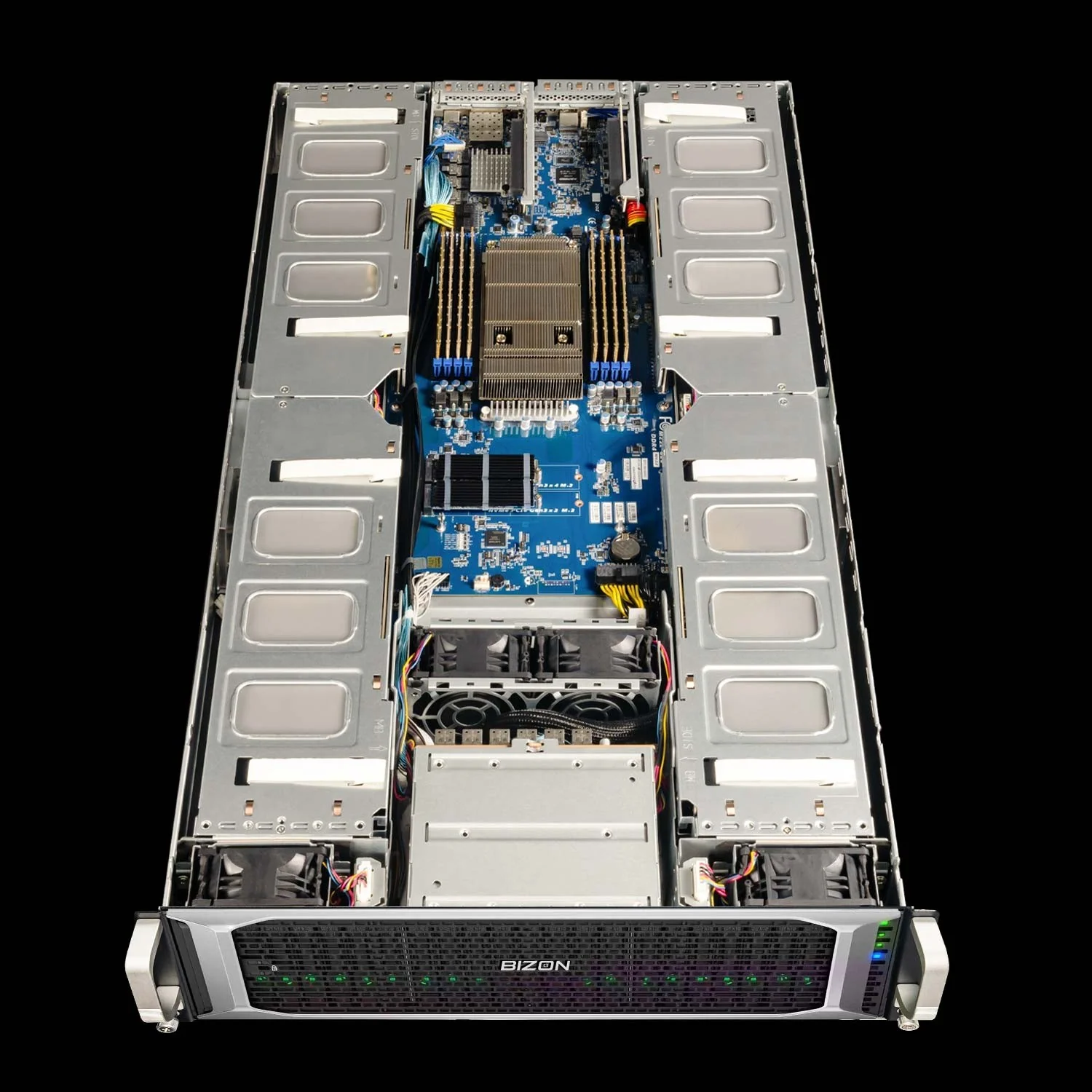
BIZON X8000 G3 Rackmount Server
- Best for: Hopper PCIe at four-GPU scale without water cooling
- GPUs: Up to four PCIe GPUs (RTX PRO Blackwell/Ada, L40s, A100, H100 NVL, H200 NVL)
- VRAM: Up to 564 GB total (four H200 141 GB NVL)
- CPU: Dual AMD EPYC 9004/9005 (up to 192 cores per CPU)
- RAM: Up to 1,536 GB DDR5 ECC Buffered, 12-channel per CPU
- Connectivity: 10 GbE dual port (two RJ45) integrated, up to 400 Gbps InfiniBand NDR (Mellanox ConnectX-7), NVLink Bridge available for paired GPUs
Department Scale and NAMD HPC (4 to 8 GPU)
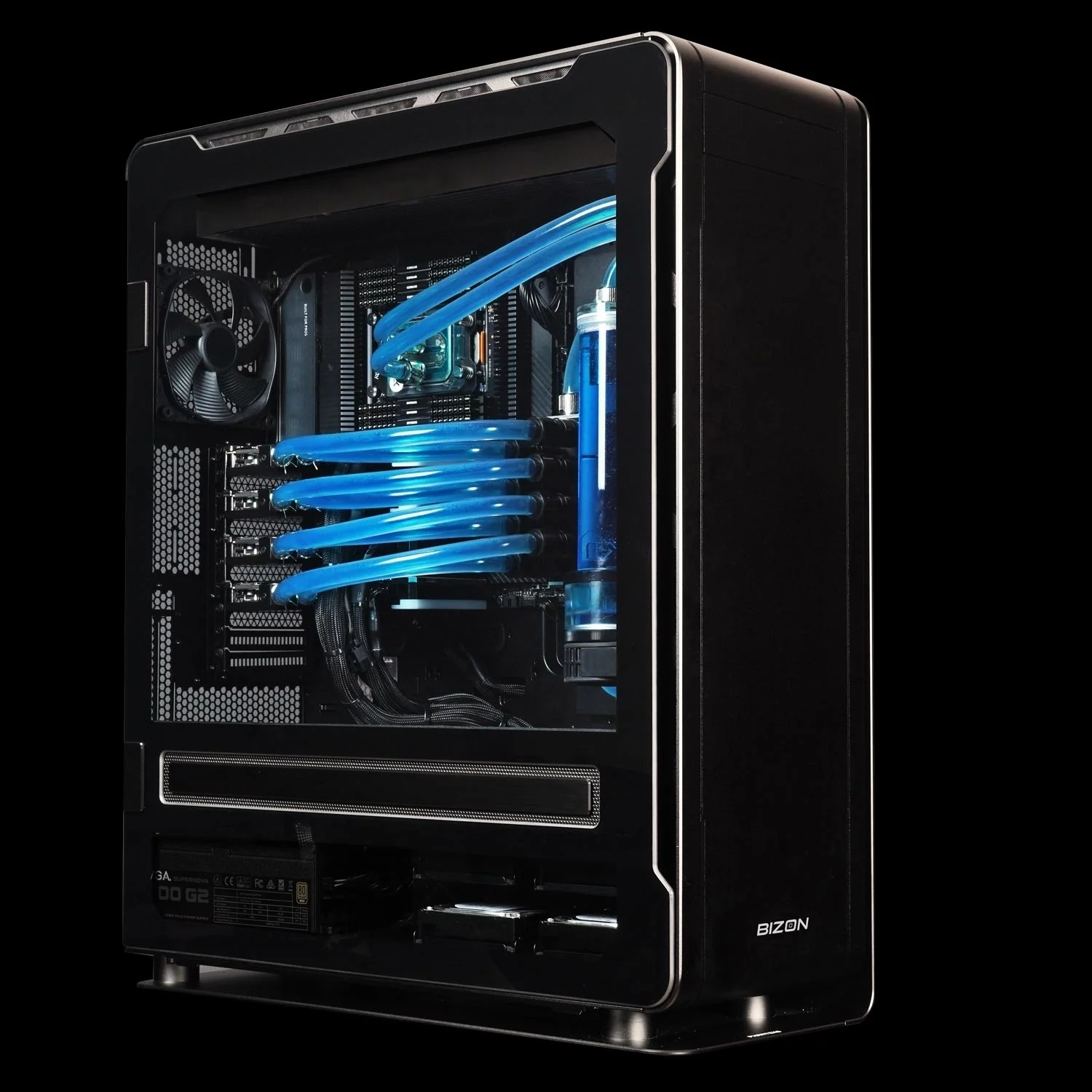
BIZON ZX5500 Water-Cooled Workstation
- Best for: Water-cooled desktop tower for CPU-heavy GROMACS and LAMMPS pipelines at department scale
- GPUs: Up to seven water-cooled GPUs (RTX 5080, RTX 5090, RTX PRO 6000, H200 NVL)
- VRAM: Up to 987 GB total (seven H200 141 GB NVL)
- CPU: AMD Ryzen Threadripper PRO 7000/9000 series (up to 96 cores)
- RAM: Up to 1,024 GB DDR5 ECC, 8-channel
- Connectivity: 1 GbE built-in plus Wi-Fi/Bluetooth, up to 100 Gbps InfiniBand EDR (Mellanox ConnectX), NVLink Bridge available for paired GPUs
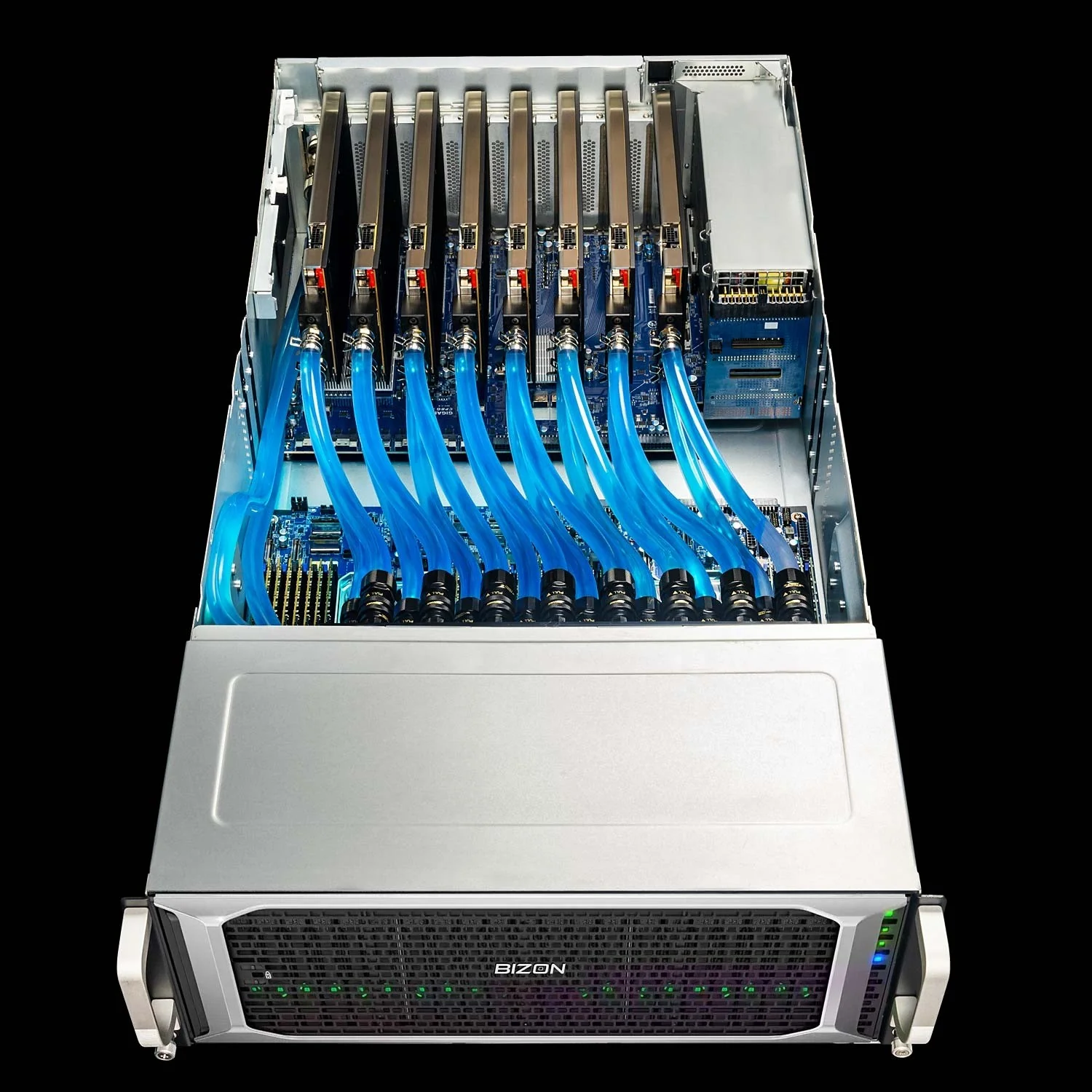
BIZON ZX9000 Water-Cooled Server
- Best for: Eight-GPU water-cooled server for replica exchange and viral-capsid NAMD on PCIe
- GPUs: Up to eight water-cooled PCIe GPUs (RTX 6000 Ada, RTX PRO 6000, A100, H100 NVL, H200 NVL)
- VRAM: Up to 1,128 GB total (eight H200 141 GB NVL)
- CPU: Dual AMD EPYC 9004/9005 (up to 192 cores per CPU)
- RAM: Up to 3,072 GB DDR5 ECC Buffered, 12-channel per CPU
- Connectivity: 10 GbE dual port (two RJ45) integrated, up to 400 Gbps InfiniBand NDR (Mellanox ConnectX-7), NVLink Bridge available for paired GPUs
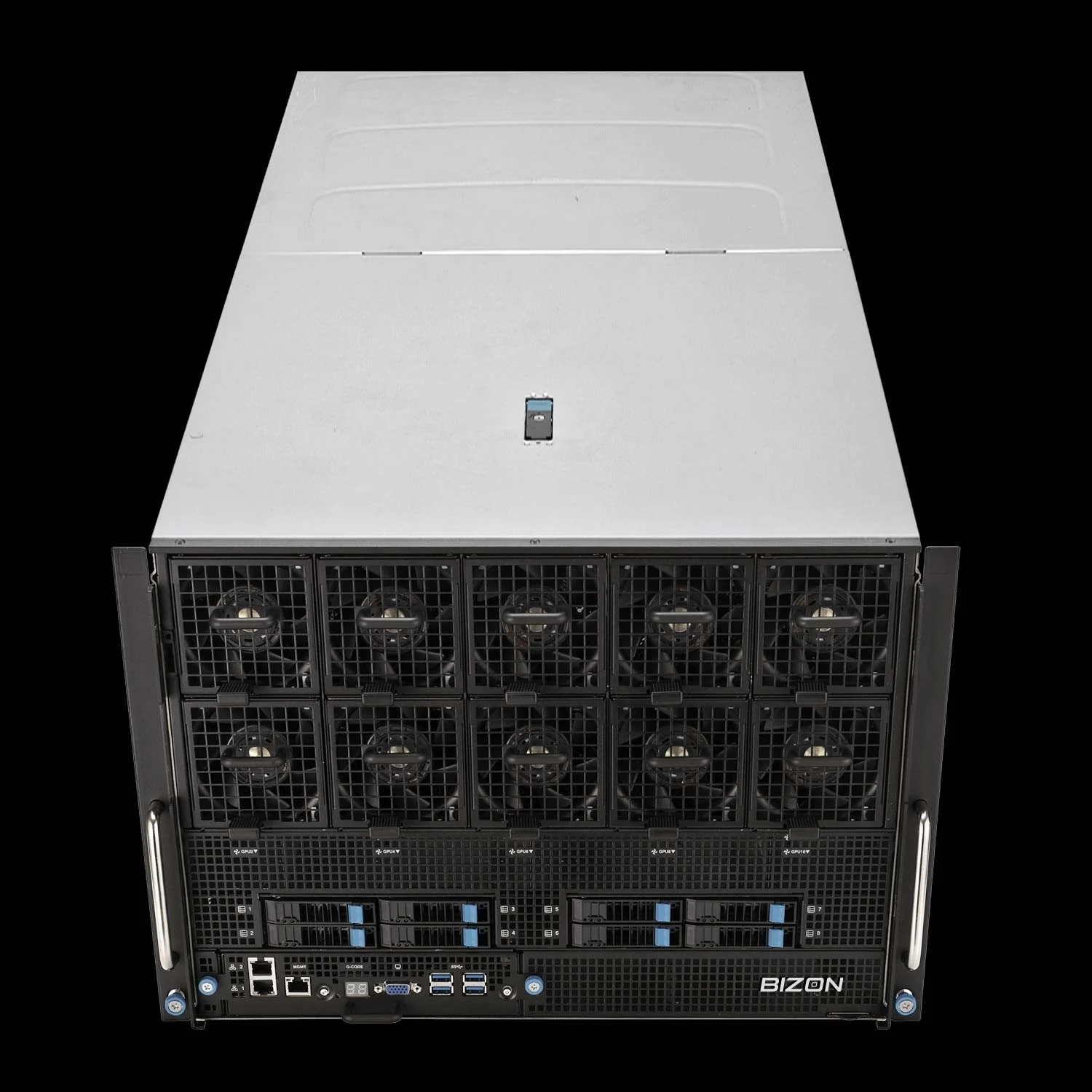
BIZON X9000 G3 HGX Server
- Best for: Eight-way SXM5 NVLink for NAMD GPU-Resident above 10M atoms (when the NVLink decision tree resolves yes)
- GPUs: Eight H100 80 GB SXM5 or eight HGX H200 141 GB SXM5 (fixed SXM-only chassis)
- VRAM: Up to 1,128 GB total (eight H200 141 GB SXM5)
- CPU: Dual AMD EPYC 9004/9005 (up to 192 cores per CPU)
- RAM: Up to 3,072 GB DDR5 ECC, 12-channel per CPU
- Connectivity: 10 GbE dual port (two RJ45), up to 400 Gbps InfiniBand NDR (Mellanox ConnectX-7)
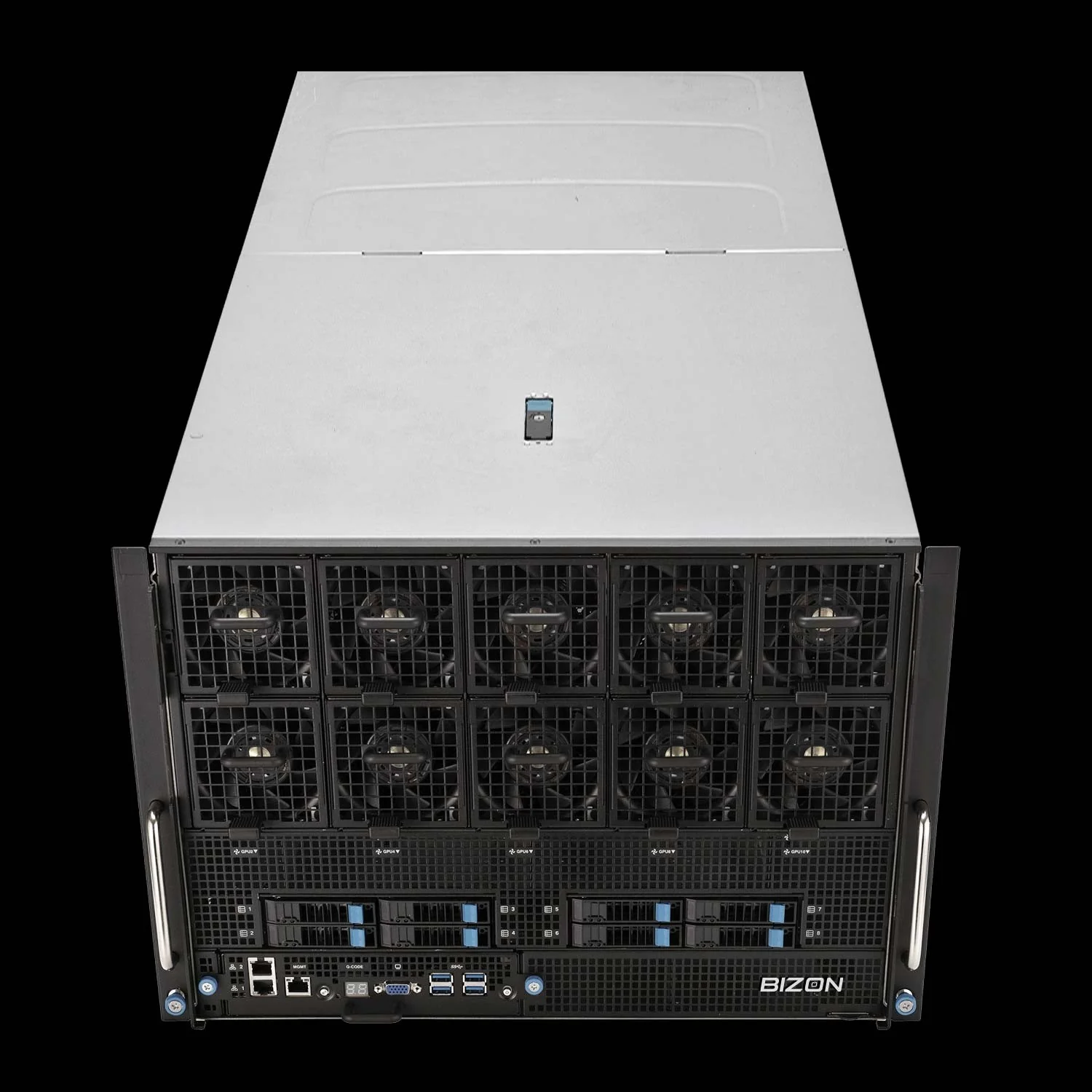
BIZON X9000 G4 HGX Server
- Best for: Whole-cell NAMD and 30M+ atom systems where Hopper VRAM is no longer enough
- GPUs: Eight NVIDIA B200 192 GB SXM5 (fixed SXM-only chassis)
- VRAM: Up to 1,536 GB total (eight B200 192 GB SXM5)
- CPU: Dual AMD EPYC 9004/9005 (up to 192 cores per CPU)
- RAM: Up to 3,072 GB DDR5 ECC, 12-channel per CPU
- Connectivity: 10 GbE dual port (two RJ45), up to 400 Gbps InfiniBand NDR (Mellanox ConnectX-7)
Final MD GPU Recommendations
Pick the GPU against your dominant engine, then size VRAM against your largest production system plus 20 percent headroom. Most labs land on one or four RTX 5090s. The tier above is reserved for whole-cell NAMD and viral-capsid work past the 32 GB cliff. Know your atom ceiling.
- Engine first - Map your dominant engine using the quick recommendations table.
- Largest production system - Map atom count to a VRAM tier using the VRAM cliff table, plus 20 percent headroom.
- NAMD above 10M atoms? The VRAM tier from step 2 (96 GB+) is required regardless. Use the NVLink decision tree above to choose PCIe peer-to-peer or SXM-NVLink at that tier.
From our experience at BIZON, labs getting the most ns/day per dollar match GPU to engine first and VRAM to atom count second. We preload every MD system with BizonOS and validated containers for AMBER, NAMD, GROMACS, LAMMPS, and VMD. Multi-GPU rigs run water-cooled at the ZX5500 tier and above, since air throttles on sustained four-card load. Cooling tier matches workload tier, not just GPU count.
Configure your MD build through BIZON's molecular dynamics workstation and server lineup, from single-GPU rigs through eight-GPU SXM density. Each tier ships with the MD stack pre-installed and the chassis matched to engine and atom count. Validated on arrival. Spec the system to today's heaviest workload with room for the next scale-up.
BIZON manufactures the workstations and servers discussed in this article. Benchmark figures and specifications reflect published vendor sources and BIZON build-floor experience. Our editorial recommendations follow the engine-first analysis shown above and are not constrained by inventory.