Table of Contents
- RTX 5090 Dominates Local LLM Workloads
- Where Training and Inference Diverge
- Top Open-Source LLMs and VRAM Needs
- Quantization Tradeoffs and VRAM Math
- Which GPU Fits Your Model VRAM?
- Best GPUs for Training and Fine-Tuning
- When Does Multi-GPU Pay Off?
- Inference Frameworks and Software Stack
- Common Mistakes When Buying an LLM GPU
- Get Started With BIZON for LLMs
- Desktop Workstations for Inference
- Professional Multi-GPU Workstations
- Enterprise and Frontier GPU Servers
- The Verdict on Best LLM GPUs
Best GPU for LLM Inference and Training in 2026 [Updated]
Last verified: May 2026. Specs and model availability confirmed against official NVIDIA sources and bizon-tech.com.
The RTX 5090 is the best GPU for most LLM workloads this year, with 32 GB GDDR7 at 1,792 GB/s handling 32B models at Q4 on a single card and 70B at Q4 across two cards. Step up to RTX PRO 6000 (96 GB) for 70B at FP16 or 120B+ MoE models, or to multi-GPU H200 or B300 servers for 405B+ enterprise workloads. Memory bandwidth and VRAM ceiling decide most buying decisions below pre-training scale. Every configuration in this guide is built by BIZON and tested under the workload it ships against.
Quantization changed the math this year. Native FP4 on Blackwell, plus Q4 GGUF and AWQ tooling that ships with vLLM and llama.cpp out of the box, fits a 70B model in roughly 35 GB of VRAM instead of the 140 GB it needs at FP16. The VRAM ceiling that gates which model loads sits at a different threshold than it did 12 months ago, and consumer-tier cards now run workloads that were datacenter-only in 2024. The buyer's tier moved with the math.

How LLMs process text, image, and code through GPU-accelerated inference
VRAM and bandwidth matter more than TFLOPS for LLM buyers. The model field has shifted toward Mixture-of-Experts, with LLaMA 4, DeepSeek V3.2, Qwen 3.5, and Gemma 4 pushing parameter counts past 400B. VRAM still gates which models load.
Quick GPU Picks for LLM Inference
VRAM determines which models fit, and GDDR7 bandwidth determines how fast tokens come out once a model fits. Check whether your target model fits the card's VRAM at your target quantization, then read the bandwidth column for relative token throughput.
| Tier | GPU | VRAM | Best For (Q4) | Tok/s |
|---|---|---|---|---|
| Entry | RTX 5070 Ti | 16 GB | Up to 14B | ~80 |
| Mid | RTX 5080 | 16 GB | Up to 27B | ~80 (14B) |
| High | RTX 5090 | 32 GB | Up to 32B | ~45 (32B) |
| Dual High | 2x RTX 5090 | 64 GB | Up to 70B | ~27 (70B) |
| Professional | RTX PRO 6000 | 96 GB | Up to 120B | ~32 (70B) |
| Enterprise | H200 SXM | 141 GB | Up to 250B | ~120 (70B FP8) |
| Datacenter | 8x B200/B300 | 1.5-2.3 TB | 671B+ | Pre-training scale |
Tok/s = output tokens per second, single user, Q4 quantization, short context. Measured on short-context single-user inference workloads using optimized inference frameworks. Throughput varies significantly by model architecture, context length, batching, and framework.
Where Training and Inference Diverge
Training requires 3 to 4x the VRAM of inference because it stores gradients, optimizer states, and activations that inference does not need. Per NVIDIA's Deep Learning Performance Guide, that distinction drives hardware selection. For most local and single-user inference workloads, memory bandwidth matters more than raw compute throughput. Compute throughput takes over during training and fine-tuning, where backward passes dominate memory reads. Pick by workload.
A team running 32B inference on a single RTX 5090 saves the cost of a four-H100 server. Mixing training and inference on the same card spreads VRAM across two competing budgets and underserves both workloads. Most customer deployments we configure have a clear primary workload. From our build floor: define training versus inference up front and the chassis class falls out automatically.
Top Open-Source LLMs and VRAM Needs
Open-source LLMs range from 4B to 671B parameters, requiring 4 GB to 1.3 TB of VRAM at FP16. The model field has shifted toward Mixture-of-Experts, with total parameter counts past 400B common while active per-token compute stays near 17B. Dense models still anchor fine-tuning, but MoE wins on inference throughput per active GB. The category split below maps general-purpose frontier models against the open-weight VRAM table that follows.
General-Purpose Frontier Models
LLaMA 4 marks Meta's transition to MoE. Scout (109B total, 17B active) delivers a 10M-token context window, enough to process entire codebases in a single pass. Maverick (400B total, 17B active) targets high-quality reasoning with 1M context. Both are natively multimodal.
DeepSeek V3.2 (December 2025) pushed the MoE boundary to 671B total parameters with 37B active, adding tool-integrated reasoning and a 163K context window. Mistral Large 3 (675B MoE, 41B active) is the open-weight counterpart at the same scale, shipping under Apache 2.0 with 256K context.
Qwen 3.5 (Alibaba, early 2026) spans 4B dense up to a 397B MoE flagship (17B active). The 35B-A3B variant activates only 3B parameters per token, making it efficient for single-GPU inference. Mistral Small 4 (March 2026) packs reasoning, vision, and coding into a 119B MoE that activates just 6B per token, with 256K context.
VRAM Requirements by Model
VRAM figures are calculated from official HuggingFace model cards and cross-referenced against BIZON build-floor testing. MoE models load all parameters into VRAM but activate only a subset per token, so VRAM tracks total parameters while inference speed tracks active parameters. Context window size adds further runtime VRAM. A 128K context on a 70B model can roughly double the working memory requirement. All values are FP16 unless noted. Q4 and Q8 apply 4x and 2x compression.
| Model | Total Params | Active Params | Context | FP16 VRAM | Q4 VRAM | Recommended GPU |
|---|---|---|---|---|---|---|
| Gemma 4 26B-A4B | 26B | 4B (MoE) | 256K | ~52 GB | ~14 GB | RTX 5070 Ti / RTX 5080 (16 GB) at Q4 |
| DeepSeek R1 Distill 32B | 32B | 32B (dense) | 128K | ~64 GB | ~18 GB | RTX 5090 (32 GB) at Q4 or RTX PRO 6000 at FP16 |
| LLaMA 3.3 70B | 70B | 70B (dense) | 128K | ~140 GB | ~40 GB | RTX PRO 6000 (96 GB) or 2x RTX 5090 |
| LLaMA 4 Scout | 109B | 17B (MoE) | 10M | ~218 GB | ~60 GB | RTX PRO 6000 (96 GB) at Q4 |
| Mistral Small 4 | 119B | 6B (MoE) | 256K | ~238 GB | ~66 GB | RTX PRO 6000 (96 GB) at Q4 |
| LLaMA 3.1 405B | 405B | 405B (dense) | 128K | ~810 GB | ~225 GB | Multi-GPU: 4 to 8x H200 / 2 to 4x B200 |
| Qwen3-Coder 480B-A35B | 480B | 35B (MoE) | 256K | ~960 GB | ~266 GB | Multi-GPU: 4x H200 / 2x B200 / single X9000 G4 |
| DeepSeek R1 / V3.2 (full) | 671B | 37B (MoE) | 128K / 163K | ~1.3 TB | ~370 GB | Multi-GPU: 8x H200 / 4x B200 / 2x B300 |
| Mistral Large 3 | 675B | 41B (MoE) | 256K | ~1,350 GB | ~370 GB | Multi-GPU: 8x H200 / 4x B200 / 2x B300 |
Key Takeaway
For most LLM inference workloads, the RTX 5090's 32 GB GDDR7 at 1,792 GB/s is the price-performance sweet spot. Only step up to RTX PRO 6000 (96 GB) if your models exceed 32 GB at Q4_K_M, or to H200 (141 GB HBM3e) if you need FP16 precision on 70B+ models.
The quantization section that follows maps Q4 and Q8 against those ceilings.
Quantization Tradeoffs and VRAM Math
Quantization reduces VRAM by 50 to 75% by compressing weights from 16-bit to 4-bit or 8-bit precision, with small quality trade-offs at Q4_K_M and above. Several formats compete for this workload. GGUF (llama.cpp, Ollama) is the most common, with Q4_K_M and Q5_K_M popular for balancing compression and quality. AWQ and GPTQ serve GPU-accelerated inference via vLLM. FP4, native to Blackwell, halves VRAM compared to FP8 with more dynamic range than integer Q4.
The rule of thumb is simple. Divide FP16 VRAM by 4 for Q4, by 2 for Q8, and add 10 to 20% overhead for the KV cache. A 70B model at FP16 needs ~140 GB. At Q4, that drops to ~40 GB, which puts it in dual RTX 5090 territory. Quantize first. Spec second.
Watch Out
A 70B model at FP16 needs ~140 GB of VRAM. At Q4_K_M, that drops to ~40 GB, fitting on a dual RTX 5090 setup instead of requiring an enterprise H200. Always check VRAM at your target quantization before buying hardware.
Reading GGUF filenames: "Q" sets bit width, "K" means smarter per-layer quantization, and the suffix sizes the trade-off (M = medium balance, S = smaller/lower quality, L = larger/higher quality). Q4_K_M cuts VRAM ~72% with 1-2% quality loss. Q5_K_M uses ~15% more VRAM but closes most of the quality gap, the better pick for coding, math, or legal work. Q8 is nearly lossless at ~50% VRAM reduction.
Quantization, model size, and bandwidth set the spec floor. The card pick falls out of those three numbers, not the marketing TFLOPS column. Compute TFLOPS only becomes the bottleneck during fine-tuning, where backward passes dominate over memory reads. Most buyers optimize for inference, where this matters least.
Which GPU Fits Your Model VRAM?
Inference GPUs split into four VRAM-driven tiers from the RTX 5070 Ti at 16 GB to enterprise B300 servers. The RTX 5070 Ti delivers 16 GB GDDR7 at 896 GB/s for 7B to 14B models at Q4. The RTX 5080 keeps 16 GB at 960 GB/s with more CUDA cores for 14B to 27B. The RTX 5090 is the inference sweet spot at 32 GB and 1,792 GB/s, able to exceed the inference throughput of an A100 40 GB in many quantized local inference workloads, and the right single-card pick for 32B at Q4, scaling to 70B at Q4 on two cards.
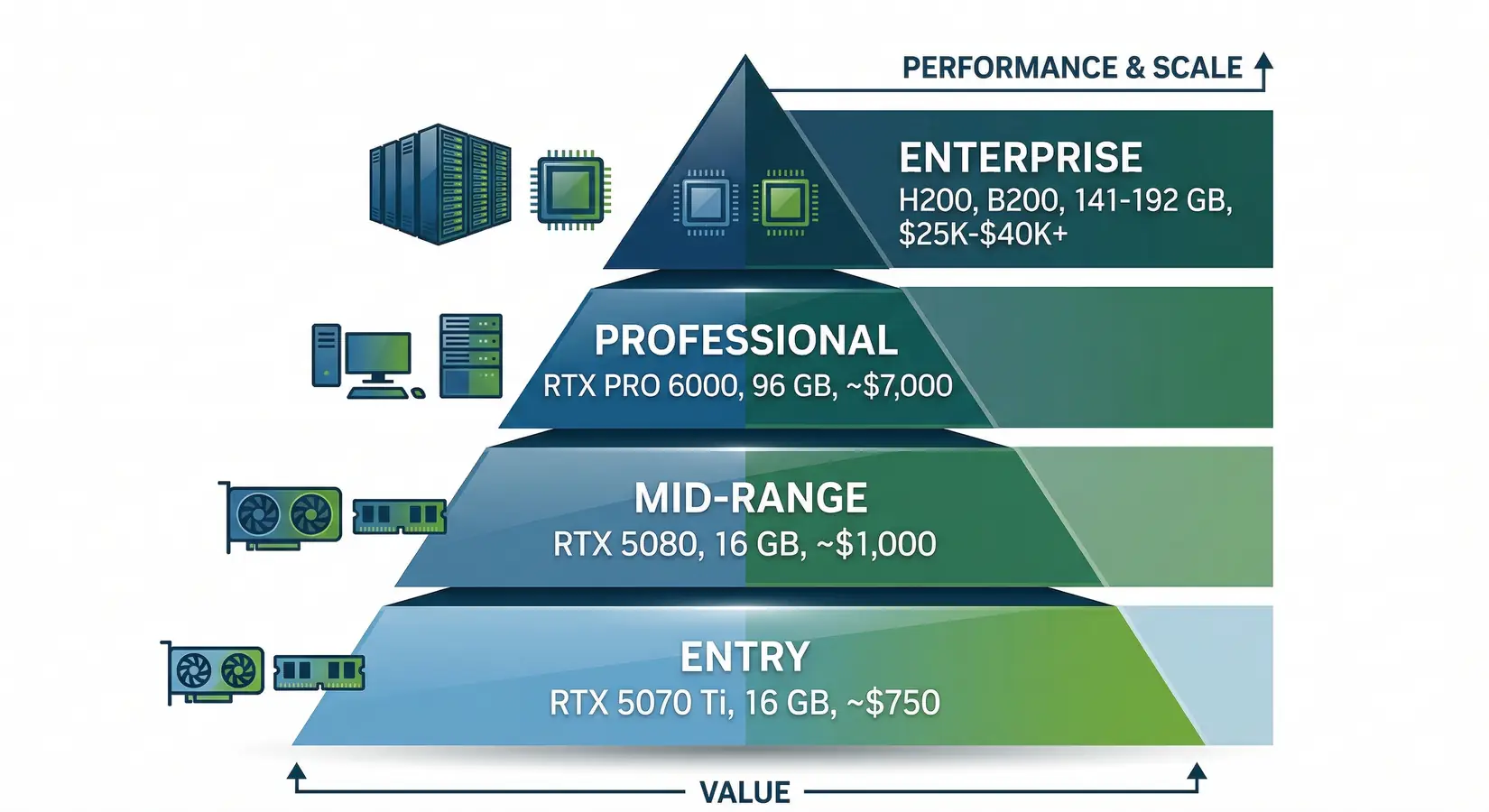
GPU tiers for LLM inference, from entry-level RTX 5070 Ti to enterprise H200 and B200
Professional and enterprise tiers cover everything past 32 GB. The RTX PRO 6000 Blackwell is the first professional GPU with 96 GB GDDR7 ECC at retail, enough for LLaMA 3.3 70B at FP16 or 109B-class MoE at Q4. Per DatabaseMart, the PRO 6000 runs 829 t/s on 32B FP16 and 1,525 t/s on 120B 4-bit on vLLM. Enterprise covers frontier scale with the H200 at 141 GB HBM3e, the B200 at 192 GB, and the B300 at 288 GB HBM3e. The B300 has been shipping since January 2026, delivering up to 144 PFLOPS FP4 inference across eight GPUs per NVIDIA DGX B300 specifications. NVIDIA's Vera Rubin VR200 (288 GB HBM4) lands H2 2026 with workstation tiers unconfirmed per our GTC 2026 recap. For Apple Silicon comparison, see our Mac Studio vs NVIDIA guide. Past 32 GB the choice comes down to ECC plus NVLink versus more capacity. Pick the axis that matters.
From our build floor, single-card customers weight memory bandwidth heaviest, multi-user inference customers weight VRAM, and training customers weight FP16 TFLOPS most. Most buyers land in the inference camp without realizing it. The RTX 5090 is the most common single-card request we configure. Pick the column that matters most, then the card that clears it.
GPU Comparison for LLM Inference
The VRAM column confirms your model fits at target quantization, and the memory bandwidth column predicts relative token throughput. FP16 TFLOPS matters more for fine-tuning and training than inference. Enterprise GPUs like the H200 and B200 show that gap clearly, where 4,800 to 8,000 GB/s HBM bandwidth dwarfs GDDR7. The largest-model column uses Q4 as the baseline.
| GPU | VRAM | Memory BW | FP16 TFLOPS | Best For | Largest Model (Q4, single card) |
|---|---|---|---|---|---|
| RTX 5070 Ti | 16 GB GDDR7 | 896 GB/s | ~88 | 7B to 14B inference | ~14B |
| RTX 5080 | 16 GB GDDR7 | 960 GB/s | ~113 | 14B to 27B inference | ~27B |
| RTX 5090 | 32 GB GDDR7 | 1,792 GB/s | ~209 | 32B to 70B inference, fine-tuning small models | ~32B |
| RTX PRO 6000 Blackwell | 96 GB GDDR7 ECC | 1,792 GB/s | ~250 | 70B FP16, 100B+ MoE at Q4 | ~120B MoE |
| H200 SXM | 141 GB HBM3e | 4,800 GB/s | ~989 | Production inference, 405B at Q4 (multi-GPU) | ~250B |
| B200 SXM | 192 GB HBM3e | 8,000 GB/s | ~2,250 | Frontier models, training | ~340B |
| B300 SXM | 288 GB HBM3e | 8,000 GB/s | ~2,250 | Full DeepSeek R1 (2 cards), pre-training | ~500B |
Specs sourced from NVIDIA's official datasheets. Tok/s figures reflect single-user inference at Q4 with short context on BIZON test systems. Always verify on bizon-tech.com before purchase.
Best GPUs for Training and Fine-Tuning
QLoRA fine-tuning a 70B model requires ~48 GB of VRAM, while full fine-tuning demands 420 to 560 GB. LoRA adds small trainable matrices alongside frozen weights with 10 to 20% more VRAM than inference, and QLoRA quantizes the base model to 4-bit and trains adapters in FP16 for the leanest single-card path. A single RTX 5090 (32 GB) handles LoRA fine-tuning up to 13B at FP16 or QLoRA on 32B models like DeepSeek R1 Distill 32B in roughly 4 to 8 hours on a 10,000 to 50,000 sample domain dataset with Unsloth or HuggingFace PEFT. For 70B models, an RTX PRO 6000 (96 GB) covers QLoRA at a far lower outlay than an H100. That iteration speed converts customer pilots into production deployments. Domain-specific models ship in week one, with PyTorch and the full HuggingFace stack pre-installed so the customization run starts the day the workstation lands.
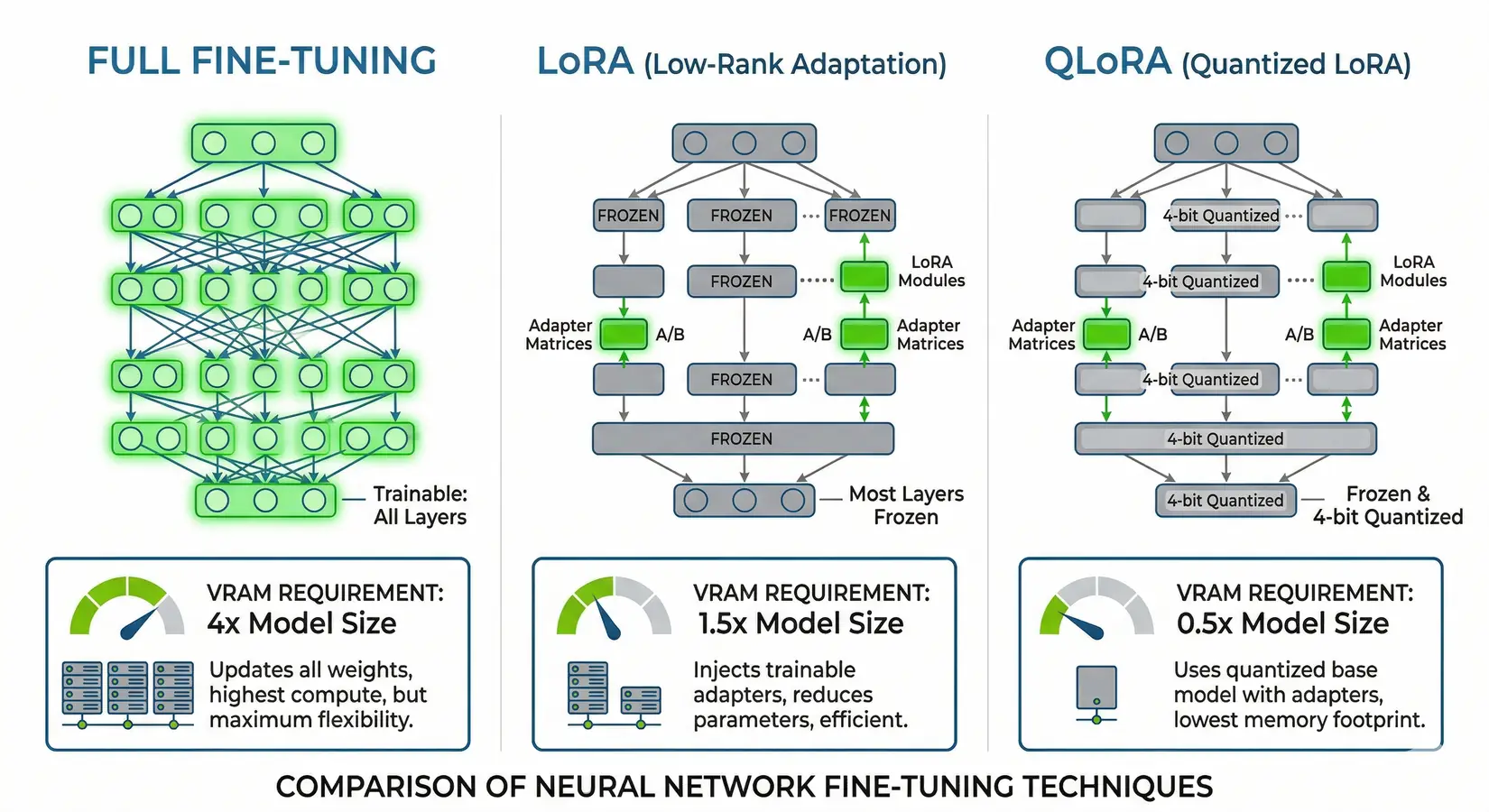
Full fine-tuning vs LoRA vs QLoRA, showing VRAM requirements and which layers get updated
Full fine-tuning updates every parameter, storing full-precision weights, gradients, and optimizer states, which balloons VRAM to 3 to 4x the model's FP16 size. A 70B model needs ~140 GB for weights alone and ~420 to 560 GB total once gradients and optimizer states are loaded, which puts the workload on four to eight H100, four H200, or two to four B200 setups with NVLink for gradient sync. Pre-training from scratch means multi-node clusters, NVLink fabrics, and runs measured in weeks rather than hours, with the BIZON X9000 G4 (8x B200, 1,536 GB) and X9000 G5 (8x B300, 2,304 GB) purpose-built for that scale. Most teams fine-tune a foundation model instead of pre-training from scratch, with the LoRA and QLoRA path above covering the workflow.
The dual RTX 5090 versus single H100 comparison comes up constantly. Two RTX 5090s (64 GB combined) handle QLoRA fine-tuning a 70B model at Q4, while a single H100 handles the same workload at higher precision with ECC, NVLink, and roughly 4x the memory bandwidth (3.35 TB/s HBM3 vs 1.8 TB/s GDDR7). For researchers iterating frequently, the RTX 5090 path delivers far more experiments per dollar. For production pipelines where a corrupted checkpoint restarts a multi-day run, the H100 or H200 path pays for itself in reliability. Reliability outranks speed at scale.
QLoRA fine-tuning a 70B model requires roughly 48 GB of VRAM, while full fine-tuning the same model demands 420 to 560 GB.
Single-card numbers cover most fine-tuning under 70B at Q4. Above that line, the interconnect choice decides whether multiple cards cooperate efficiently or stall on PCIe gradient sync. NVLink is the deciding factor at production training scale, where every backward pass moves gradient data across the GPU array and any latency cost gets multiplied by step count. The next section maps NVLink versus PCIe scaling.
When Does Multi-GPU Pay Off?
Multi-GPU scaling kicks in when your model exceeds a single card's VRAM. Per NVIDIA's H100 datasheet, NVLink delivers 900 GB/s of bidirectional bandwidth between GPUs, roughly 14x faster than PCIe 5.0 x16 at 64 GB/s. For training workloads where GPUs constantly exchange gradient updates, that bandwidth gap is the primary scaling constraint, and clusters that sync gradients over PCIe spend more time moving data than computing. In matched NVLink training configs, we have seen near-linear scaling where PCIe clusters flatten at two or four cards. The interconnect gap is invisible during single-card inference but becomes immediately apparent the moment gradient sync begins.
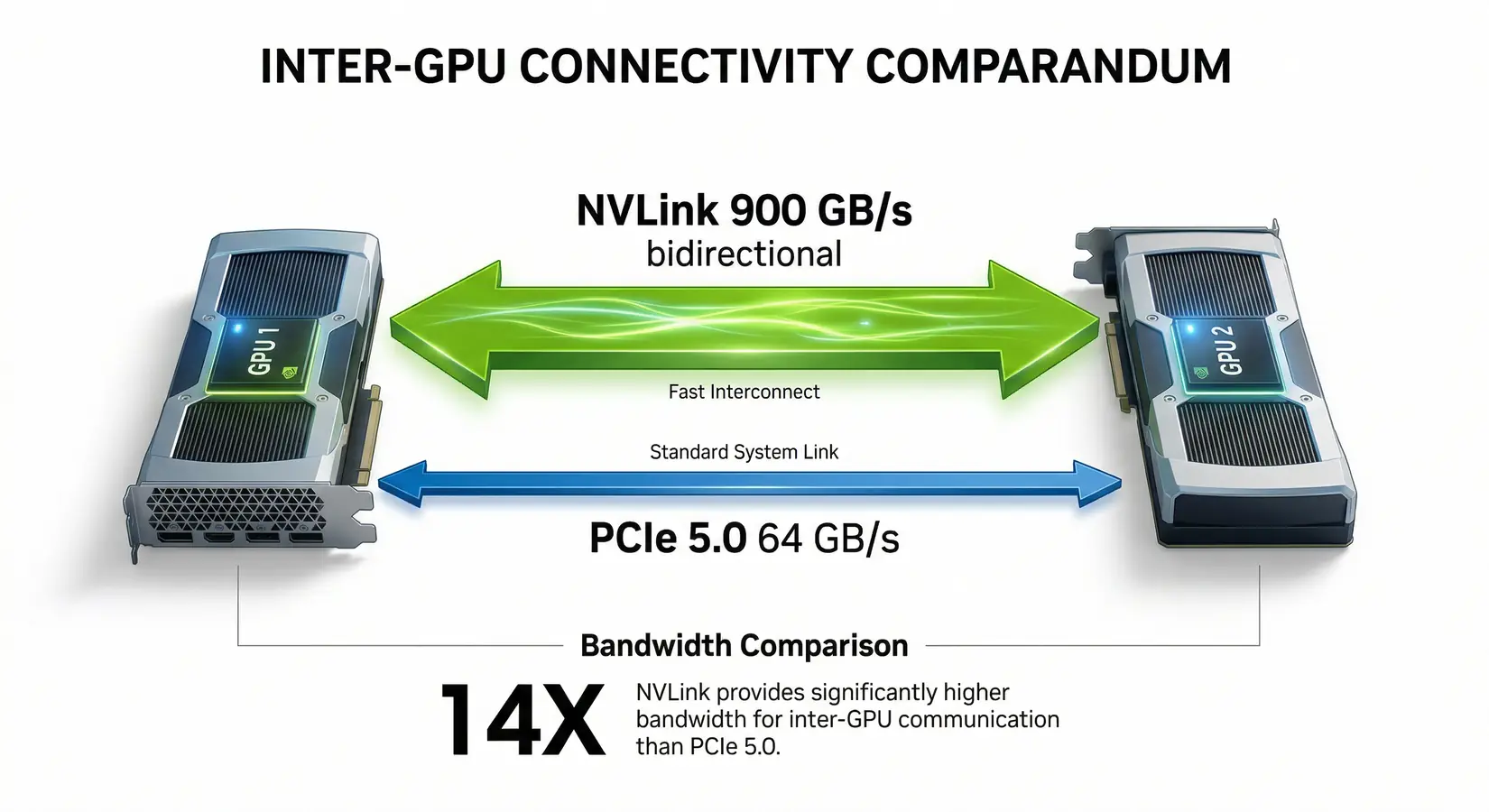
NVLink delivers 900 GB/s vs PCIe 5.0 at 64 GB/s, a 14x bandwidth advantage for multi-GPU setups
Consumer multi-GPU works well for inference. Tensor parallelism via vLLM or llama.cpp splits the model across cards, and PCIe bandwidth is sufficient because inference is memory-bandwidth-bound rather than gradient-bound. A dual RTX 5090 setup provides 64 GB combined, enough for LLaMA 3.3 70B at Q4, while four RTX 5090s push to 128 GB and cover LLaMA 4 Scout (109B MoE, ~60 GB at Q4) with long-context headroom. For 405B-class models at Q4 (~225 GB), step up to four RTX PRO 6000 Blackwell (384 GB total) on the BIZON X5500 with AMD Threadripper PRO, or move to enterprise H200/B200 server class.
Production training at scale requires NVLink-equipped H100, H200, or B200 GPUs. A training run that syncs gradients across NVLink completes full all-reduce in microseconds. The same operation over PCIe adds milliseconds that compound across millions of steps. In BIZON lab testing, NVLink fabric scales near-linearly across eight cards while PCIe stacks flatten at four. The BIZON G9000 and X9000 series are built around this fabric. Match interconnect to workload.
From the BIZON Build Floor
Push four cards 24/7 on long fine-tunes and air-cooled chassis can let the inner GPUs throttle once intake temps stabilize at the warm end. Water-cooled workstations hold boost clocks across every card through multi-day runs. That gap compounds into lost training time on the same hardware.
The inference framework decides how much speed the cards actually deliver under concurrent user load. In our experience, framework selection determines 30 to 40 percent of usable inference throughput on otherwise identical hardware. The next section maps the production-ready stack.
Inference Frameworks and Software Stack
The right software stack can double your inference throughput on the same hardware. Three frameworks dominate the open LLM serving stack, each tuned for a different workload tier.
Ollama is the easiest entry point. One command downloads and runs a model with automatic quantization and GPU detection. llama.cpp powers GGUF workflows and enables CPU+GPU hybrid inference when a model slightly exceeds GPU VRAM and layers need to offload to system RAM.
vLLM is the production standard. Its PagedAttention mechanism manages KV cache memory like virtual memory pages, dramatically improving throughput for concurrent users. If you're serving models to multiple users or building an API endpoint, vLLM is the framework to choose.
Common Mistakes When Buying an LLM GPU
Most bad GPU purchases come down to the same five errors. Avoid these before you spec a build.
- Buying TFLOPS instead of VRAM - Raw compute numbers don't determine which models load. VRAM does. A card with fewer TFLOPS but more VRAM will run larger models and serve more users.
- Ignoring context window overhead - A 128K context on a 70B model can roughly double the working memory requirement at runtime. Size for the context you actually use, not the smallest test prompt.
- Assuming multi-GPU VRAM pools automatically - It doesn't. Running two cards requires tensor parallelism through vLLM, llama.cpp, or a compatible inference framework. Without it, each card runs its own model copy.
- Underestimating cooling, noise, and power draw - A 4-GPU workstation at full load pulls 1,500 to 2,000 watts and runs loud. Air-cooled chassis throttle under sustained load. Size your power circuit and cooling before ordering.
- Mixing training and inference goals on the same card - Gradients and optimizer states multiply VRAM requirements well beyond what inference needs. A card sized for inference will OOM during training. Define the primary use case first.
Nail down VRAM, context window, and cooling requirements before looking at TFLOPS or price. The hardware tier falls out from those three constraints.
Get Started With BIZON for LLMs
BIZON ships multiple LLM configurations, from dual-GPU Intel and AMD workstations to eight-GPU B300 SXM servers with 2.3 TB HBM3e. The right chassis depends on where your workload sits in the inference and fine-tuning spectrum. A developer running local 32B inference at Q4 on a single RTX 5090 needs a different build than a team handling concurrent multi-user production serving across eight H200s. Workload picks the chassis. Every configuration below ships with BizonOS, CUDA drivers tested against the chassis, and vLLM or Ollama pre-installed before the box ships.
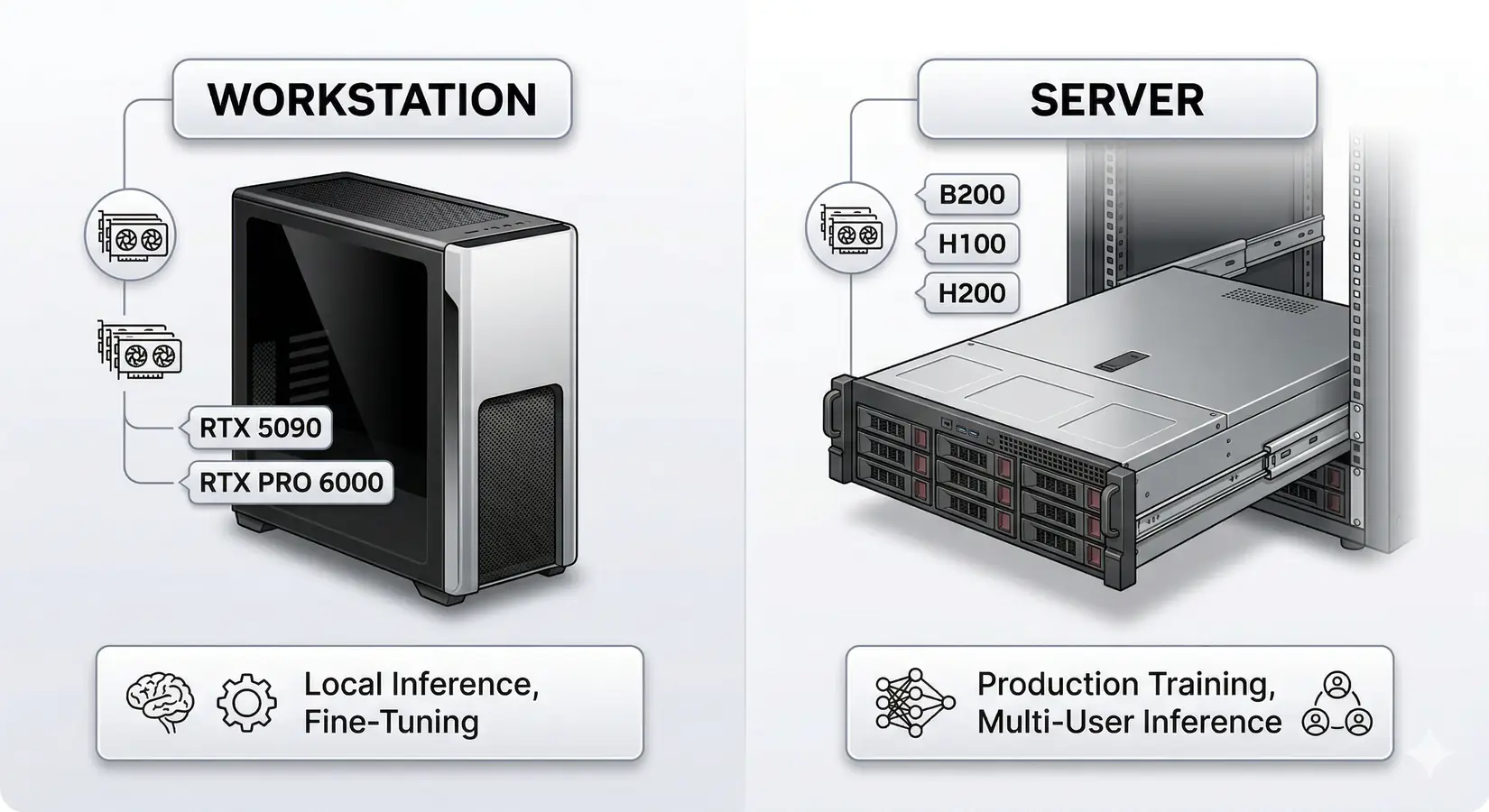
Workstations for local inference and fine-tuning vs servers for production training
Every BIZON system ships with pre-installed deep learning stacks, custom water cooling for sustained multi-GPU performance, and a 3-year warranty with lifetime support. From our experience configuring LLM systems, the CUDA driver stack and framework preinstallation consume more engineering time than hardware selection itself. BIZON handles both before the system ships.
Desktop Workstations for Inference
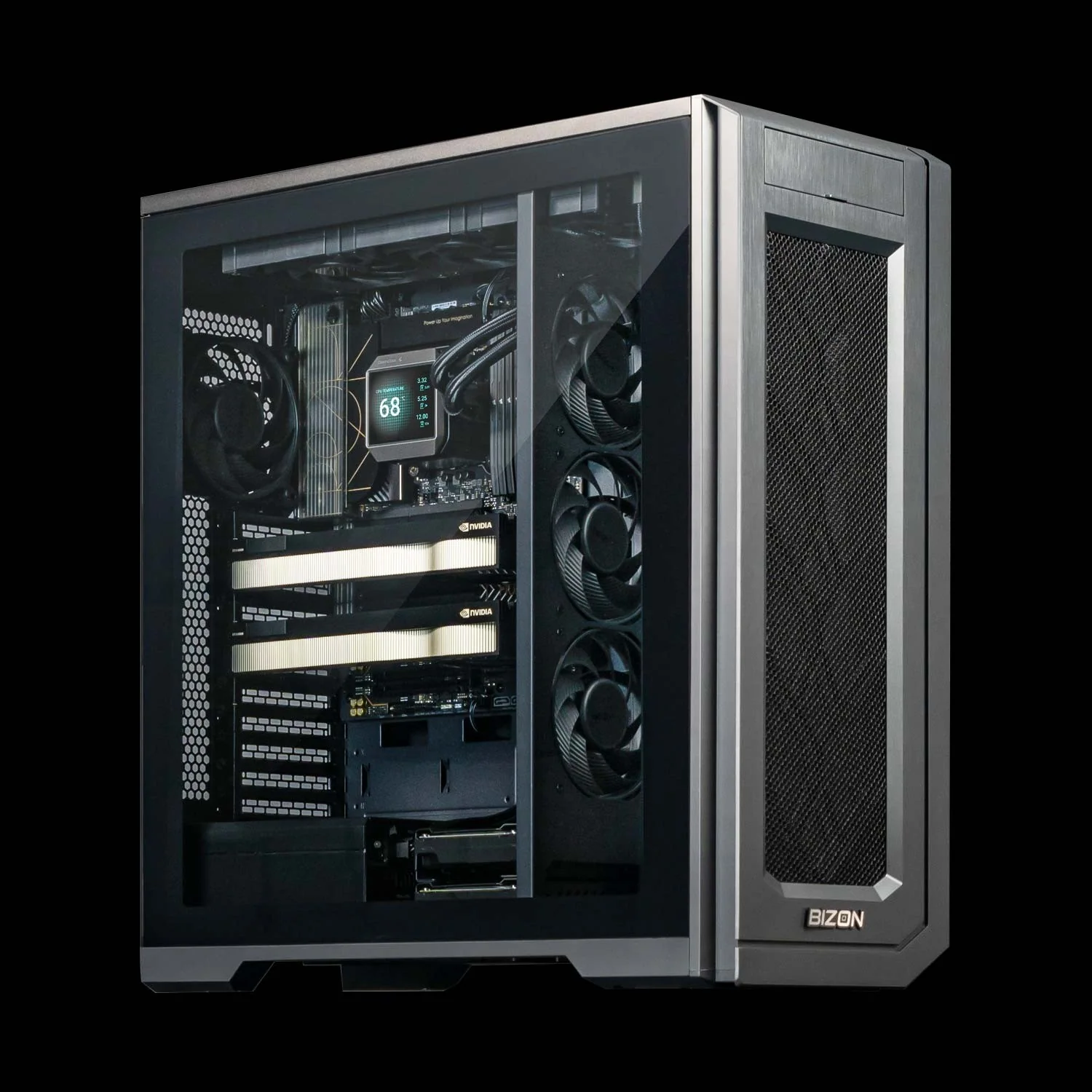
BIZON X3000 G2 Desktop Workstation
- Best for: Local LLM inference (up to 70B at Q4), LoRA fine-tuning up to 13B
- GPUs: Up to two RTX PRO 6000 Blackwell or two RTX 5090
- VRAM: Up to 192 GB
- CPU: AMD Ryzen 9000 Series
- RAM: Up to 256 GB DDR5
- Connectivity: 1 GbE built-in plus Wi-Fi/Bluetooth, up to 25 GbE (Dual-Port SFP28).
Professional Multi-GPU Workstations
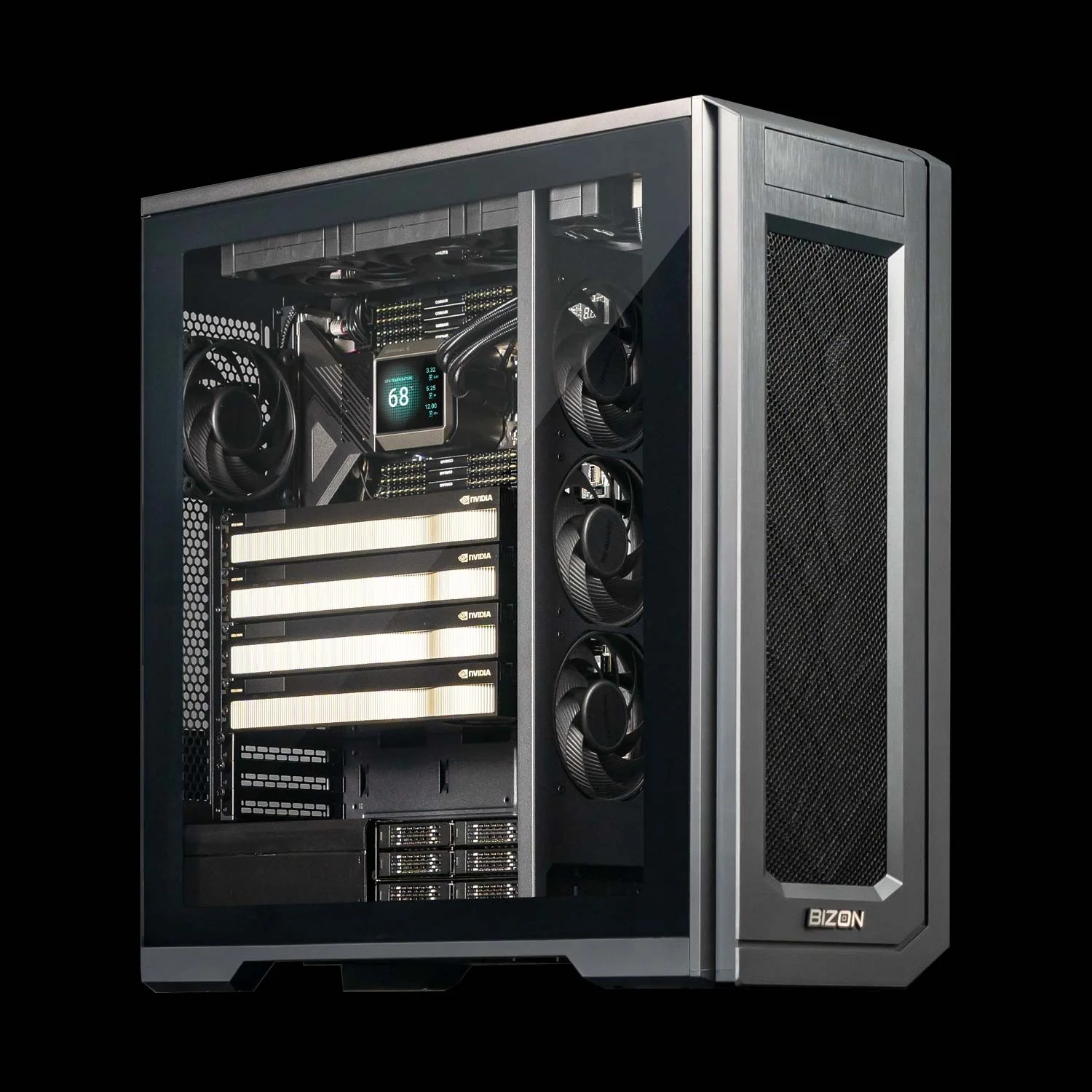
BIZON X5500 G2 Desktop Workstation
- Best for: 70B+ models at FP16, multi-GPU inference, fine-tuning up to 70B
- GPUs: Up to four GPUs (full RTX Blackwell + Ada workstation lineup)
- VRAM: Up to 384 GB
- CPU: AMD Threadripper PRO
- RAM: Up to 1,024 GB DDR5 ECC
- Connectivity: 1 GbE built-in plus Wi-Fi/Bluetooth, up to 200 Gbps InfiniBand HDR (Mellanox ConnectX-6).
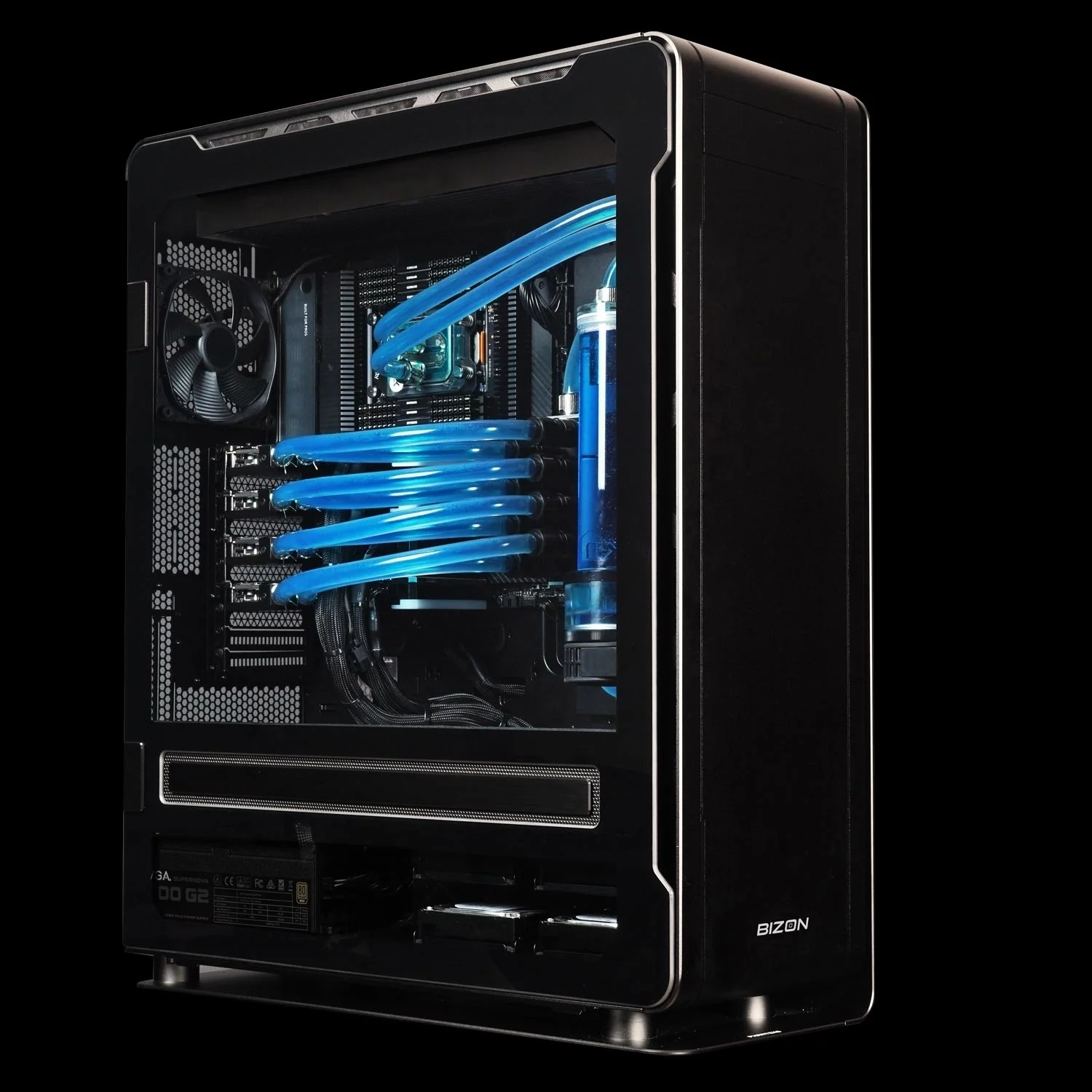
BIZON ZX5500 Water-Cooled Workstation
- Best for: Sustained multi-GPU training, 405B inference at Q4
- GPUs: Up to seven water-cooled GPUs (RTX 5090, RTX PRO 6000 Blackwell, H200 141 GB NVL)
- VRAM: Up to 987 GB
- CPU: AMD Threadripper PRO 7000/9000 Series
- RAM: Up to 1,024 GB DDR5 ECC
- Connectivity: 1 GbE built-in plus Wi-Fi/Bluetooth, up to 100 Gbps InfiniBand EDR (Mellanox ConnectX), NVLink Bridge available for paired GPUs.
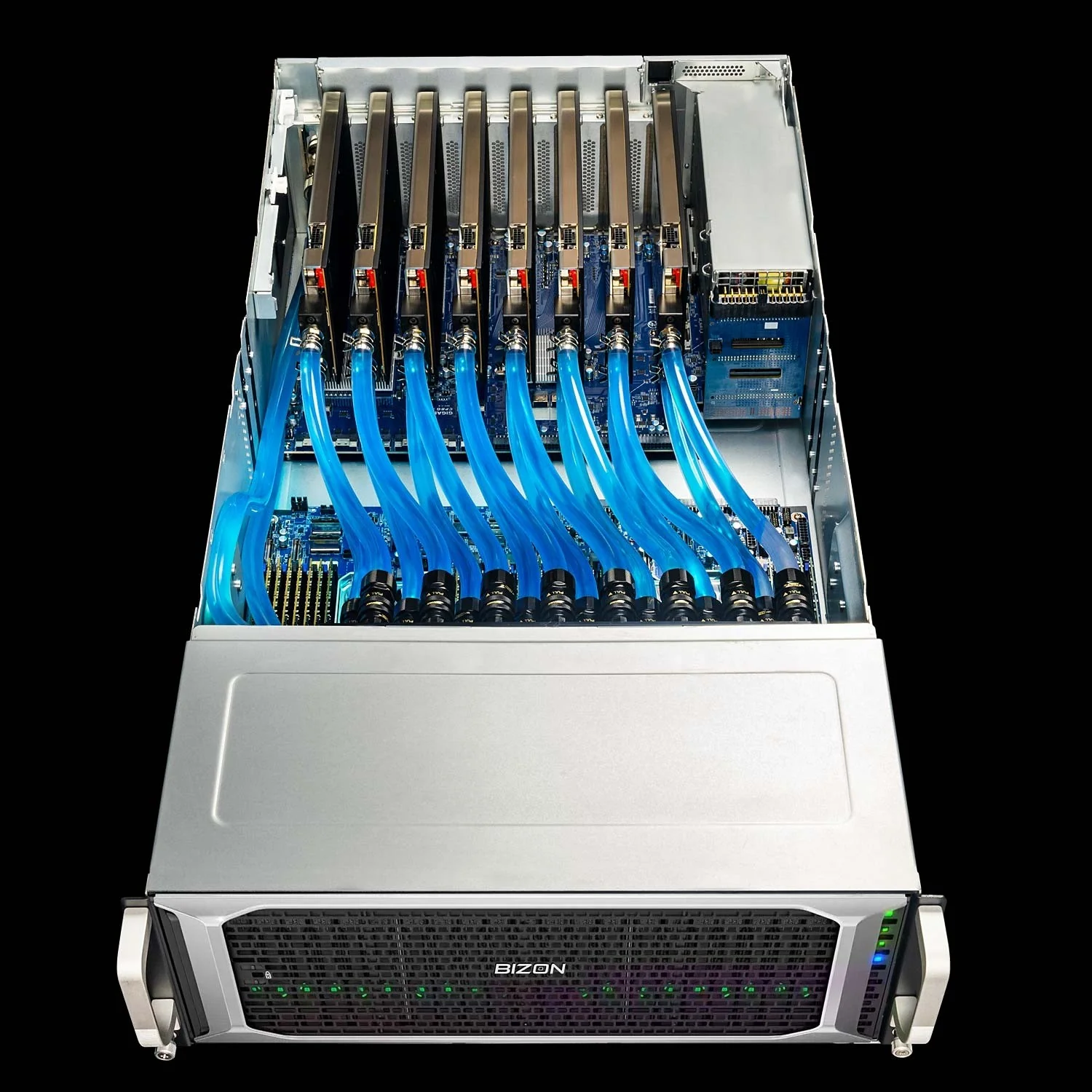
BIZON ZX9000 Water-Cooled Server
- Best for: Production-scale LLM training and inference fleets where the SXM tier is overkill but a workstation caps too low. Eight water-cooled GPUs hold sustained clocks across multi-day training without thermal throttle.
- GPUs: Up to eight water-cooled GPUs (RTX A1000, RTX 6000 Ada, RTX PRO 6000 Blackwell, A100 80 GB, H100 94 GB NVL, H200 141 GB NVL)
- VRAM: Up to 1,128 GB total (eight H200 at 141 GB each)
- CPU: Dual AMD EPYC 9004/9005
- RAM: Up to 3,072 GB DDR5 ECC Buffered, 12-channel per CPU
- Connectivity: 10 GbE dual port (two RJ45) integrated, up to 400 Gbps InfiniBand NDR (Mellanox ConnectX-7), NVLink Bridge available for paired GPUs.
Enterprise and Frontier GPU Servers
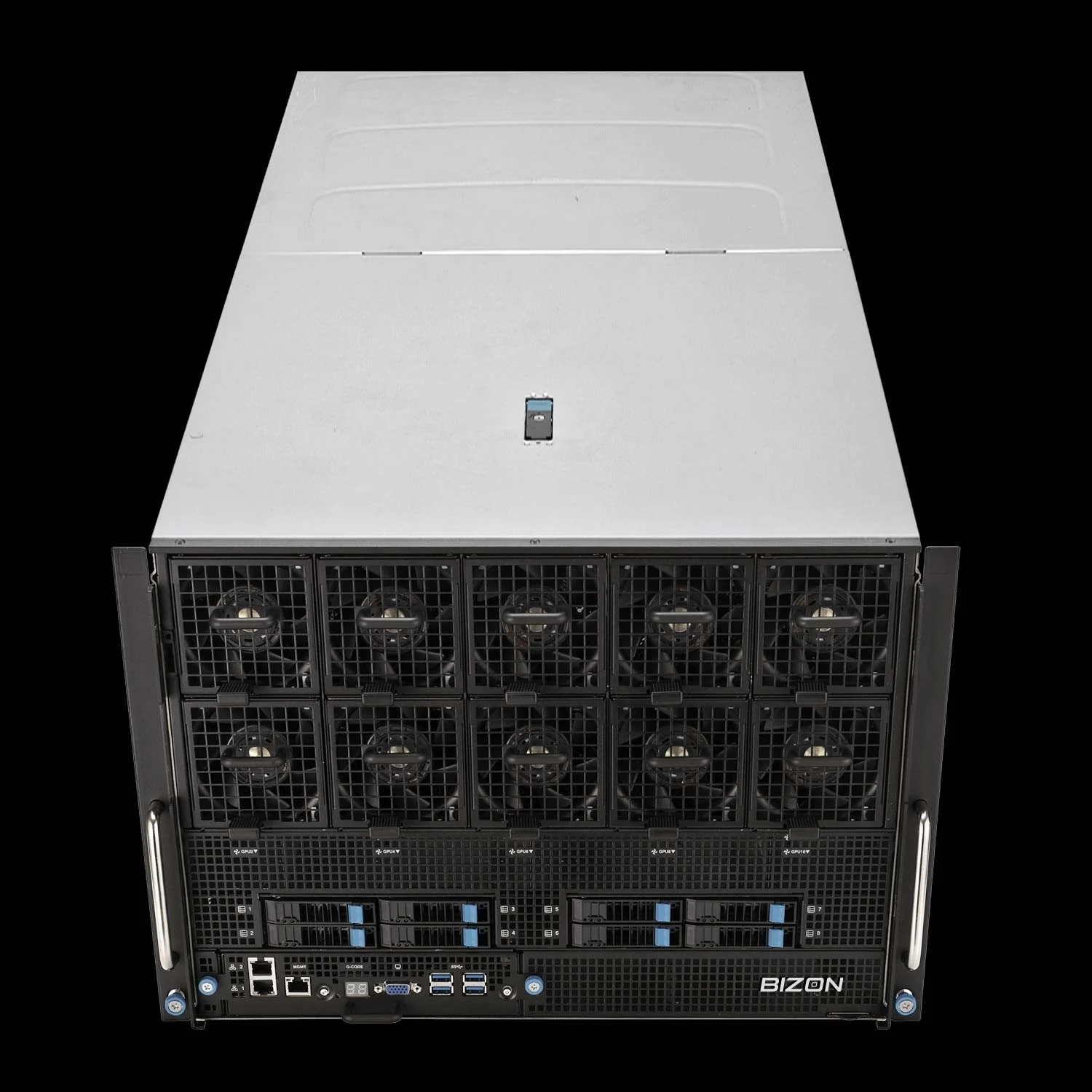
BIZON X9000 G3 HGX Server
- Best for: Full DeepSeek R1, LLaMA 3.1 405B training, frontier model research
- GPUs: Eight H100 80 GB SXM5 or eight H200 141 GB SXM5 (fixed SXM-only chassis)
- VRAM: Up to 1,128 GB HBM3e
- CPU: Dual AMD EPYC or Dual Intel Xeon Scalable
- RAM: Up to 3,072 GB DDR5 ECC (AMD) or 4,096 GB (Intel)
- Connectivity: 10 GbE dual port (two RJ45), up to 400 Gbps InfiniBand NDR (Mellanox ConnectX-7).
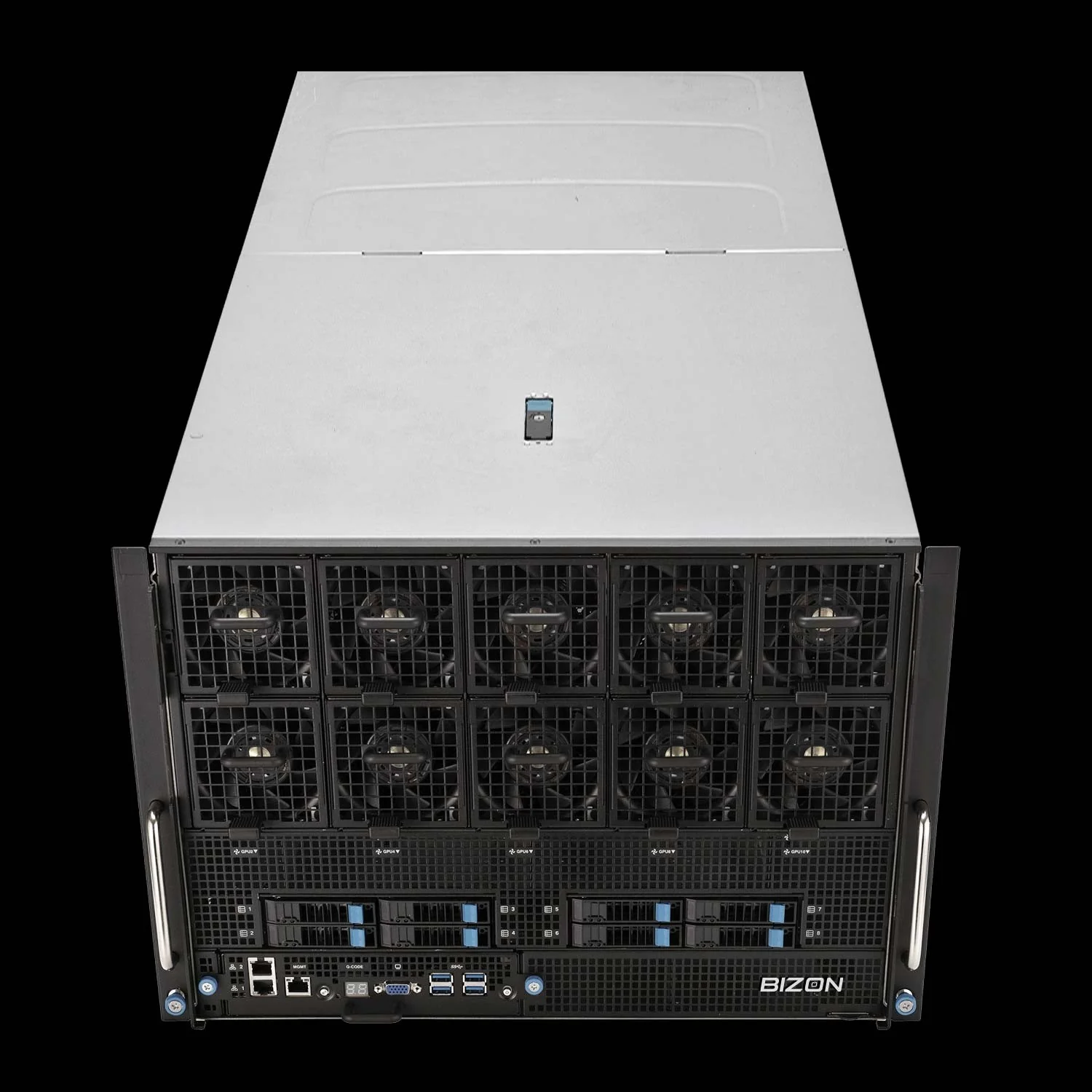
BIZON X9000 G4 HGX Server
- Best for: Pre-training, full DeepSeek R1/V3.2, frontier model development
- GPUs: Eight NVIDIA B200 SXM5 (fixed SXM-only chassis)
- VRAM: 1,536 GB HBM3e
- CPU: Dual AMD EPYC or Dual Intel Xeon Scalable
- RAM: Up to 3,072 GB DDR5 ECC (AMD) or 4,096 GB (Intel)
- Connectivity: 10 GbE dual port (two RJ45), up to 400 Gbps InfiniBand NDR (Mellanox ConnectX-7).
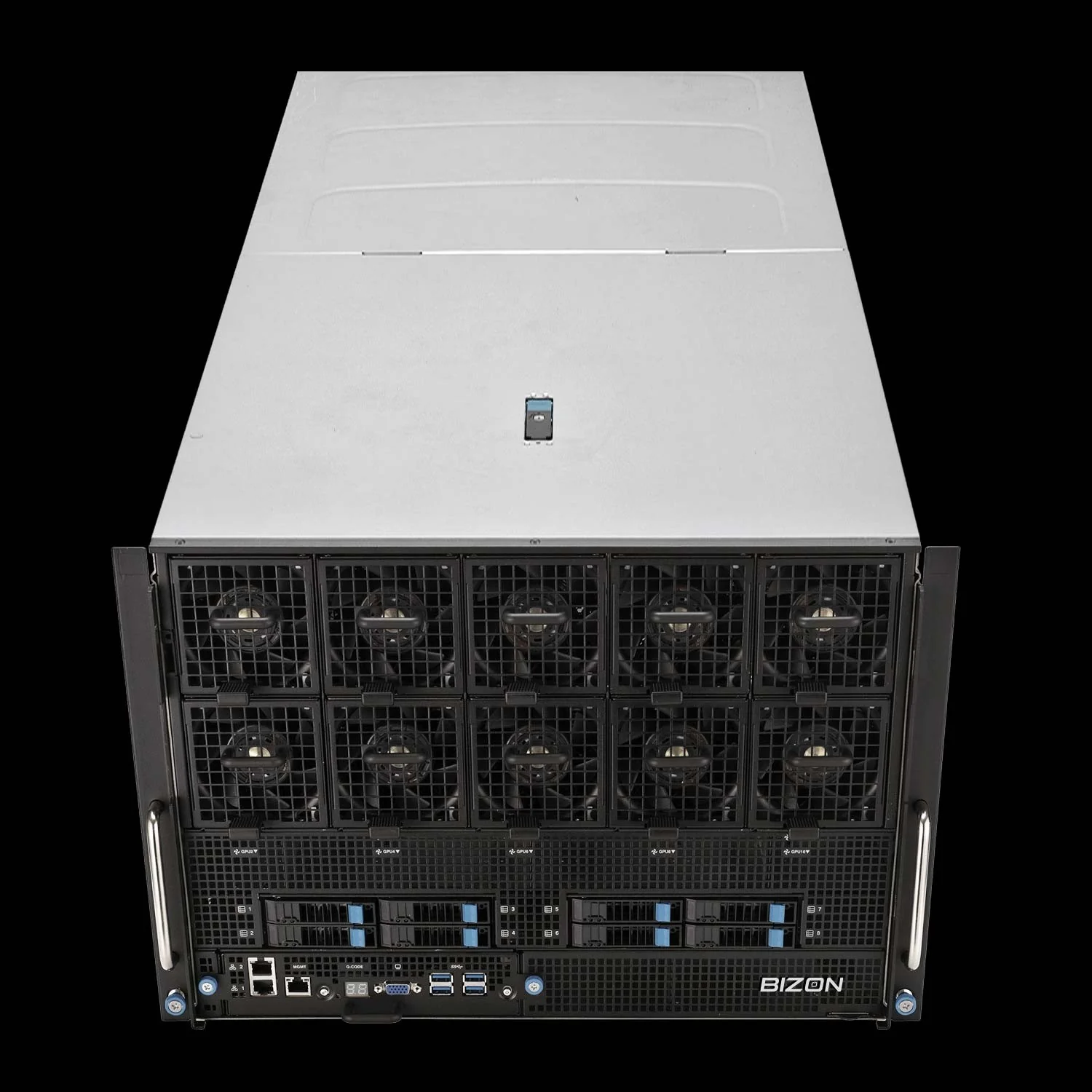
BIZON X9000 G5 HGX Server
- Best for: Maximum-scale training, multi-trillion parameter pre-training, 144 PFLOPS FP4 inference per NVIDIA DGX B300 spec
- GPUs: Eight NVIDIA B300 SXM5 (fixed SXM-only chassis)
- VRAM: 2,304 GB HBM3e
- CPU: Dual AMD EPYC or Dual Intel Xeon 6500/6700-Series
- RAM: Up to 3,072 GB DDR5 ECC (AMD) or 4,096 GB (Intel)
- Connectivity: 10 GbE dual port (two RJ45), up to 400 Gbps InfiniBand NDR (Mellanox ConnectX-7).
The Verdict on Best LLM GPUs
Match the system to the workload, not the headline. A single RTX 5090 in an X3000 G2 desktop covers individual researchers and developers running 32B inference at Q4 or LoRA fine-tuning up to 13B. A four-GPU X5500 G2 Threadripper workstation covers production teams serving 70B models at scale or fine-tuning at LoRA scale, with the ZX5500 stepping up to water cooling for sustained training. An eight-GPU H100 or H200 server in the G9000 chassis covers full fine-tuning of 405B-class models, and the X9000 G4 with eight B200 SXM5 covers pre-training and frontier-model development.
Every BIZON system ships with the full deep-learning stack pre-installed. CUDA, cuDNN, PyTorch, vLLM, Ollama, and Docker arrive ready against the chassis they run on, so the box runs inference and fine-tuning the afternoon it lands instead of the week it would take to wrestle drivers from scratch. The systems most teams underspec are the multi-GPU rigs at sustained 24/7 load, where air-cooled chassis run loud and step down clocks under continuous training while water-cooled chassis hold full boost clocks quietly through multi-day runs. Configure to the workload that runs every day, not the workload that runs once.
Configure your build directly through BIZON's multi-GPU workstation lineup covering single-card RTX 5090 desktops through eight-GPU H200 and B200 SXM servers. Every tier above builds custom. GPU, CPU, RAM, cooling, and chassis class spec to the project, not the SKU.
BIZON manufactures the workstations and servers discussed in this article. Benchmark figures and product specifications reflect published vendor sources and BIZON build-floor experience. Our editorial recommendations follow the engine-first, workload-first analysis shown above. They are not constrained by inventory or commercial considerations.