Table of Contents
- What the Pros Buy
- CPU vs GPU Rendering
- AI in 3D
- Which GPU for 3D Rendering?
- Which CPU for 3D Modeling and Rendering?
- How Each Render Engine Uses the GPU
- Sustained Render Thermals
- RAM, Storage, and PCIe Gen 5
- BIZON Workstations by Use Case
- Active Modeling Tier (1-2 GPUs)
- GPU Rendering Tier (up to 4 GPUs)
- Multi-GPU Production Tier
- Studio Render Node Tier
- Picking Your 3D Modeling Workstation
How to Build or Buy the Best Workstation Computer for 3D Modeling and Rendering in 2026? (updated)
Last verified: 2026. GPU specs, CPU specs, render engine guidance, and BIZON workstation configurations confirmed against NVIDIA product pages, render-engine vendor documentation from Blender, SideFX, OTOY, Maxon, and Chaos, and bizon-tech.com.
The best computer for 3D modeling and rendering in 2026 pairs an RTX PRO 6000 Blackwell GPU with 96 GB of GDDR7 ECC VRAM, a high-clock CPU, fast ECC DDR5 RAM, PCIe Gen 5 NVMe storage, and water cooling once you scale past two GPUs. For large scenes, that is the answer. The same chassis runs generative texture tools, neural rendering capture, AI denoise, and ML features grafted into Maya, Bifrost, and Houdini. Pro 3D and AI converge on the Blackwell GPU stack used by LLM and data science buyers.
The GPU is the engine. Every finished frame on your reel, whether arch-viz, character, product, or fluid, comes off a card built for this work.
The four use cases below cover where most pro 3D buyers land, mapped to GPU class, CPU class, cooling, and BIZON tier. VRAM decides the row. VRAM is the primary split between a consumer card and a pro card: scene fits, or it spills to RAM and render time climbs hard. Driver stability and ECC are the secondary pro pillars, and both earn their keep on overnight runs. Find the row that matches the work.
| Use case | The pick | BIZON tier |
|---|---|---|
| Most pro 3D scenes (fits in 32 GB VRAM) | RTX 5090 plus Ryzen 9 9950X or Core Ultra 9 285K | X3000 / V3000 G4 |
| Scenes that exceed the 5090's 32 GB VRAM | RTX PRO 6000 Blackwell plus Threadripper PRO | X5500 / G3000 |
| Sustained multi-GPU production (overnight renders) | Four RTX 5090 or two to three RTX PRO 6000 with water cooling | ZX5500 |
| Studio render farm (eight or more GPUs, HPC-class) | Eight RTX PRO 6000 or H100 / H200 NVL plus dual EPYC or dual Xeon | G7000 G4 / ZX9000 |
From our experience building 3D rendering workstations, three axes drive the decision. Active modeling rewards single-thread clock speed for viewport work in Maya, Cinema 4D, Blender, and Substance Painter. GPU rendering rewards VRAM ceiling and PCIe Gen 5 bandwidth. Sustained production rewards thermal headroom for long jobs.
CPU vs GPU Rendering
GPU rendering wins on speed for most pro 3D engines today. CPU rendering still owns sustained Arnold workloads and certain Maya simulation passes. Which path the pipeline lives on changes the chassis, the cooling, and the budget split between CPU cores and GPU VRAM. The answer changes the entire build.
One GPU pours out finished frames by the dozen. One CPU is still working on the first one. Same scene, same hour, two completely different production days.
The GPU side covers most new pro work. Cycles X runs via OptiX, Octane pools CUDA across matched cards, and Karma XPU treats GPU VRAM as the primary memory budget per SideFX docs. CPU still anchors Arnold's feature animation renderer and Maya simulations, where single-thread clock speed dominates. A mixed pipeline wants a high-clock CPU paired with VRAM-rich GPUs, not a 96-core part driving one mid-range card.
AI in 3D
Pro 3D pipelines now include generative texture tools, neural rendering, and AI features grafted into Digital Content Creation (DCC) software. All of it leans NVIDIA and VRAM-heavy. The same chassis a studio buys for rendering also runs Stable Diffusion textures and serves Maya 2026's machine-learning features without a second box. The render answer is the AI answer.
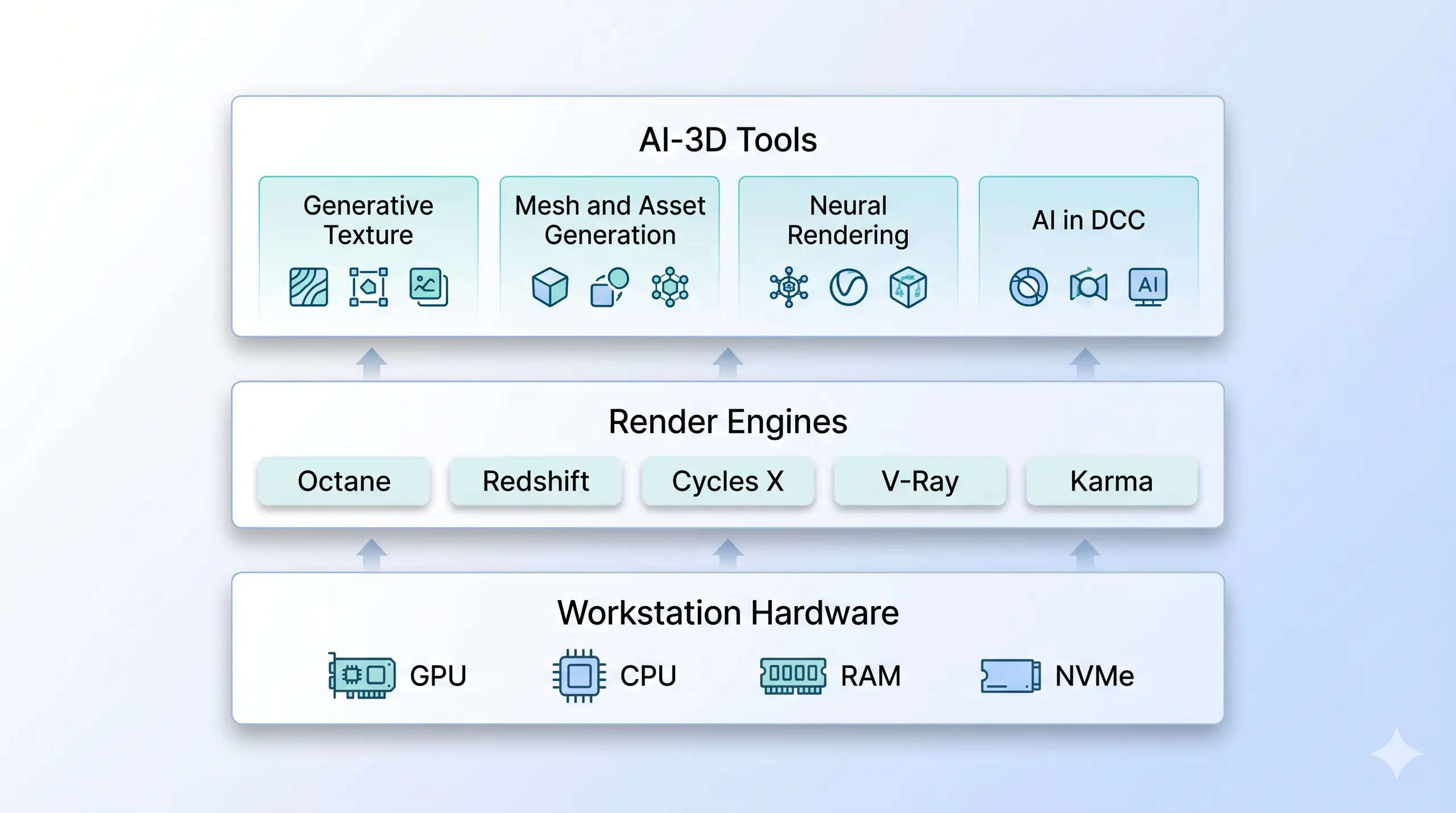
The render and AI stacks share one chassis now. Generative textures, neural rendering, and ML deformers all run on the same GPU. One machine. Every layer.
Three AI-3D tool families matter today. Generative texture and material covers Stable Diffusion with ControlNet, NVIDIA Picasso, and Substance 3D Sampler AI, where SDXL clears most production workflows on 16 GB per AI Tools DevPro's guide. Neural rendering covers NeRFs and Gaussian Splatting, which train locally in 7 to 45 minutes on an RTX 4090 per Radiance Fields' GPU guide, with AMD and Apple Silicon support limited. AI grafted into DCC covers Maya 2026's ML Deformer with 40x faster load per CG Channel's coverage, plus Bifrost 2.13 ML node deployment. See the LLM GPU buyer guide for the deeper compute discussion on those shared thresholds.
Which GPU for 3D Rendering?
The RTX 5090 at 32 GB is the price-performance pick for most pro 3D scenes. The PRO 6000 Blackwell at 96 GB takes scenes that exceed a consumer card's VRAM. VRAM is the bottleneck, and a render that spills to system RAM runs far longer. Five GPUs matter for pro 3D, compared below against a prior-gen Ada anchor.
The GPU is the schedule. The faster the card, the more renders ship before the brief changes. The next idea gets a chance to land.
| GPU | VRAM | Bandwidth | CUDA cores | FP16 Tensor TFLOPS | TDP |
|---|---|---|---|---|---|
| RTX PRO 6000 Blackwell | 96 GB GDDR7 ECC | 1,792 GB/s | 24,064 | ~250 | 600W |
| RTX 5090 | 32 GB GDDR7 | 1,792 GB/s | 21,760 | ~209 | 575W |
| RTX 5080 | 16 GB GDDR7 | ~960 GB/s | 10,752 | ~113 | 360W |
| RTX 5070 Ti | 16 GB GDDR7 | 896 GB/s | 8,960 | ~88 | 300W |
| RTX 6000 Ada (anchor) | 48 GB GDDR6 ECC | 960 GB/s | 18,176 | ~91 | 300W |
Bandwidth parity at 1,792 GB/s means neither card is bandwidth-starved on a single-GPU build. The 5090 wins on price-per-frame when scenes fit in 32 GB. The PRO 6000 wins when they do not. Neither ships with NVLink, so multi-GPU scaling runs over PCIe Gen 5 with engine-level pooling across Octane, Redshift, Cycles X, and V-Ray GPU. Threadripper PRO keeps four cards fully fed on PCIe Gen 5 alone.
RTX 5090 32 GB rendering and viewport tests in Blender, useful single-GPU context for the 5090 vs PRO 6000 Blackwell comparison above. Contradiction Tech on YouTube.
Key Takeaway
Out-of-core matters more than raw TFLOPS. A scene that fits in 32 GB renders fast on an RTX 5090, and one that does not spills to RAM and slows dramatically. Buy the GPU that holds the scenes you actually run.
Once GPU capacity is settled, the CPU's role in viewport performance and PCIe lane management becomes the next constraint. Pick the GPU first, then pair the CPU to the PCIe lane budget, because mismatch there starves the back cards of bandwidth. Consumer chips handle one or two GPUs on active modeling. Threadripper PRO holds the lane budget for four cards on Gen 5.
Which CPU for 3D Modeling and Rendering?
The Ryzen 9 9950X and Core Ultra 9 285K are the right class for active-modeling viewport work. Threadripper PRO 7995WX, 7975WX, and Zen 5 9995WX run sustained CPU rendering and host multi-GPU rigs. Modeling-heavy single towers go to a 16-core consumer chip. Four-GPU production rigs go to Threadripper PRO.
| CPU | Cores / Threads | Boost clock | Memory | PCIe Gen 5 lanes | Workload fit |
|---|---|---|---|---|---|
| AMD Ryzen 9 9950X | 16 / 32 | 5.7 GHz | Dual-channel DDR5 | Consumer (limited) | Active modeling, single or dual GPU |
| Intel Core Ultra 9 285K | 24 (8P + 16E) | 5.7 GHz | DDR5-6400 | Consumer (limited) | Active modeling on Intel |
| AMD Threadripper PRO 7975WX | 32 / 64 | 5.3 GHz | 8-channel DDR5 ECC | 128 | Sustained, mixed CPU and GPU rendering |
| AMD Threadripper PRO 7995WX | 96 / 192 | 5.15 GHz | 8-channel DDR5 ECC | 128 | CPU rendering, four-GPU production |
Methodology note: CPU benchmark figures from cpu-monkey.com aggregate (Cinebench 2024 scores). PCIe lane counts from AMD and Intel official product pages.
The Ryzen 9 9950X turns in roughly 139 single-core in Cinebench 2024 per cpu-monkey.com's aggregate, carrying Maya viewport scrubs and Cinema 4D timeline drags. The Core Ultra 9 285K matches it on single-core. A 9950X feeds two RTX 5090s fine but starves the back two cards of a four-GPU rig. Threadripper PRO 7995WX at 96 cores and 128 PCIe Gen 5 lanes covers the multi-card scenario per the CPU table above. CPU class scales with GPU count. Consumer chips handle one or two cards. Threadripper PRO takes over above two. The PCIe lane ceiling is what most four-card builds miss.
How Each Render Engine Uses the GPU
Each pro render engine has different VRAM, multi-GPU, and OS requirements that decide which silicon tier actually delivers. Match GPU tier to the engine the studio runs most, because CPU class, RAM, and cooling all follow from that choice. The five engines below cover the bulk of pro 3D rendering today. Engine selection is the spec sheet.
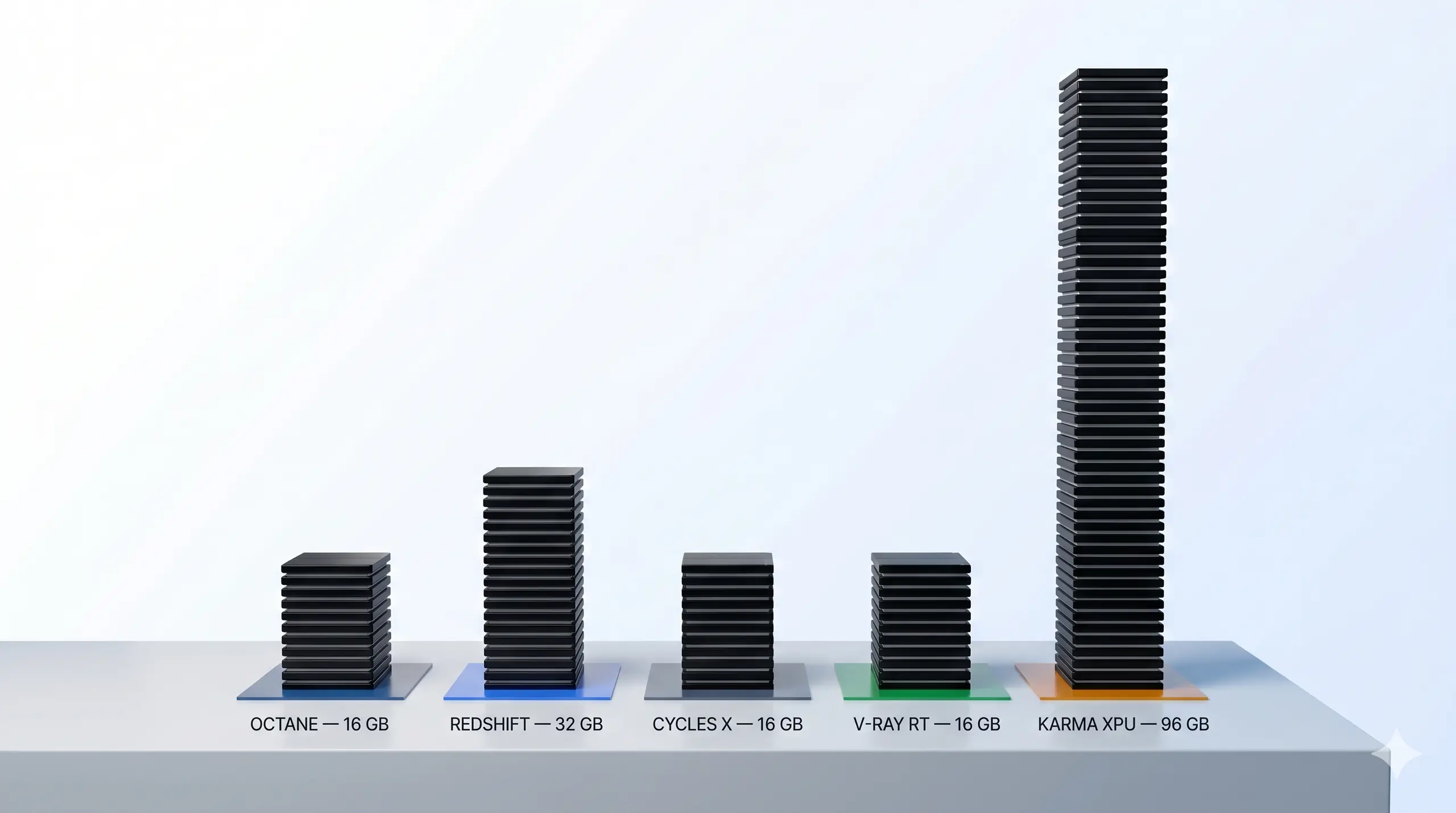
Render engines have appetites. Karma XPU drinks 96 GB. Redshift wants 32. Octane wants 32 before scenes get heavy.
| Engine | VRAM floor | Multi-GPU | Key constraint |
|---|---|---|---|
| Octane Render | 32 GB. 48 to 96 GB for over-budget scenes | Native. Smallest VRAM caps the pool, so match cards | CUDA-only. RTX 5090 covers most scenes. PRO 6000 Blackwell pairs when scenes exceed 32 GB |
| Redshift by Maxon | 32 GB single-GPU. 96 GB anchors multi-GPU up to three cards | Scales without SLI. Blower-style pro cooling preferred when stacking | CPU-aware. Threadripper PRO 9965WX for four-GPU, Ryzen 7 9700X for dual-GPU |
| Cycles X (Blender) | 24 to 32 GB for production scenes | Native CUDA and OptiX. OptiX is the faster path on NVIDIA | Open Image Denoise is CPU-based default in Blender 4.x. OptiX denoise needs RTX silicon |
| V-Ray RT by Chaos | 16 GB minimum. 32 GB or more for production | Native. RTX engine runs roughly 40% faster on the 5090 vs 4090 per the Chaos Forums 5090 thread | RTX 5090 Compute Capability 12.0 supported without special config |
| Karma XPU (Houdini / SideFX) | 96 GB for large VFX scenes. 32 GB covers smaller production | Hybrid CPU and GPU. GPU VRAM is the primary memory budget | NVIDIA Compute Capability 5.0 or higher. Driver 535 or higher recommended |
VRAM ceiling beats raw TFLOPS for production rendering. The card that holds the working scene wins.
Engine profiles cover per-frame compute. TFLOPS fade under sustained load, but heat stays. Heat is the bottleneck the spec sheet never lists. The chassis and cooling loop set the real ceiling on sustained render speed.
Sustained Render Thermals
Air-cooled four-GPU rigs run loud and hot under sustained load. Sustained means hours. Water cooling moves heat into a much bigger radiator surface than fan-over-heatsink can match, so clocks hold across multi-day jobs. The multi-GPU Blender test below shows the same pattern at the engine level.
Multi-GPU Blender render scaling test, third-party context for the sustained multi-GPU production pattern. JSFILMZ on YouTube.
The ZX5500, Z5000, and ZX9000 anchor this tier, all running water-cooled chassis on Threadripper PRO, Intel Xeon W, or dual EPYC. The G3000 is in the air-cooled rendering tier. Water costs maintenance. The loop needs scheduled service an air-cooled tower does not. For 24/7 production it earns that trade. For a single-GPU modeling box, air is the right call.
From the BIZON Build Floor
Air-cooled multi-GPU chassis run loud near max under sustained load. Water-cooled chassis hold sustained GPU clocks through multi-day production runs and stay noticeably quieter. Studios that render through the night or through the weekend notice the difference.
Sustained thermals decide whether a four-card rig delivers the throughput the spec sheet promises. Clocks hold or they don't. Four GPUs throttling under heat give back most of the multi-card scaling on paper. The system around the GPUs also needs DDR5 headroom for scene caches and fast NVMe for asset streaming.
RAM, Storage, and PCIe Gen 5
Pro 3D workstations standardize on DDR5 and PCIe Gen 5 NVMe SSDs across every relevant CPU line. Threadripper PRO 7995WX runs 8-channel DDR5 ECC at 5,200 MT/s with 128 Gen 5 lanes. Zen 5 9995WX moves to 148 lanes and 2 TB of RAM. Gen 5 NVMe SSDs reach 14,000 MB/s, which matters for USD asset streaming pipelines.
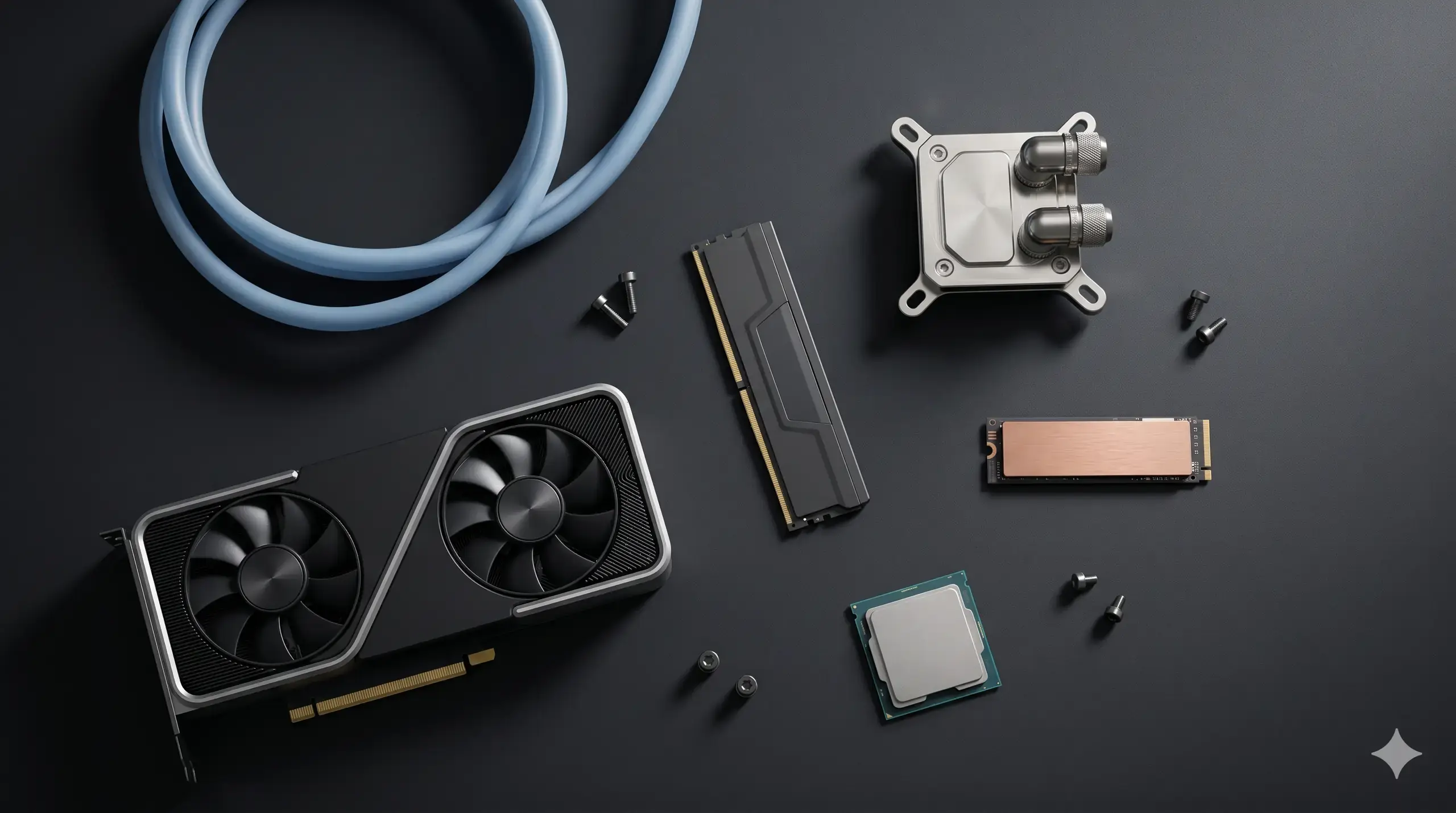
The kit. Each part answers a specific bottleneck. DDR5 ECC for cache, Gen 5 NVMe SSDs for scene streaming, water block for sustained clocks, GPU for the actual render.
Each piece earns its place because the bottleneck moves the moment any one component starves another. NVMe SSD storage streams scenes that overflow RAM capacity at up to 14 GB/s on Gen 5. The water block holds clocks across multi-day jobs. Every device feeds at full bandwidth only when the lane count covers all of them.
Watch Out
DDR4 reads "budget" on a current spec sheet. Every relevant pro CPU line standardizes on DDR5 this generation, so a DDR4 quote means the platform is older than the price suggests. Treat DDR5 as a baseline ask on any pro 3D quote dated 2025 or later.
RAM, storage, and lane count set ceilings. Pick the platform first because the lane budget decides how many GPUs get full bandwidth. BIZON specs these three together. The chassis tier below shows each tier's combined answer, mapping engine and pipeline to a chassis class that holds clocks under load.
BIZON Workstations by Use Case
Four tiers, four workloads, each targeting a distinct buyer: active modeling, GPU rendering, multi-GPU production, and studio render node. Each tier has one answer. On our build floor, every system spec lands against the customer's engine and pipeline. Presets do not ship.
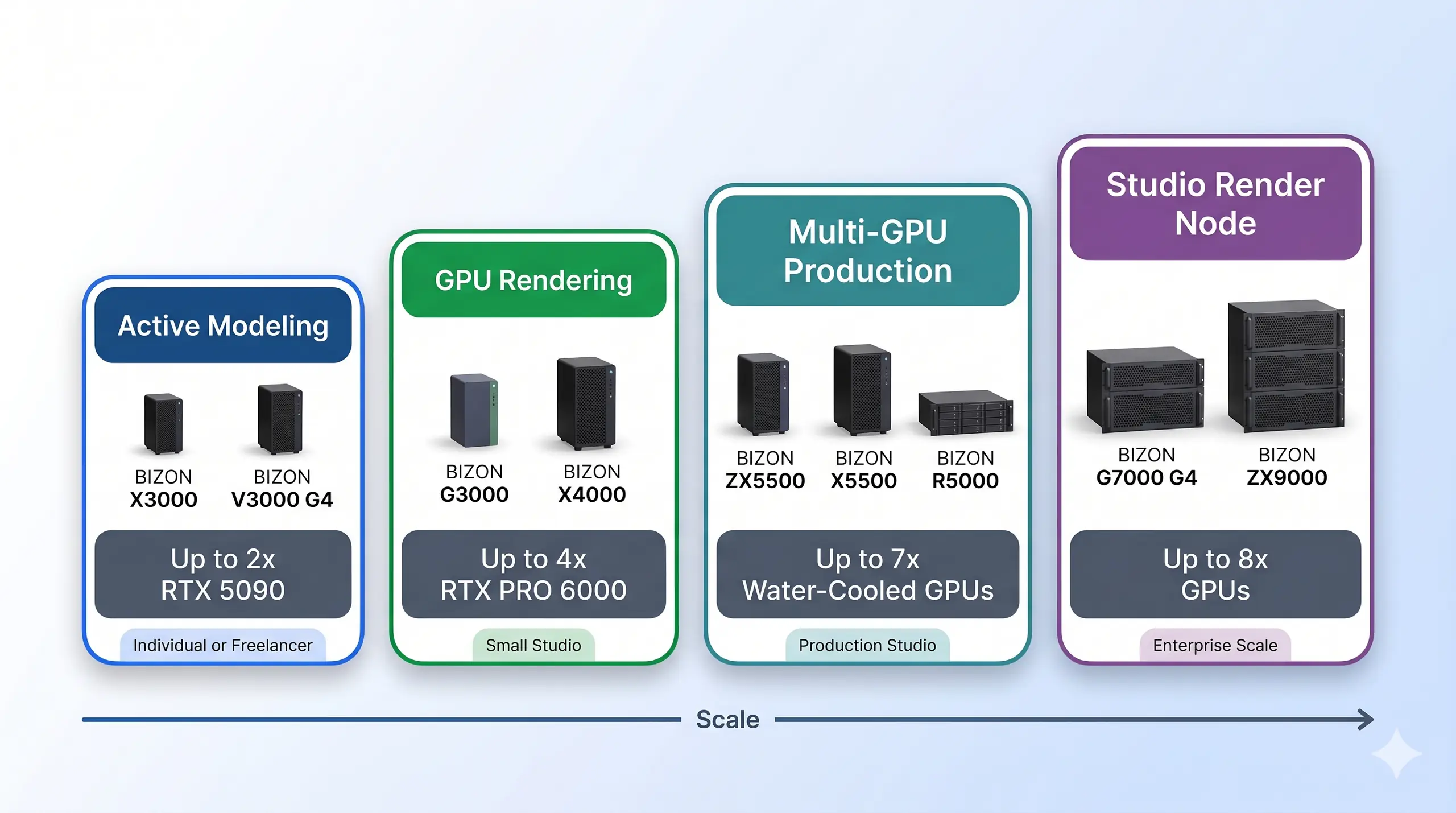
The four BIZON tiers for pro 3D, scaled by the workload each one serves.
Each tier maps one chassis to one buyer profile. GPU class, CPU, cooling, and form factor change at each step because the workload bracket sets the spec. Production work decides the chassis. The wishlist budget is the wrong filter.
Active Modeling Tier (1-2 GPUs)
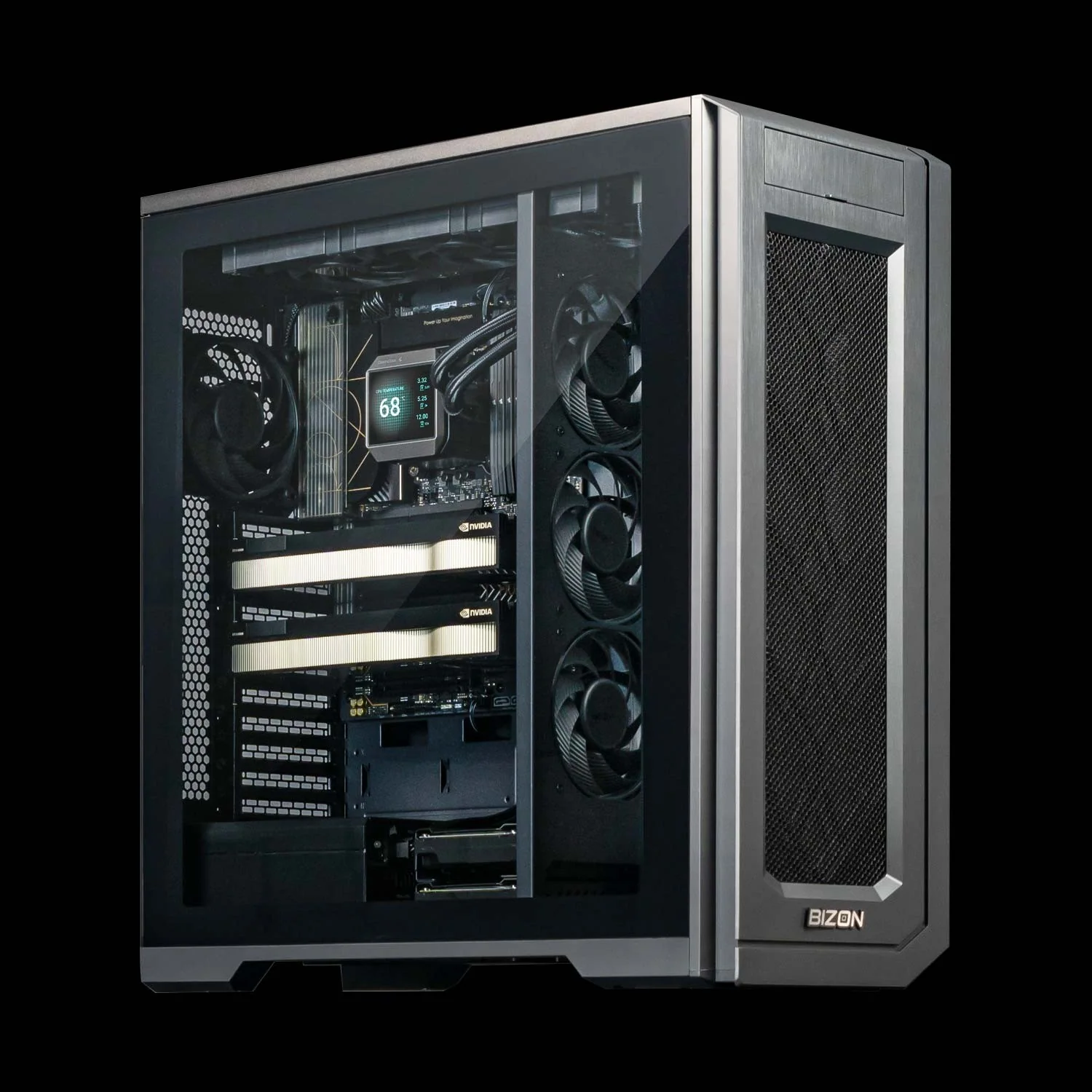
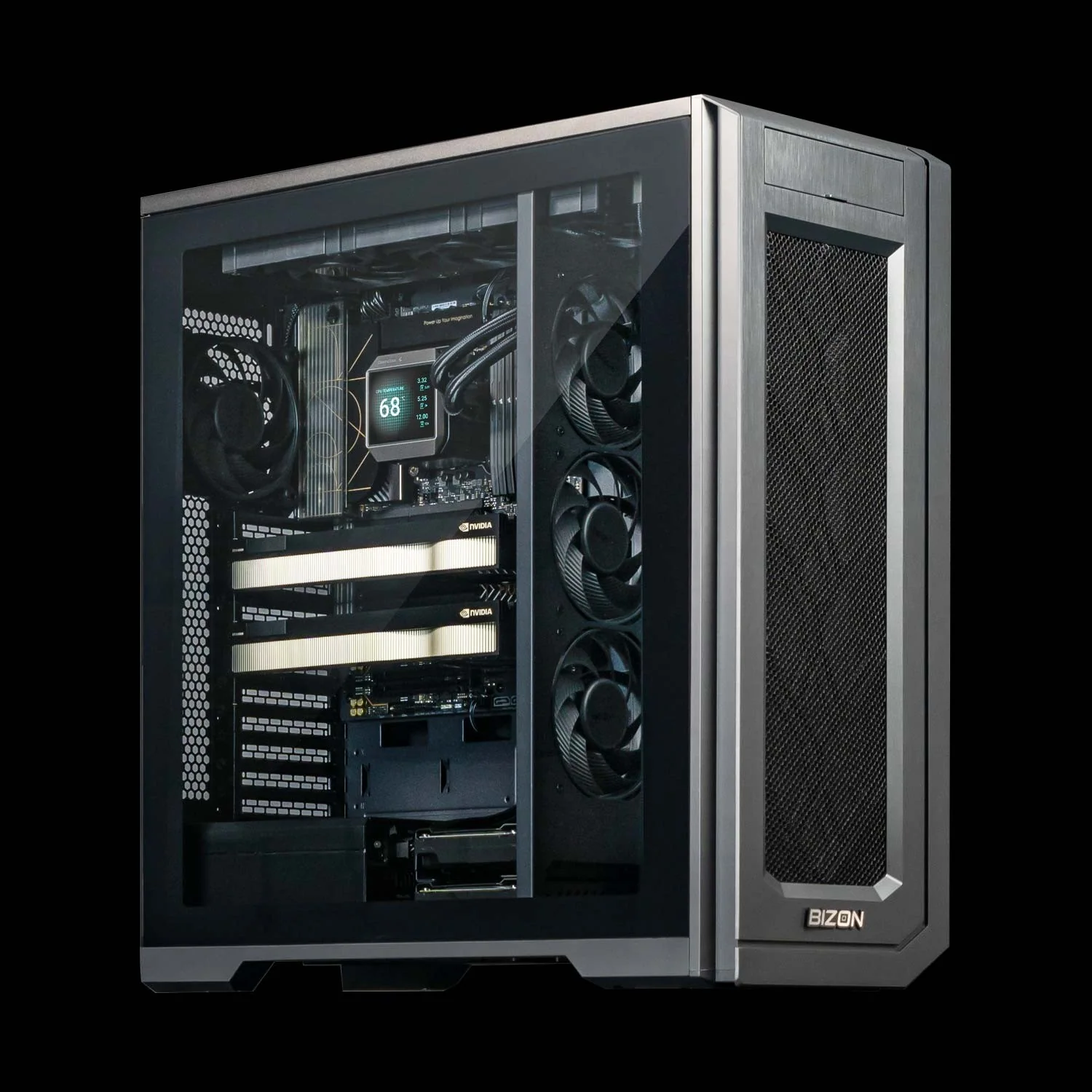
BIZON X3000 G2 Desktop Workstation
- Best for: Single-freelancer active modeling and GPU rendering on AMD silicon
- GPUs: Up to two GPUs. Compatible with the full RTX Blackwell and Ada workstation lineup (no datacenter SXM or HBM cards)
- VRAM: Up to 192 GB (two RTX PRO 6000 Blackwell GPUs at 96 GB each)
- CPU: AMD Ryzen 9000 (9900X or 9950X, up to 16 cores)
- RAM: Up to 256 GB DDR5, dual-channel
- Connectivity: 1 GbE built-in plus Wi-Fi/Bluetooth, up to 25 GbE or 100 Gbps InfiniBand
BIZON V3000 G4 Desktop Workstation
- Best for: Active modeling on the same GPU lineup when the studio is standardized on Intel
- GPUs: Up to two GPUs. Compatible with the full RTX Blackwell and Ada workstation lineup (no datacenter SXM or HBM cards)
- VRAM: Up to 192 GB (two RTX PRO 6000 Blackwell GPUs at 96 GB each)
- CPU: Intel Core Ultra 9 (14, 20, or 24 cores)
- RAM: Up to 192 GB DDR5, dual-channel
- Connectivity: 1 GbE built-in plus Wi-Fi/Bluetooth, up to 25 GbE or 100 Gbps InfiniBand
GPU Rendering Tier (up to 4 GPUs)
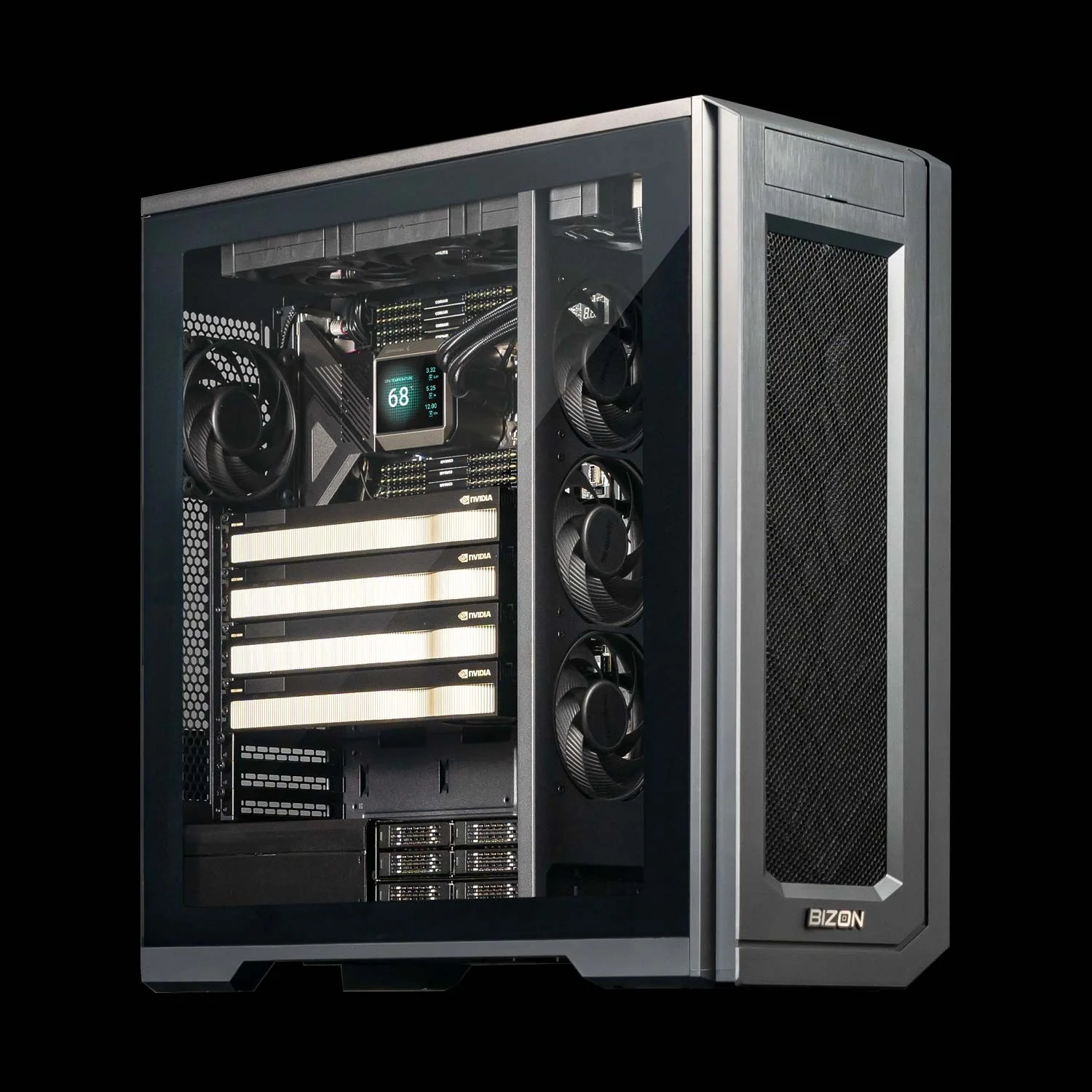
BIZON G3000 Gen2 Workstation
- Best for: VRAM-bound GPU rendering in Octane, Redshift, Karma XPU when scenes exceed 32 GB
- GPUs: Up to four GPUs. Compatible with the full RTX Blackwell and Ada workstation lineup
- VRAM: Up to 384 GB (four RTX PRO 6000 Blackwell GPUs at 96 GB each)
- CPU: Intel Xeon W-3500 (up to 60 cores) or Xeon W-2500 (up to 22 cores)
- RAM: Up to 1,024 GB DDR5 ECC Buffered, quad-channel
- Connectivity: 1 GbE built-in plus Wi-Fi/Bluetooth, up to 25 GbE or 100 Gbps InfiniBand EDR
Multi-GPU Production Tier
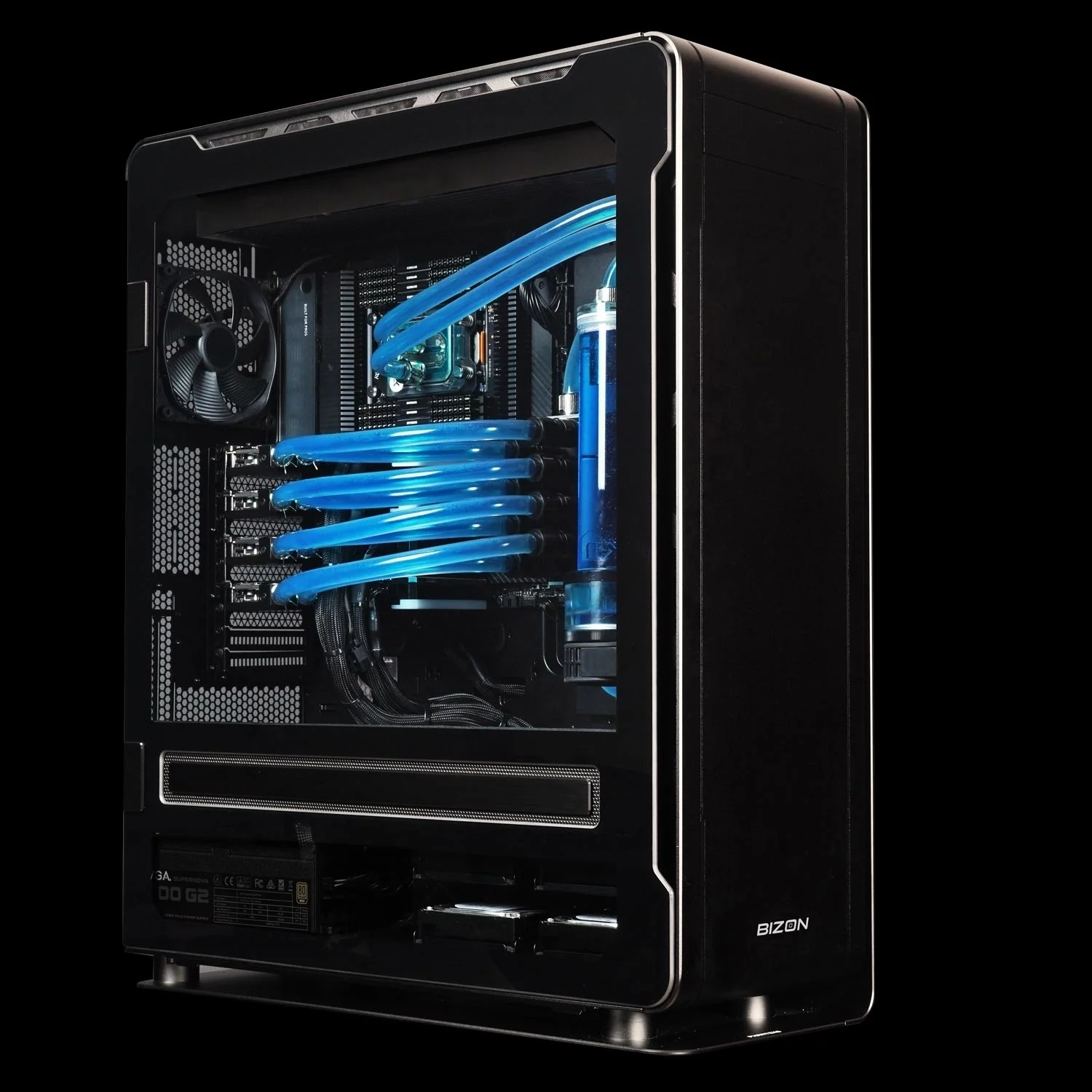
BIZON ZX5500 Water-Cooled Workstation
- Best for: Sustained multi-GPU production rendering and AI-3D pipelines that run overnight
- GPUs: Up to seven GPUs. Compatible with RTX A1000, RTX 5080, RTX 5090, RTX PRO 6000 Blackwell, and H200 141GB NVL
- VRAM: Up to 987 GB (seven H200 141GB NVL)
- CPU: AMD Threadripper PRO 7000 or 9000 (24, 32, 64, or 96 cores)
- RAM: Up to 1,024 GB DDR5 ECC, 8-channel
- Connectivity: 1 GbE built-in plus Wi-Fi/Bluetooth, up to 25 GbE or 100 Gbps InfiniBand EDR
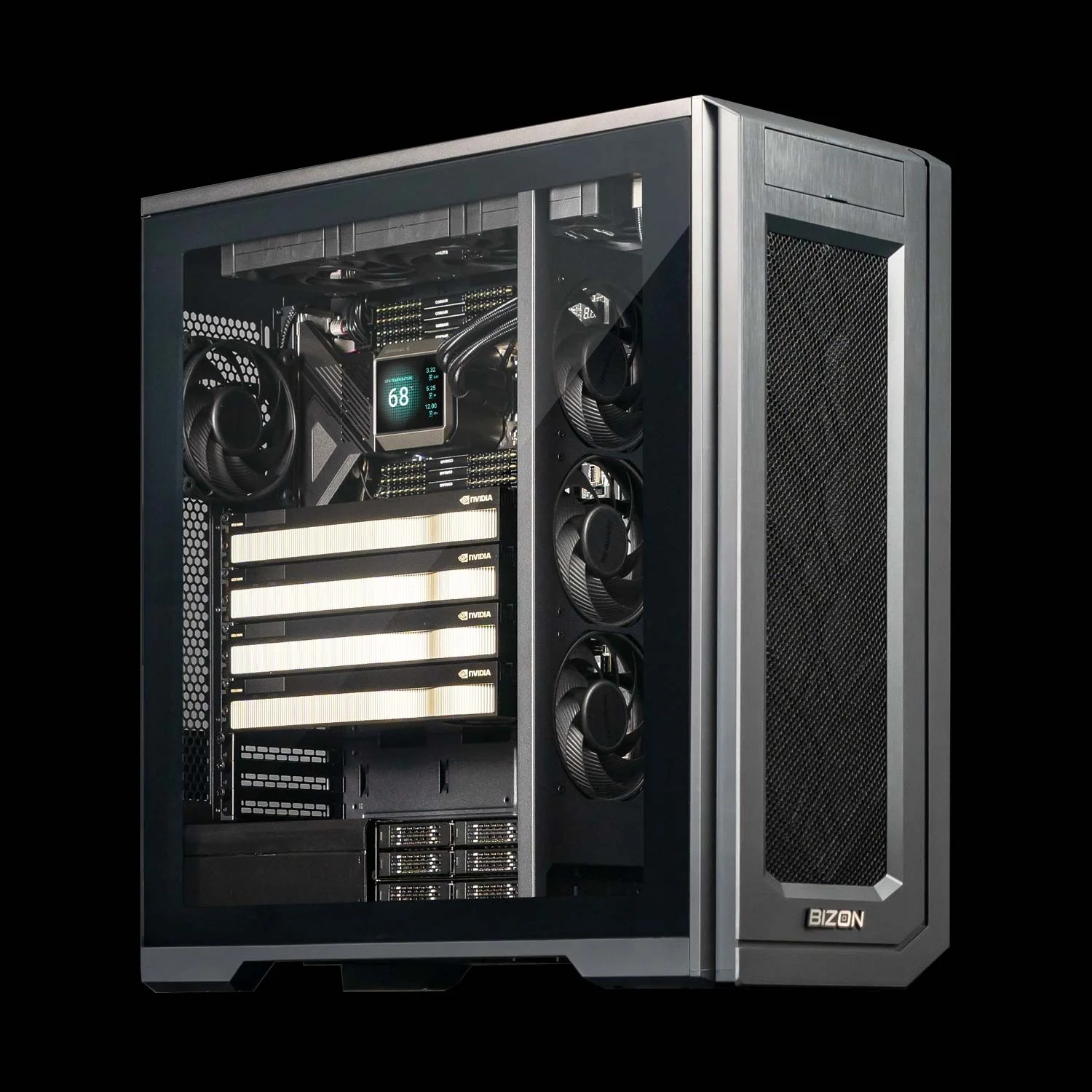
BIZON X5500 G2 Desktop Workstation
- Best for: Four-GPU production rendering for studios that prefer hybrid cooling over a full custom loop
- GPUs: Up to four GPUs. Compatible with the full RTX Blackwell and Ada workstation lineup
- VRAM: Up to 384 GB (four RTX PRO 6000 Blackwell GPUs at 96 GB each)
- CPU: AMD Threadripper PRO (16, 24, 32, 64, or 96 cores)
- RAM: Up to 1,024 GB DDR5 ECC, 8-channel
- Connectivity: 1 GbE built-in plus Wi-Fi/Bluetooth, up to 25 GbE or 200 Gbps InfiniBand HDR
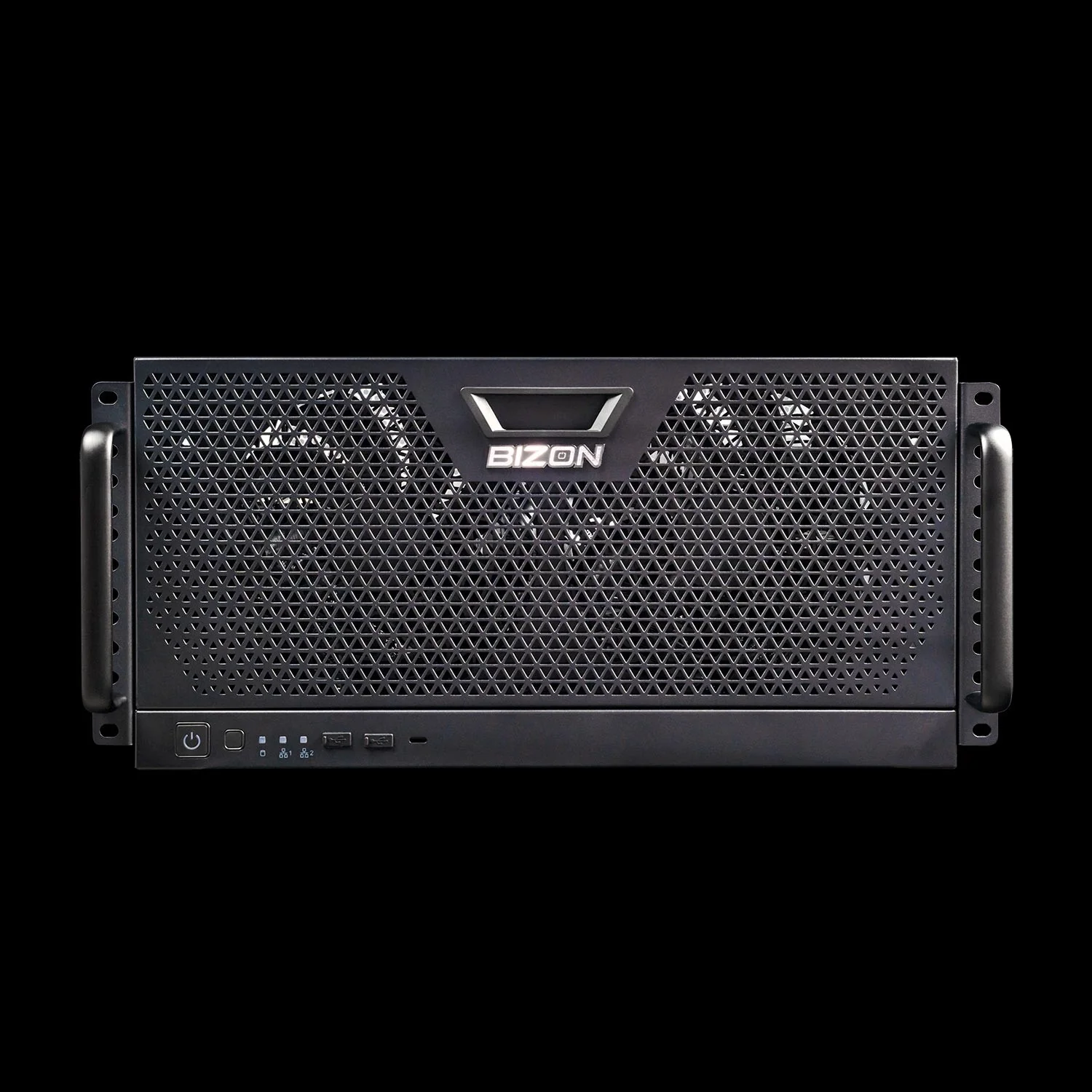
BIZON R5000 Rackmount Workstation
- Best for: Four-GPU production rendering in a 5U rackmount form factor for studios moving toward server-class deployment
- GPUs: Up to four GPUs. Compatible with RTX 5060 Ti, 5070, 5070 Ti, 5080, 5090, RTX 6000 Ada, RTX PRO 4000, 4500, 5000, 6000 Max-Q, RTX PRO 6000 Blackwell
- VRAM: Up to 384 GB (four RTX PRO 6000 Blackwell GPUs at 96 GB each)
- CPU: AMD Threadripper PRO (16, 24, 32, 64, or 96 cores)
- RAM: Up to 1,024 GB DDR5 ECC, 8-channel
- Connectivity: 10 GbE dual port (two RJ45) plus Wi-Fi 7, up to 25 GbE or 100 Gbps InfiniBand
Studio Render Node Tier
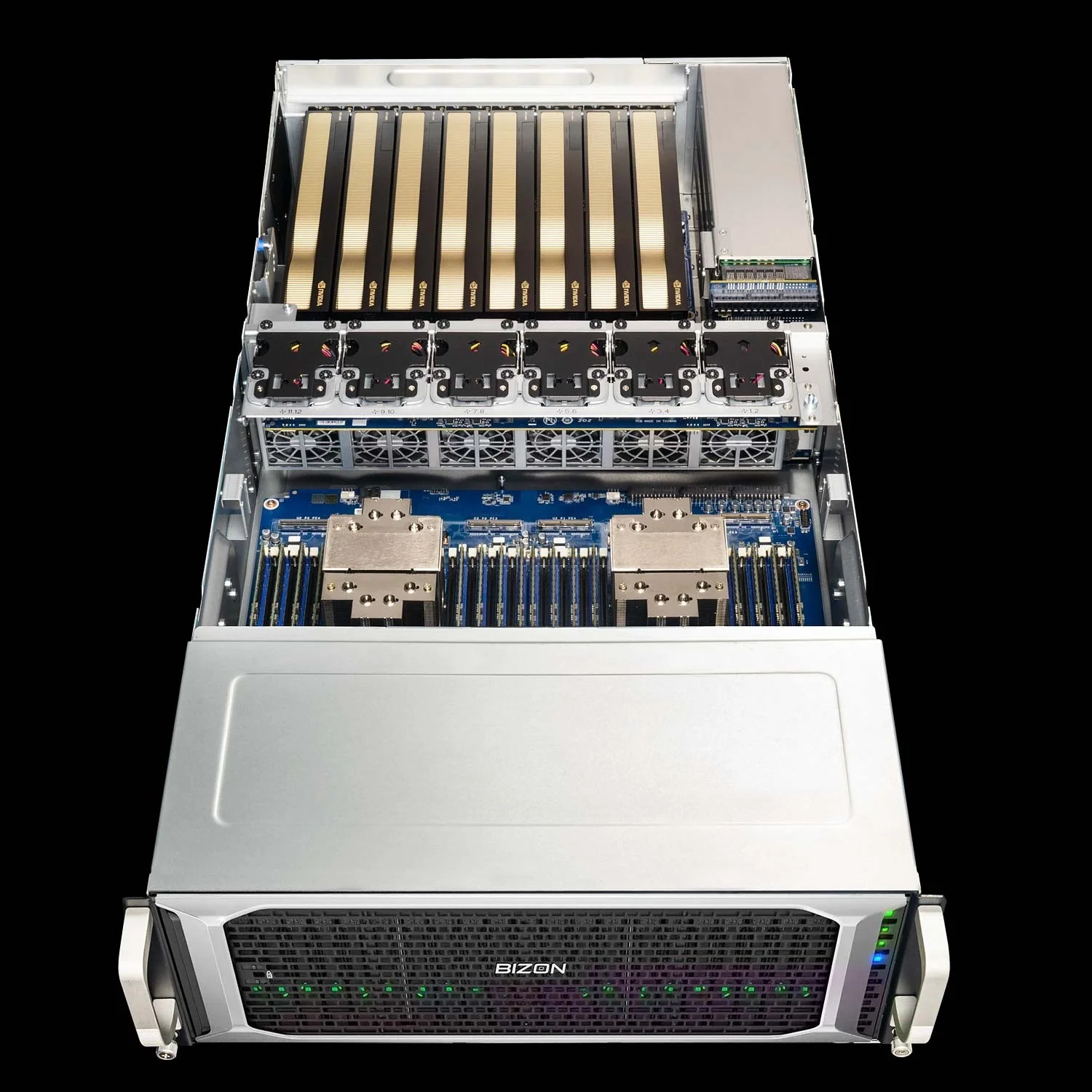
BIZON G7000 G4 Rackmount Server
- Best for: Studio render-farm node, large-scene neural rendering, mesh-generation pipelines
- GPUs: Up to eight GPUs. Compatible with RTX A1000, RTX 6000 Ada, RTX PRO 4000, 4500, 5000, 6000 (300W and 600W), L40s, A100 80 GB, H100 94 GB NVL, H200 141 GB NVL. Does not support consumer RTX 5090
- VRAM: Up to 1,128 GB (eight H200 141GB NVL)
- CPU: Dual Intel Xeon Scalable 4th or 5th Gen
- RAM: Up to 4,096 GB DDR5 ECC Buffered, 8-channel per CPU
- Connectivity: 10 GbE dual port (two RJ45), up to 400 Gbps InfiniBand NDR
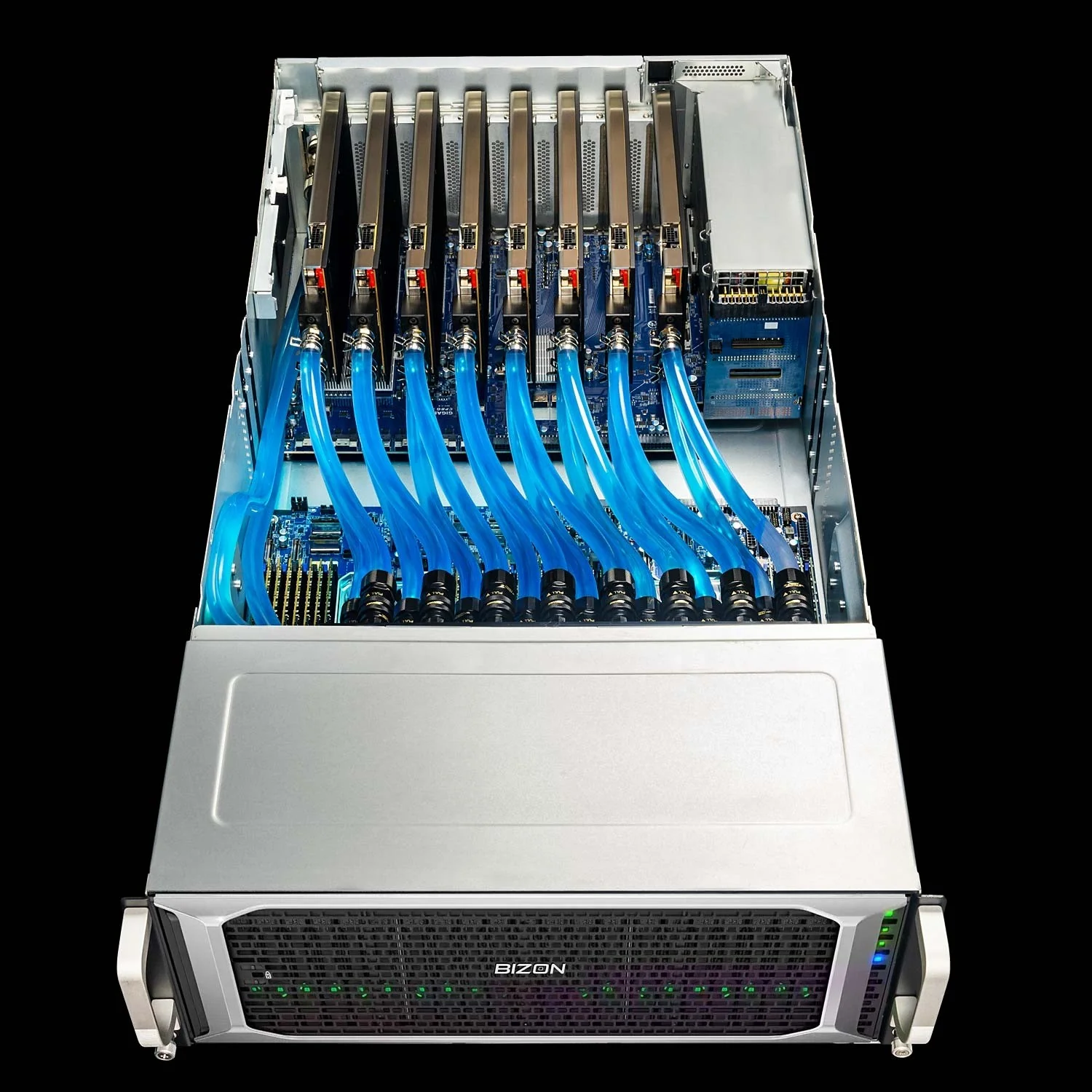
BIZON ZX9000 Water-Cooled GPU Server
- Best for: Water-cooled studio render-farm node sustaining clocks on H-class GPUs through multi-day jobs
- GPUs: Up to eight GPUs. Compatible with RTX A1000, RTX 6000 Ada 48 GB, RTX PRO 6000 Blackwell 96 GB, A100 80 GB, H100 94 GB NVL, H200 141 GB NVL
- VRAM: Up to 1,128 GB (eight H200 141GB NVL)
- CPU: Dual AMD EPYC 9004 or 9005 (5nm, Socket SP5)
- RAM: Up to 3,072 GB DDR5 ECC Buffered, 12-channel per CPU
- Connectivity: 10 GbE dual port (two RJ45), up to 400 Gbps InfiniBand NDR
Picking Your 3D Modeling Workstation
The right pro 3D workstation maps one tier to one workload. Chassis class, GPU count, and cooling loop all change as the use case shifts from active modeling toward overnight production. Active modeling tiers handle Maya scrubs and Cinema 4D timelines on a single high-clock card. GPU rendering tiers add VRAM headroom when scenes exceed a 32 GB consumer card. Multi-GPU production tiers run overnight Redshift or Octane jobs across two to four cards. Studio render node tiers cover the case where the room runs a render farm and a single quote specs multiple matched chassis. Cross-check any quote against the current BIZON lineup. Sign with eyes open.
The render and AI stacks have merged. One chassis runs both pipelines now. The RTX PRO 6000 that clears a 96 GB Redshift scene tonight runs Gaussian Splatting capture and Stable Diffusion pipelines tomorrow morning. Every major DCC calls the GPU, so spec for render and AI lands in the same box. Buying for one stack is buying for both.
Configure a 3D workstation through BIZON's 3D modeling and rendering workstation builder, where every tier above is built custom against the actual project the box is going to run. GPU, CPU, RAM, cooling, and chassis class all spec to the workload rather than to a fixed SKU table. Three-year warranty and lifetime technical support ship with every build. Quotes come back with the lane budget, thermal envelope, and VRAM headroom from the analysis above already baked into the configuration.