BizonOS v6.0 is based on Ubuntu 24.04 LTS. It ships with GPU-accelerated frameworks for AI, vLLM for local LLM inference, Ollama for easy model management, and a full suite of purpose-built apps — pre-configured and tested on BIZON workstations and servers. Plug in, power on, and start building.
Dashboard
From here, you can add new systems and control your current system. This is useful when working with multiple computers as it is possible to create a cluster and control everything from one place.
Software Updates
Check for new updates. Keeping your system up-to-date is important for security purposes and for ensuring access to the latest features.
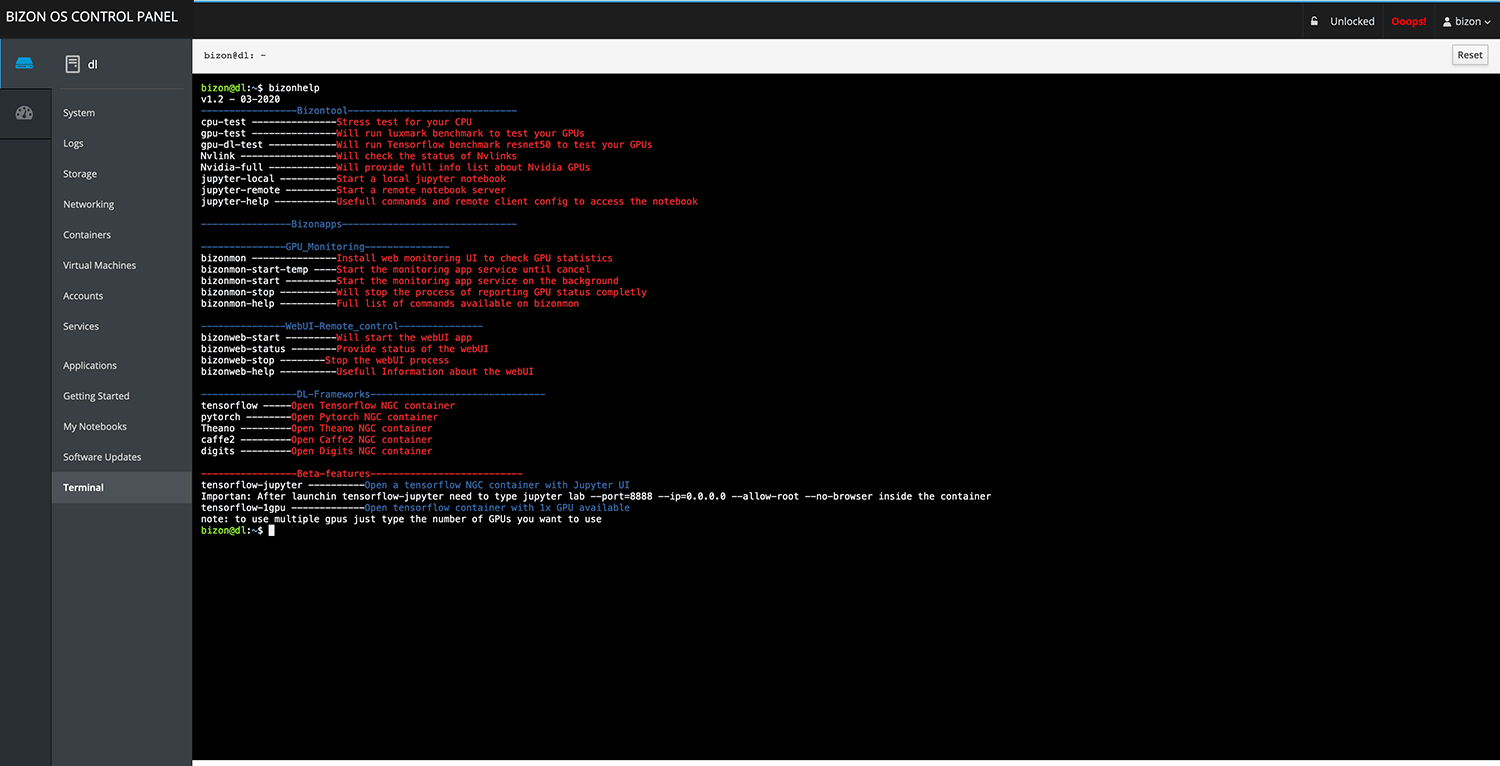
Terminal
Get terminal access. SSH access is available as well using SSH apps.
Containers
Control docker containers, search for new containers, launch the ones installed, and login inside the containers. This is very helpful for new docker users that don’t want to spend time learning the commands and even advanced users that prefer to launch their containers with one click.
Virtual Machines
Create multiple virtual machines inside the bizonOS. You can use other Linux distros or even Windows. This is useful for testing app compatibility in various operating systems. You can run isolated services within virtual machines.
Video Guides and Knowledge Base
Get access to the knowledge base for customers: guides, videos, and tutorials. This is useful because most users jumping into DL/ML development do not have an end to end solution from hardware to software. Here we explain how Bizon workstations and bizonOS can make that possible. We also have tutorials for working with Docker to save you a great deal of time for development.
My Notebooks
Launch Jupyter notebooks inside different containers, selecting the framework that you want to use. You can launch a Jupyter notebook with Tensorflow, PyTorch, and others with GPU support. There is an option to specify the number of GPUs to be used per notebook. Multiple users can create notebooks at the same time.
GPU Monitoring
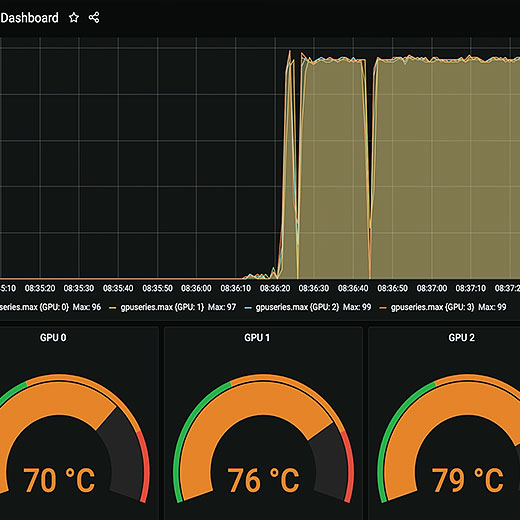
Monitor GPU usage: temperature, clock speed, memory. This is very useful for monitoring your hardware and getting real-time data on how each deep learning model affects the GPUs. We use Grafana and Prometheus as they are the most advanced tools for hardware analytics. Docker and Kubernetes monitoring support coming soon.
VNC Support
Access your workstation's GUI with VNC. This is very useful if you need GUI access without the restrictions of only using the terminal. You can launch it with just one click. No need for a keyboard, mouse, or monitor at the workstation.
System
View general information about the workstation. You can monitor GPU, CPU, RAM, HDD, and network usage in real-time. No additional software or command line usage is needed. Remotely monitor your workstation from anywhere!
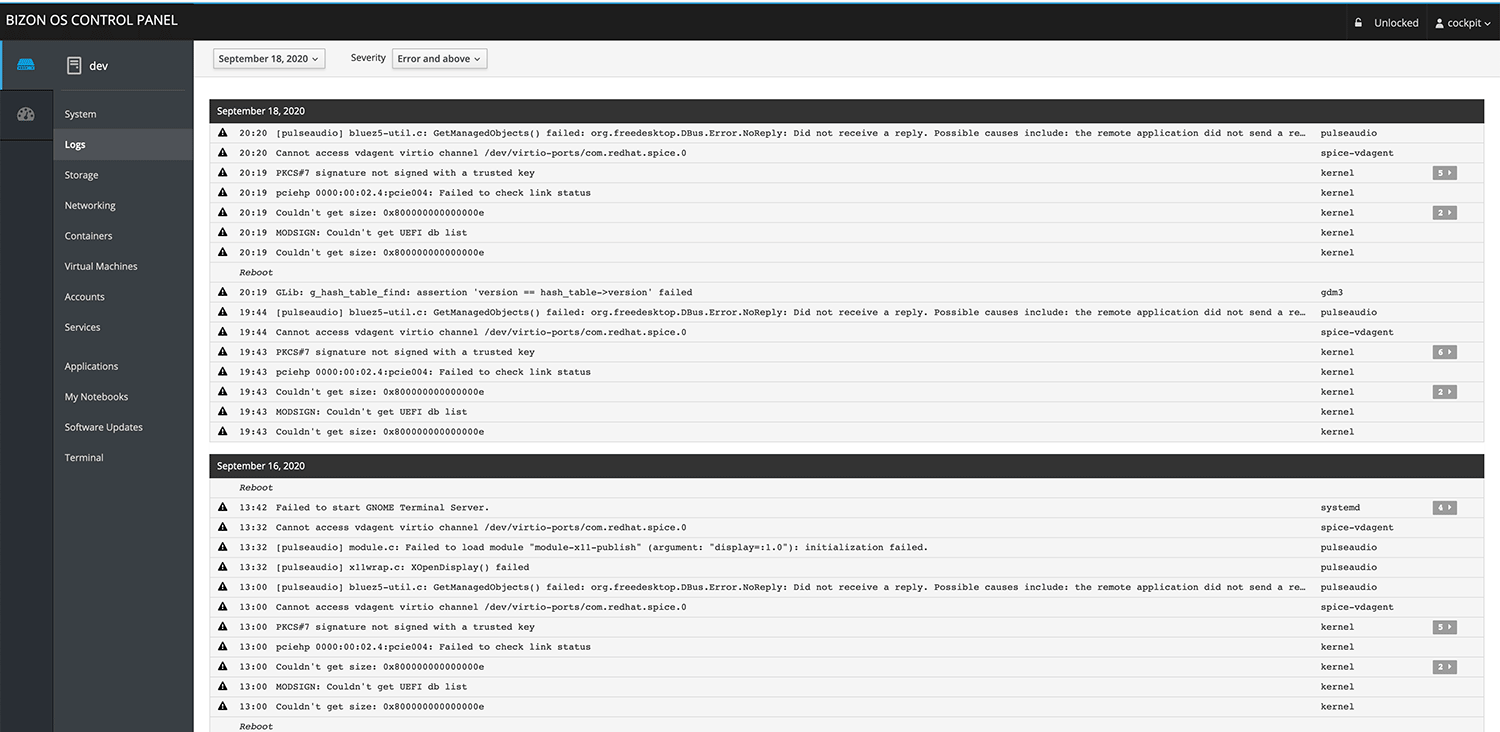
Logs
View logs in real-time. This is extremely useful for troubleshooting, most especially for system administrators.
Storage
Monitor storage usage and create RAID arrays.
Networking
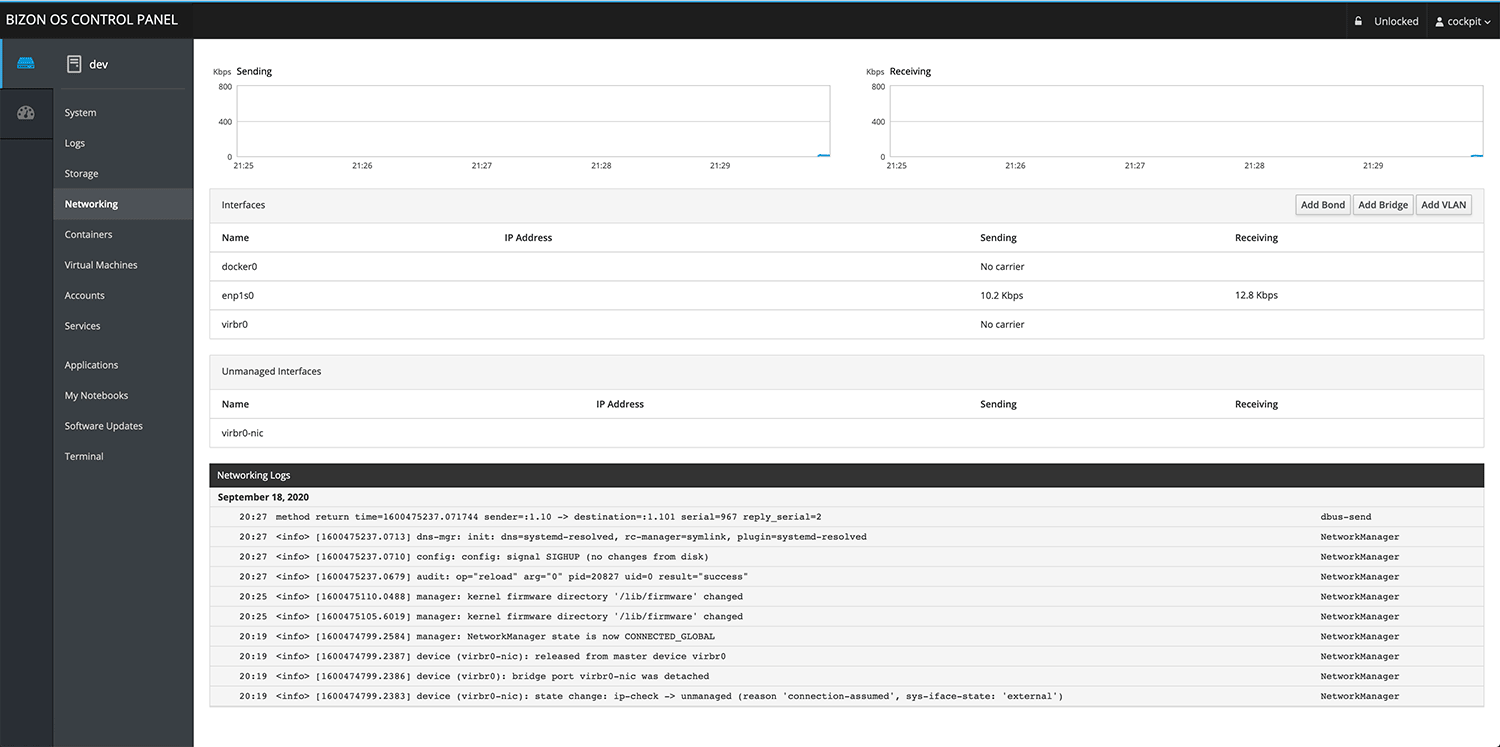
Monitor network interfaces, traffic, firewalls, and add VLANs.
Accounts
Manage account settings and create new accounts.
Services
Monitor active services; stop, disable, or remove them. This is very important for security purposes.

Local LLM Inference — vLLM & Ollama
BizonOS v6.0 ships with vLLM pre-installed and ready for production-grade local LLM inference. Run Llama, Mistral, DeepSeek, Gemma 4, Nemotron 3, Kimi 2.5, GLM-5.1, MiniMax-M2.7, Qwen 3.5, and other open-source models directly on your NVIDIA GPUs — zero cloud dependency, your data never leaves your network.
Ollama is also supported for easy local model management. Switch backends from the Bizon Desktop App or via the Bizonhelp CLI with a single command.
Bizon API & MCP Server
A RESTful API and Model Context Protocol server that runs entirely within your local network. AI coding assistants like Cursor, Windsurf, and Claude can connect to your hardware privately and securely — run commands, check GPU status, manage services, and more, all without any internet exposure.
BizonOS Control Panel – All you need in one place
A challenge faced by most developers and researchers is that all the tools they need are not easy to navigate and they have to use various command lines. BizonOS includes a user-friendly, web-based control panel with everything one needs, all organized into one convenient location.
Based on the Latest Ubuntu
BizonOS v6.0 is based on Ubuntu 22.04 LTS. You get the most up-to-date LTS operating system with the latest security patches, kernel improvements, and long-term support — all tested and validated on BIZON hardware before shipping.
Pre-installed With the Most Powerful Deep Learning Software
BizonOS v6.0 ships with PyTorch 2.11.0 (CUDA 13.0), TensorFlow 2.21.0, vLLM for production LLM serving, Ollama for local model management, Anaconda, Jupyter Notebook, JupyterLab, CUDA 13.2, NVIDIA driver 595.58.03, and GPU-optimized Docker containers for all major frameworks.
Everything is tested on your exact hardware configuration. One-click framework updates are available directly from the BizonOS Control Panel.

Remote Access — GUI/VNC, SSH, and iOS App
Access your workstation's full GUI via VNC with one click — no monitor, keyboard, or mouse required at the workstation. SSH access is built in via the Control Panel terminal.
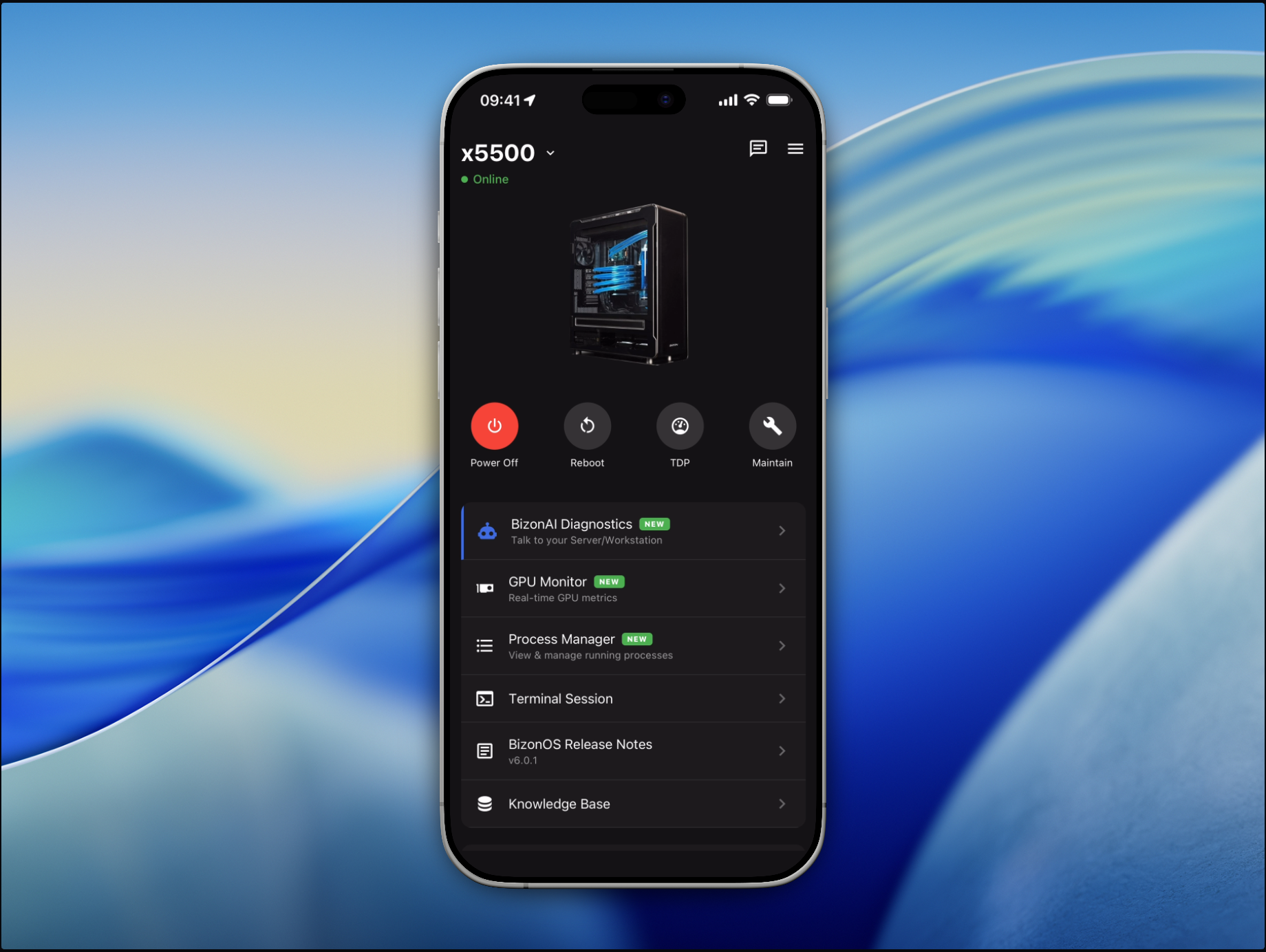
The BIZON Remote Control iOS app lets you monitor and control your workstation from your iPhone over your local network. Check GPU stats, run AI diagnostics, manage processes, reboot, and more — all securely within your private network, nothing exposed externally.
Scale with Ease and Have Your Own Private Datacenter
Add as many workstations as you need, and create a cluster with ease. If you have 2 or more Bizon workstations, you can now create your own cluster from the BizonOS Control Panel and monitor the cluster from one dashboard. It's like having a private datacenter! No complicated configuration is required. The setup is pretty simple and intuitive.
Monitoring Tools
Our monitoring tool is based on Grafana and Prometheus as they are the most advanced tools for hardware analytics. One can monitor GPUs, CPUs, network usage, Docker containers, and much more!
Jupyter Notebook
You can easily launch Jupyter notebooks inside ML/DL containers, and multiple users can launch the GPU TensorFlow container at the same time. What is more important, it works with just a single click instead of spending time using complicated commands lines and doing hours of research.
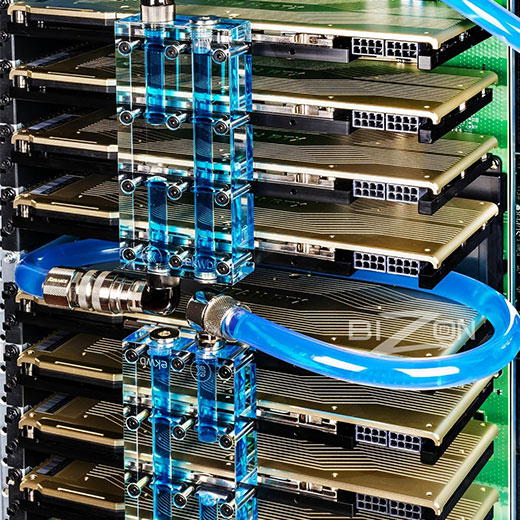
GPU Sharing
If you have multiple GPUs, with BizonOS, you can assign a specific GPU for each container. This is an enterprise-level feature that is available only on expensive plans from Amazon AWS and Google cloud. We are very proud to be able to offer this to our Bizon customers!
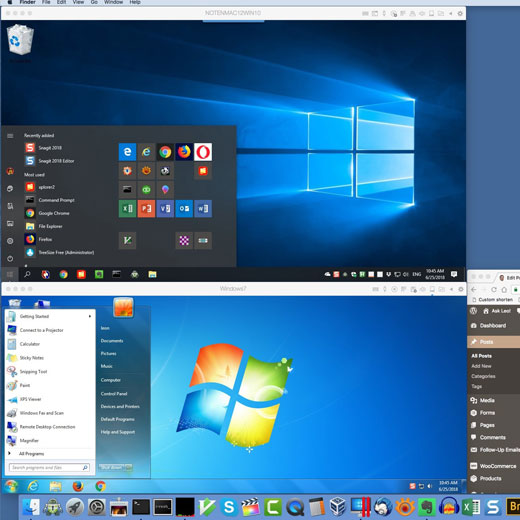
Virtualization
You can create multiple virtual machines inside your Bizon workstation. We have implemented KVM – the best virtualization software, and it's built directly into BizonOS with no configuration required! Launch your VMs easily from the BizonOS control panel!
Containers
It is no longer necessary to use the command line to pull, launch, or stop a container. Everything can be done within our WebUI. Look for any containers you need, pull them, and launch them. In just a matter of seconds, you will have real-time monitoring of a container.

Video Guides and Knowledge Base
Customers are given access to a knowledge base and series of videos we created on how to start using basic tools, how to start training, as well as other popular topics (e.g. Docker, Kubernetes, Linux administration, and more).
Many of our customers are newcomers to using deep learning workstations. These videos and guides are suitable for beginners and help to save a lot of time while getting a system up and running.
Every BIZON workstation ships with this suite of purpose-built apps. Control, monitor, and diagnose your system from a web browser, the desktop, or your iPhone — all within your local network.
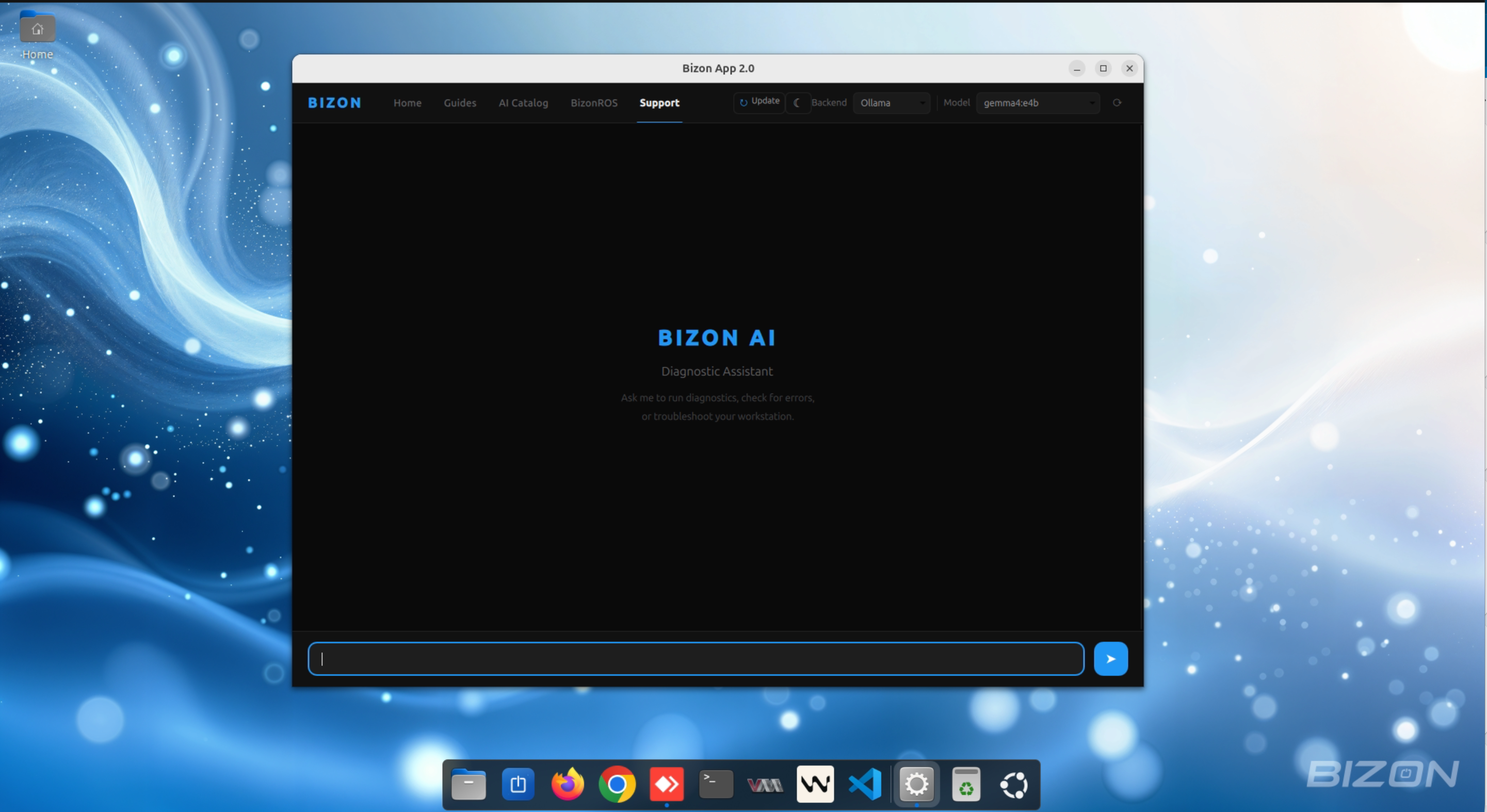
Bizon Desktop App
A native Linux desktop application pre-installed on every BIZON workstation. Your AI-powered welcome hub — get diagnostics, guides, and support without touching a terminal.
- AI Diagnostic — conversational assistant with markdown rendering
- Local AI models run fully on-device — your data never leaves the workstation
- Optional Claude backend for cloud-assisted AI support
- AI tool execution — runs diagnostic commands and reports results
- Embedded browser — NVIDIA AI Catalog, Notion guides, and support resources
- Dark & Light mode, one-click updates, customizable system prompt
BIZON Remote Control — iOS App
Control your AI workstation from your iPhone over your local network. The app communicates exclusively within your private network — nothing is exposed to the internet, your hardware stays fully private.
- BizonAI Diagnostics — talk to your server with natural language
- Choose AI backend: Claude, Ollama, or vLLM with model selection
- Real-time GPU monitoring — power, temperature, VRAM stats
- Process manager — view and kill processes remotely
- Power controls — reboot, shutdown, GPU TDP management
- Multi-machine support — manage all BIZON systems from one app
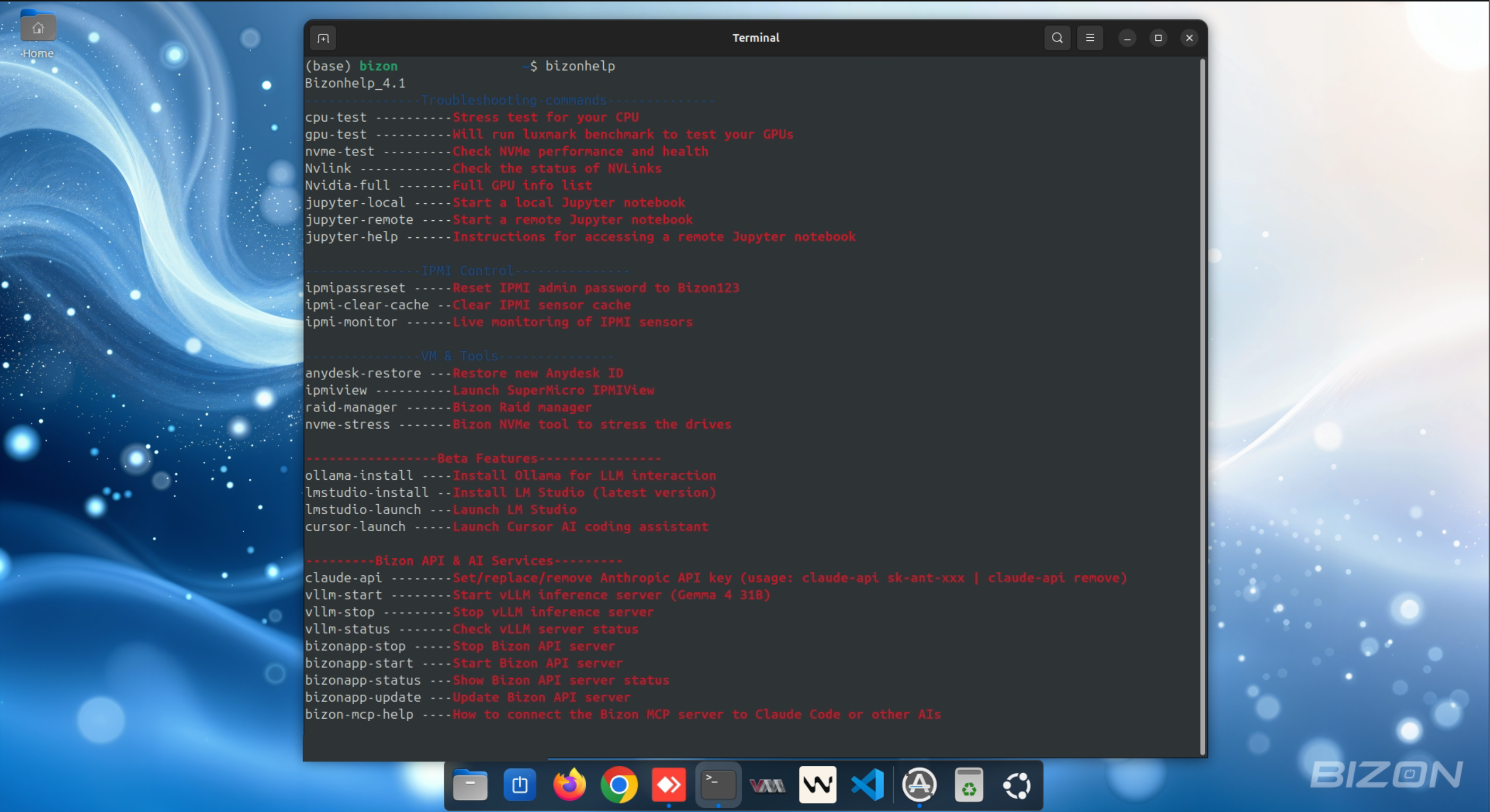
Bizonhelp & CLI Tools
Type bizonhelp in the terminal to access all tools — no documentation needed.
- Diagnostics — CPU stress test, GPU benchmark (LuxMark), NVMe health & performance
- IPMI Control — Live sensor monitoring, password reset, cache clear
- Jupyter — Launch local or remote notebooks with a single command
- RAID & NVMe — RAID array management and NVMe stress testing
- AI Tools (Beta) — Install & launch Ollama, LM Studio, and Cursor AI
- Bizon API & vLLM — Start/stop/update the API server and vLLM inference
- Claude API key setup and MCP server connection guide built-in